3Preparing the System
36 July 7, 2014, 715003736IVD Rev. C
Sample manager control panel
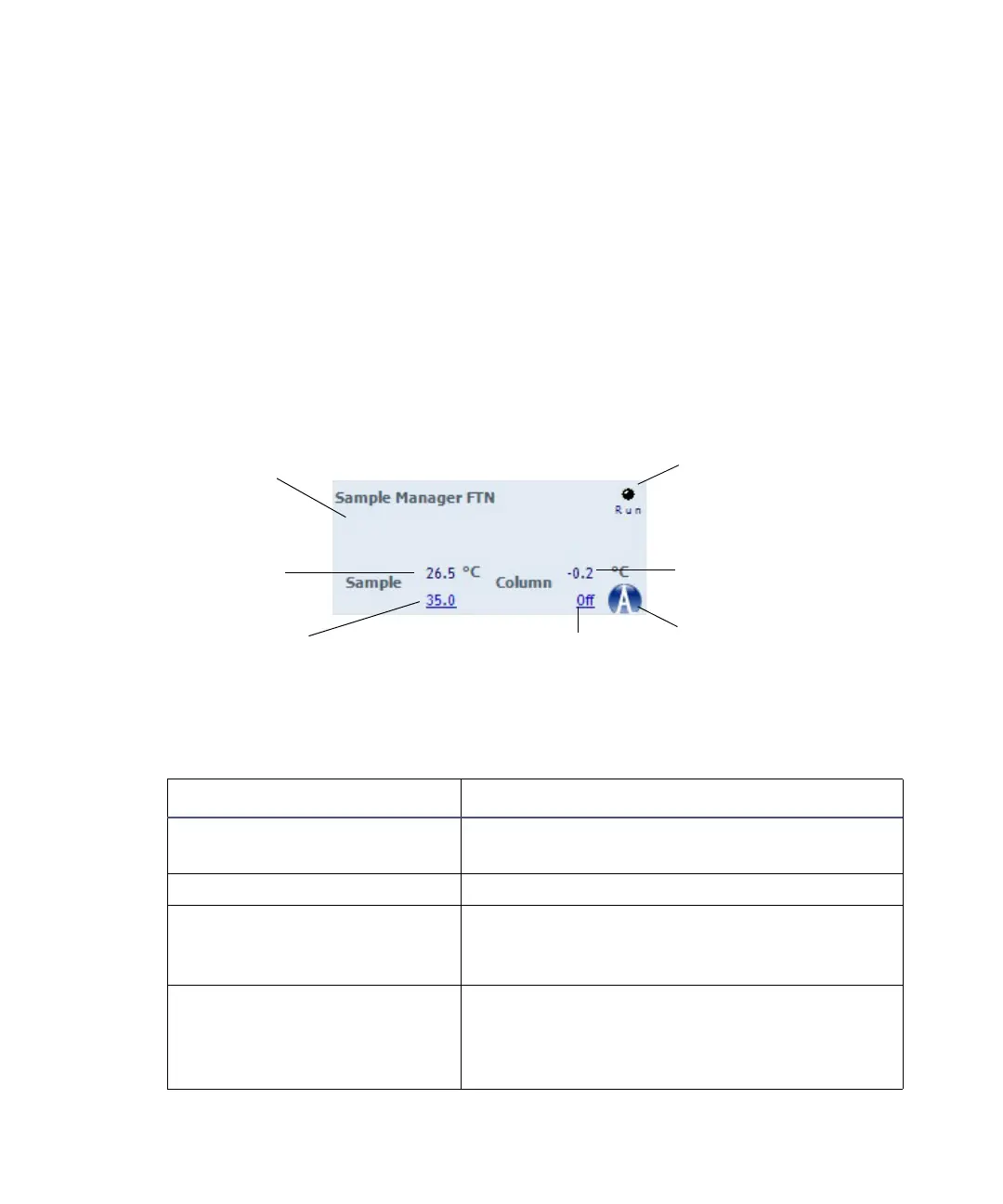
The sample manager control panel displays current sample compartment and
column heater temperatures and set points. You can edit these values when
the system is idle by clicking the underlined value. You cannot edit sample
manager set points while the system is running samples.
Tips:
•To keep the sample compartment at a constant temperature, open its
door only when necessary.
•The sample manager’s fans stop circulating air whenever the sample
compartment door is open.
Sample manager control panel:
The following table describes the items in the sample manager’s control panel:
Sample manager control panel items:
Control panel item Description
Run LED Displays the actual run LED on the front
panel, unless communications are lost.
Status Displays the status of the current operation.
Current Sample
Compartment Temperature
Displays the current sample compartment
temperature, to 0.1 °C resolution, even when
active temperature control is disabled.
Sample Compartment Set
Point
Displays the current sample compartment
set point, to 0.1 °C resolution. When active
temperature control is disabled, this field
displays “Off”.
Run LED
Current column heater
temperature
Display ACQUITY UPLC
Console
Column heater set
point
Status
Current sample
compartment
temperature
Sample
compartment set
point



 To Next Page