Stop flow The Stop Flow control immediately stops all flow from the solvent
manager.
Flow rate Displays the total flow rate of the solvent manager.
• µBSM from 0.000 to 100 µL/min under normal operation, and 0.000
to 8.000 mL/min when priming.
• A-side of the ASM from 0 to 1000 µL/min and the B-side of the ASM
from 0 to 100 µL/min.
System pressure Displays pressure in kPa, bar, or psi. You can customize pressure units
via the instrument console.
Status Displays the status of the current operation.
Warning indicator Displays the warning indicator icon when the liters pumped is
exceeded.
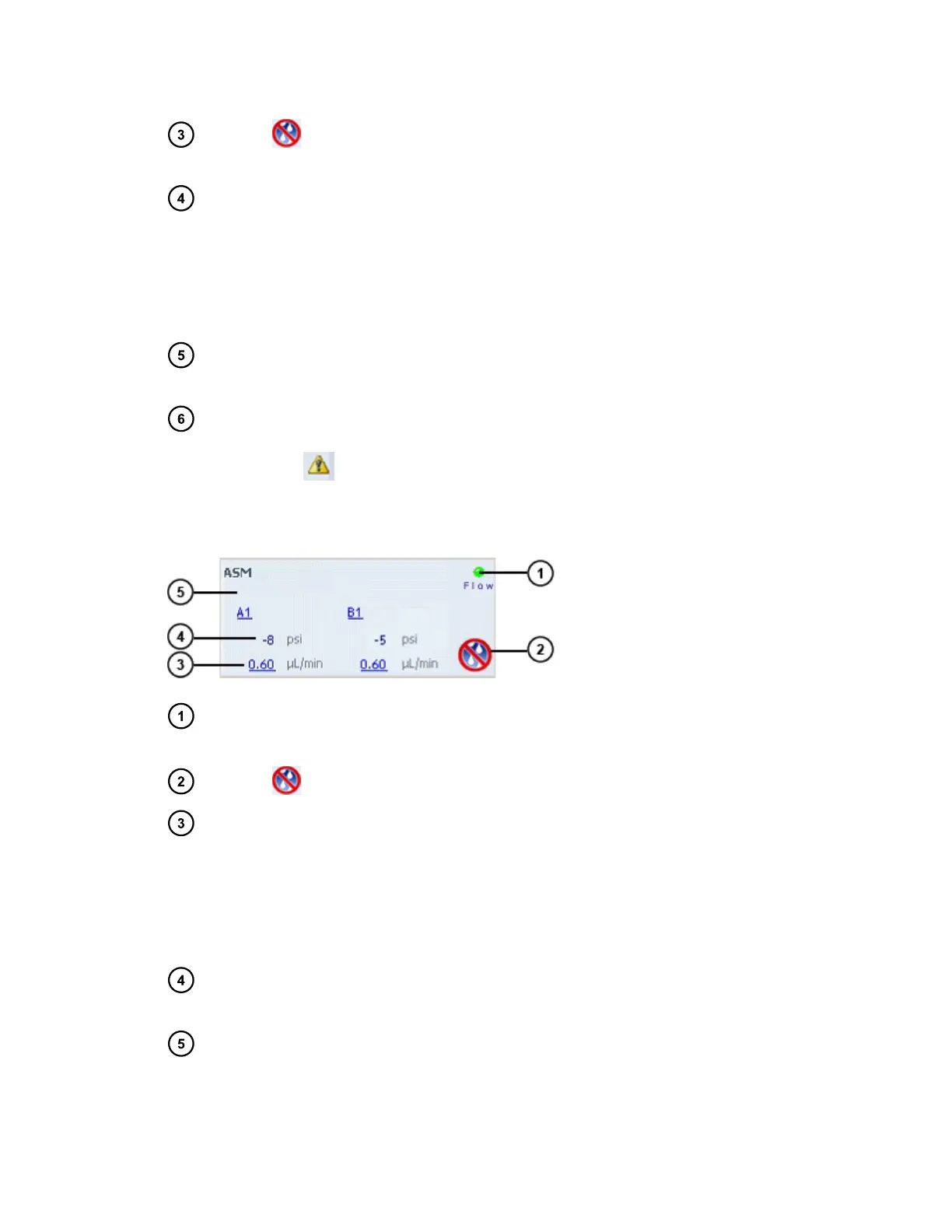
Figure 3–2: ASM control panel
Flow LED Depicts the actual flow LED on the front panel of the solvent manager
unless communications with the solvent manager are interrupted.
Stop flow The Stop Flow control immediately stops all flow from the solvent manager.
Flow rate Displays the total flow rate of the solvent manager.
• µBSM from 0.000 to 100 µL/min under normal operation, and 0.000 to
8.000 mL/min when priming.
• A-side of the ASM from 0 to 1000 µL/min and the B-side of the ASM
from 0 to 100 µL/min.
Pump
pressure
Displays pressure in kPa, bar, or psi. You can customize pressure units via
the instrument console.
Status Displays the status of the current operation (the above image depicts an
ASM device with no status).
November 26, 2019, 715003588 Revision C
Page 53












 To Next Page