Warning indicator Displays the warning indicator icon when the liters pumped is
exceeded.
You can access additional functions, shown in the following table, by right-clicking anywhere in
the solvent manager’s control panel.
Table 3–5: Additional functions in the solvent manager control panel
Control panel function Description
Prime A/B solvents Displays the Prime Solvents dialog box and
allows for manual changeover or refreshing of
solvent. Solvents are automatically shunted to
waste.
Prime seal wash Starts priming the seal wash, which lubricates
the plungers, fills the tubing paths with solvent,
and flushes away solvent or precipitated salts
dragged past the plunger seals from the high-
pressure side of the piston chambers. It is
important to note that you must stop the prime
seal wash manually.
Reset µBSM or ASM Resets the solvent manager following an error
condition.
Help Displays the instrument console’s online Help.
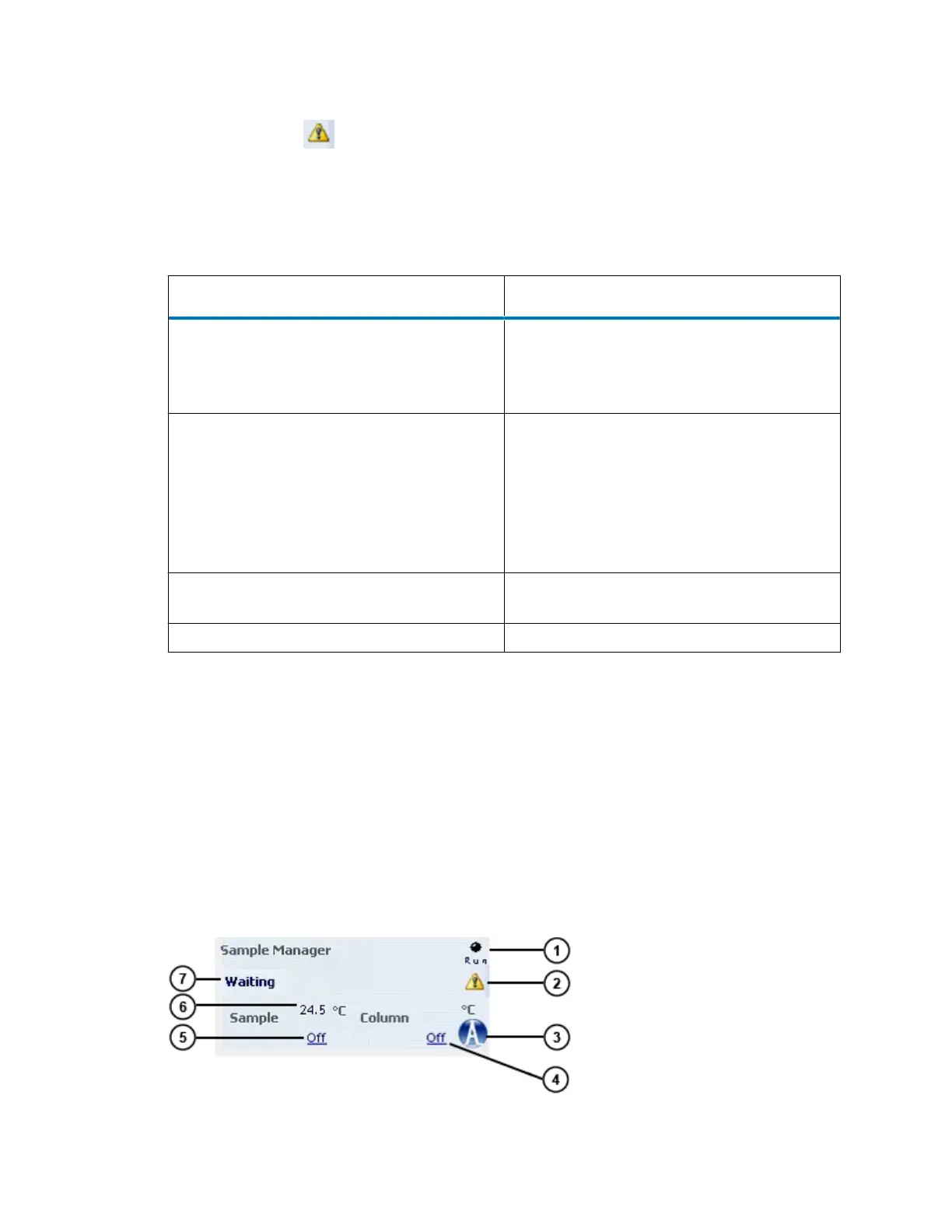
3.3.2 µSM-FL control panel
The µSM-FL control panel displays current sample compartment temperatures and set points.
You can edit these values when the system is idle by clicking the underlined value. You cannot
edit threshold µSM-FL set points while the system is running samples.
Tip: The cooling fans of the µSM-FL cease to circulate air whenever the sample compartment
door is open. To ensure that the sample compartment maintains a constant temperature, open its
door only when necessary.
Figure 3–3: µSM-FL control panel
November 26, 2019, 715003588 Revision C
Page 54












 To Next Page