3-32 | CFW-11
NOTE!
In order to use the digital inputs as active low, remove the jumper between XC1:11 and 12 and
install it between XC1:12 and 13.
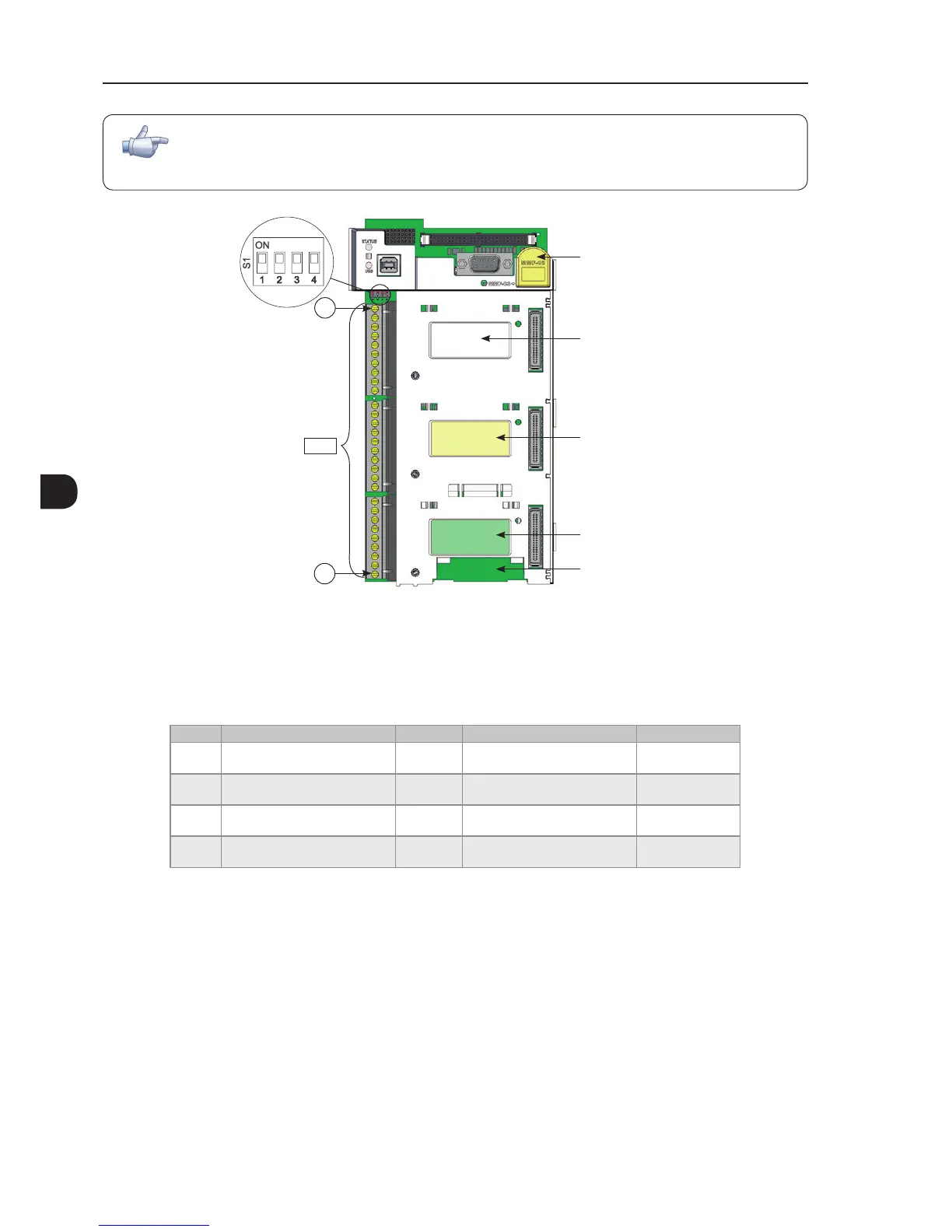
Slot 5
Slot 1 (white)
Slot 2 (yellow)
Slot 3 (green)
Slot 4
XC1
1
29
Figure 3.17 - XC1 terminal strip and DIP-switches for selecting the signal type of analog inputs and outputs
As the factory setting, the analog inputs and outputs are adjusted to operate in the 0 to 10 V range, but they
can be changed by using the S1 DIP-switch.
Table 3.7 - Conguration of DIP-switches for selecting the signal type of analog inputs and outputs
Signal Factory Setting Function DIP Switch Selection Factory Setting
AI1 Speed reference (remote) S1.4 OFF: 0 to 10 V (factory setting)
ON: 4 to 20 mA / 0 to 20 mA
OFF
AI2 No function S1.3 OFF: 0 to ±10 V (factory setting)
ON: 4 to 20 mA / 0 to 20 mA
OFF
AO1 Speed S1.1 OFF: 4 to 20 mA / 0 to 20 mA
ON: 0 to 10 V (factory setting)
ON
AO2 Motor current S1.2 OFF: 4 to 20 mA / 0 to 20 mA
ON: 0 to 10 V (factory setting)
ON
Parameters related to the analog inputs and outputs (AI1, AI2, AO1, and AO2) must be programmed according
to the DIP-switches settings and desired values.
Follow instructions below for the proper installation of the control wiring:
1. Wire gauge: 0.5 mm² (20 AWG) to 1.5 mm² (14 AWG).
2. Maximum tightening torque: 0.5 N.m (4.50 lbf.in).
3. Use shielded cables for the connections at XC1 and run the cables separated from the remaining circuits
(power, 110 V / 220 Vac control, etc.), as presented in Table 3.8 on page 3-34. If control cables must cross
other cables, it must be done perpendicularly among them, keeping a minimum of 5 cm (1.9 in) distance
at the crossing point.



 To Next Page