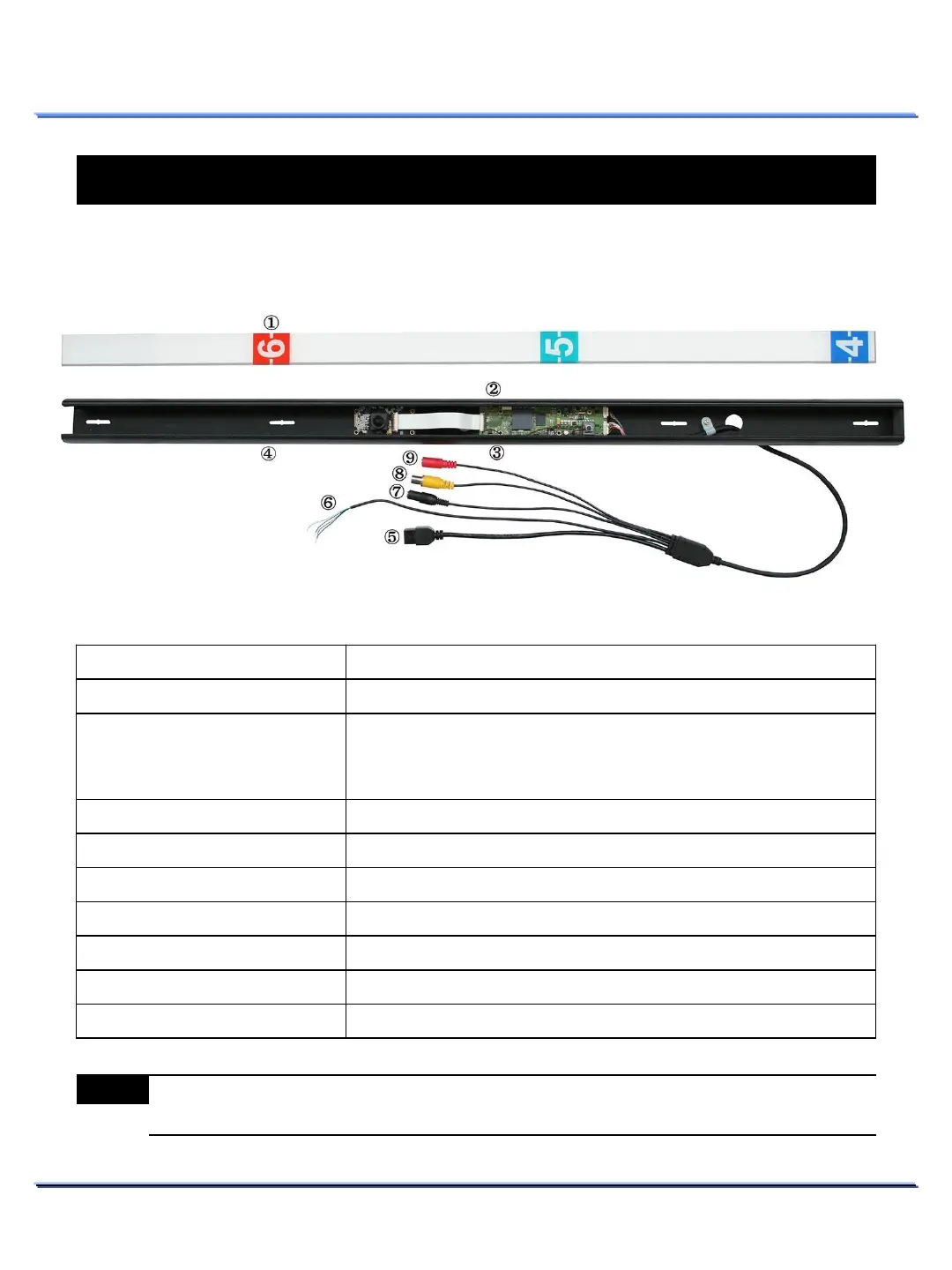
Hardware Overview (Appearance)
Hardware Overview
10
This document contains confidential and proprietary information of Weldex Corporation.
INSTALLATION
INSTALLATION
Item Description
Height-Strip cover : Acryl
-Strip cover for the lens and unit protection.
Factory reset switch
Press and hold this button for 5 seconds while the unit is turned
on.
System LED should be turned ON when performing factory reset.
The LED next to the switch will flash 3 times after a successful
reset.
C-MIC connector
input
Main body Set
Ethernet port
port
Sensor-in/Alarm-out port
ensor input & alarm output
Audio-out port
Use this port to output audio to speakers
Video-out port
⑴
Power-in port
Power input port (not needed if
PoE is being used)
Note
(1) Video output connector is used only for installation purposes. It should not be used for
recording or surveillance purposes.



 To Next Page