Configuration
- EVENT
39
This document contains confidential and proprietary information of Weldex Corporation.
WEB Viewer
• SCHEDULE
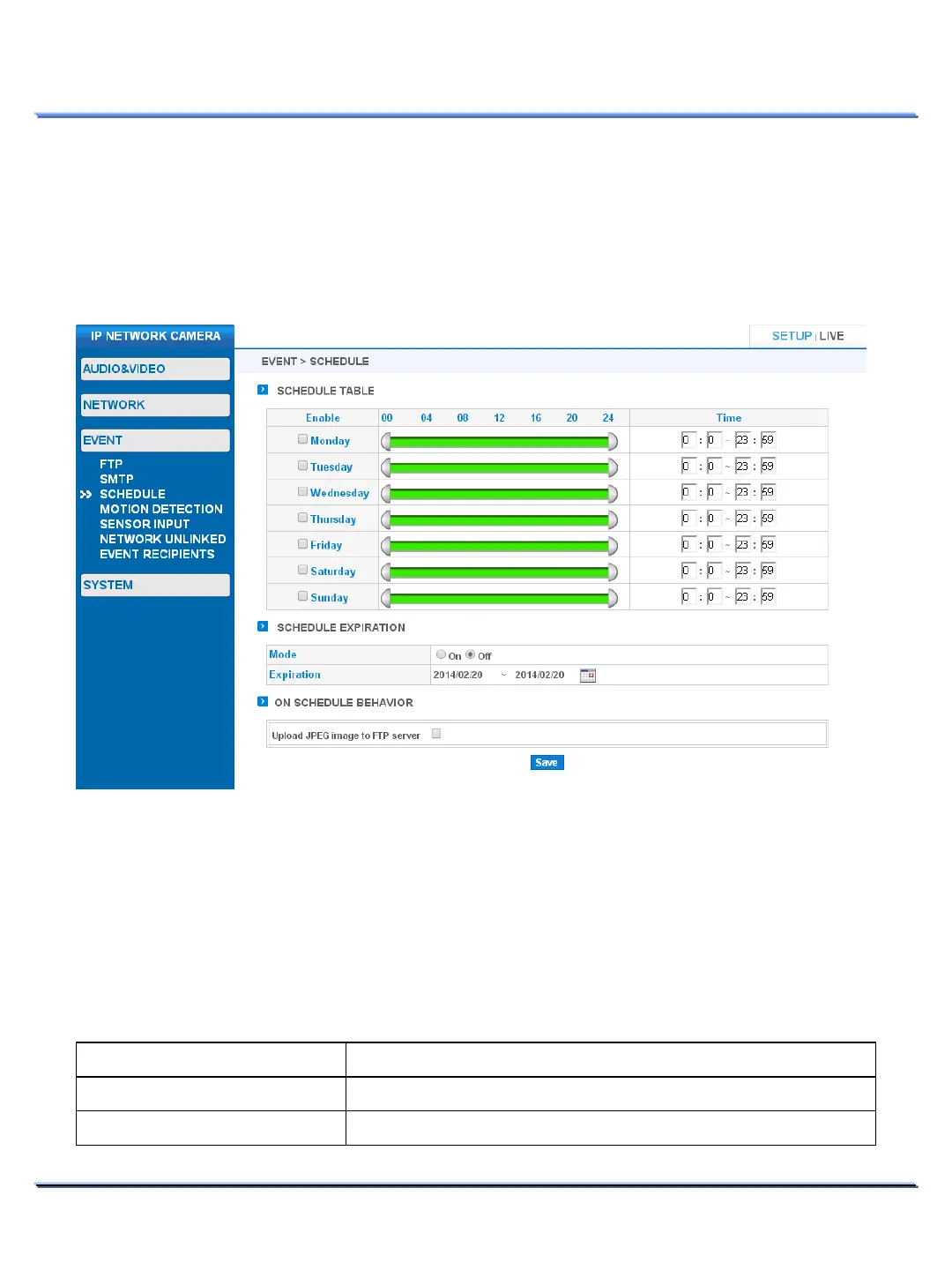
Use this page to configure schedule for FTP upload.
Schedule behaves as an event independently from other events. If you enable schedule, the
camera will continuously upload to FTP for the duration of the schedule independently from other
events such as motion detection, sensor input or network unlinked.
SCHEDULE > SCHEDULE TABLE
• Check the desired day of the week for FTP uploading.
• Configure time by either moving the time bar from both ends or by entering the time manually.
SCHEDULE > SCHEDULE EXPIRATION
• Configure schedule expiration date using the calendar. Starting date is the current date.
SCHEDULE > ON SCHEDULE BEHAVIOR
Item Description
via FTP server
Enable/Disable FTP upload by schedule.



 To Next Page