Configuration
- NETWORK
32
This document contains confidential and proprietary information of Weldex Corporation.
WEB Viewer
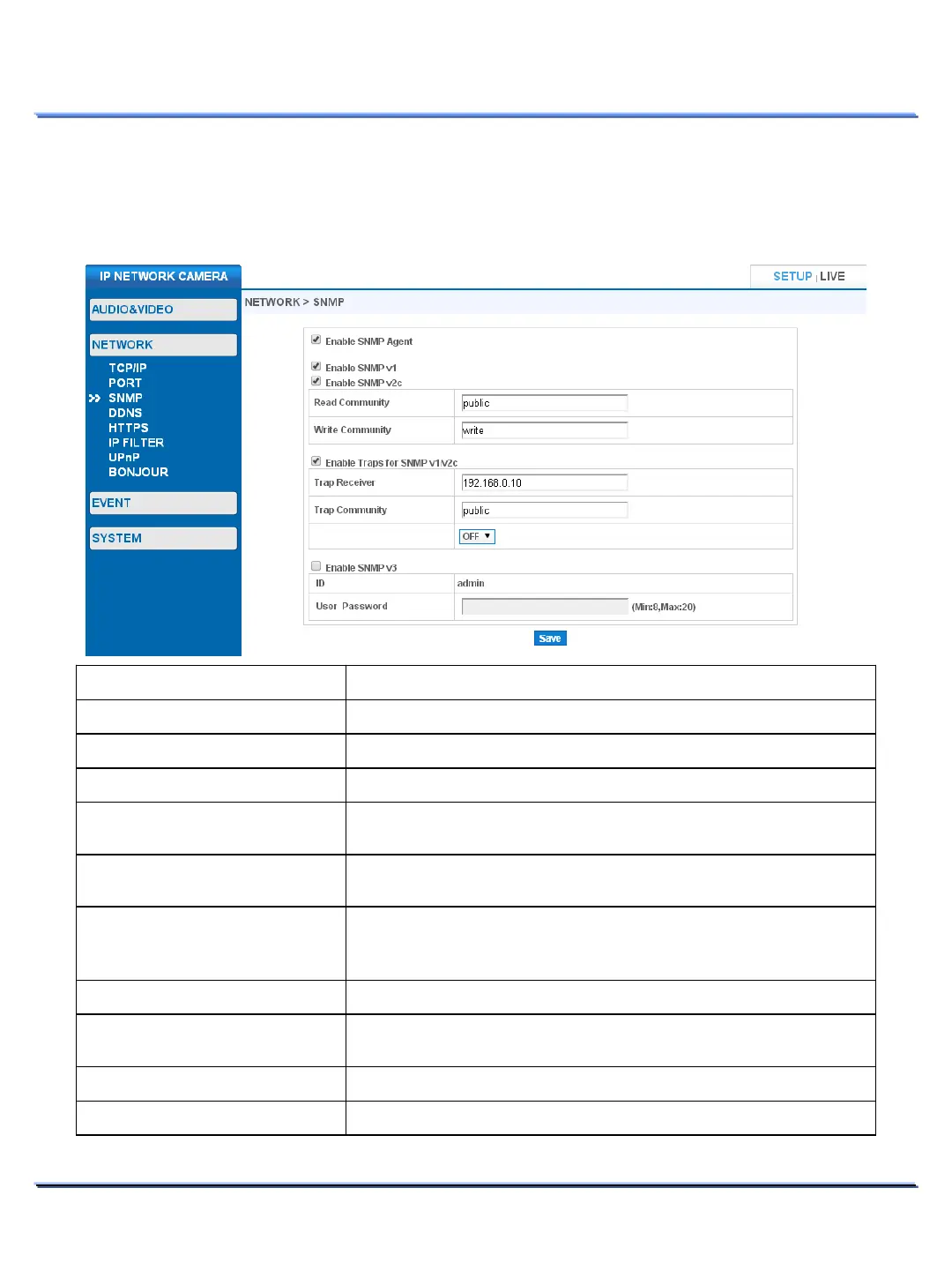
• SNMP
Use this page to configure SNMP protocol. SNMP is an internet standard protocol for managing devices
on IP networks. SNMP exposes management data in the form of variables on the managed systems.
Item Description
Enable/Disable SNMP Agent.
Enable/Disable SNMP Version 1.
Enable/Disable SNMP Version 2.
Configure Read Community to access SNMP information.
‘public’.
Write Community to access SNMP information.
Enable Traps for SNMP v1/v2c
Enable/Disable SNMP Trap. SNMP Trap transmits critical
Event &
Status information. The camera can transmit the following: Power
On, IP settings change, SNMP Enable/Disable.
Enter the message recipient IP address.
Trap Community name.
‘public’.
Enable/Disable SNMP Version 3.
Password
Enter the password for SNMP Version 3.



 To Next Page