Configuration
- SYSTEM
45
This document contains confidential and proprietary information of Weldex Corporation.
WEB Viewer
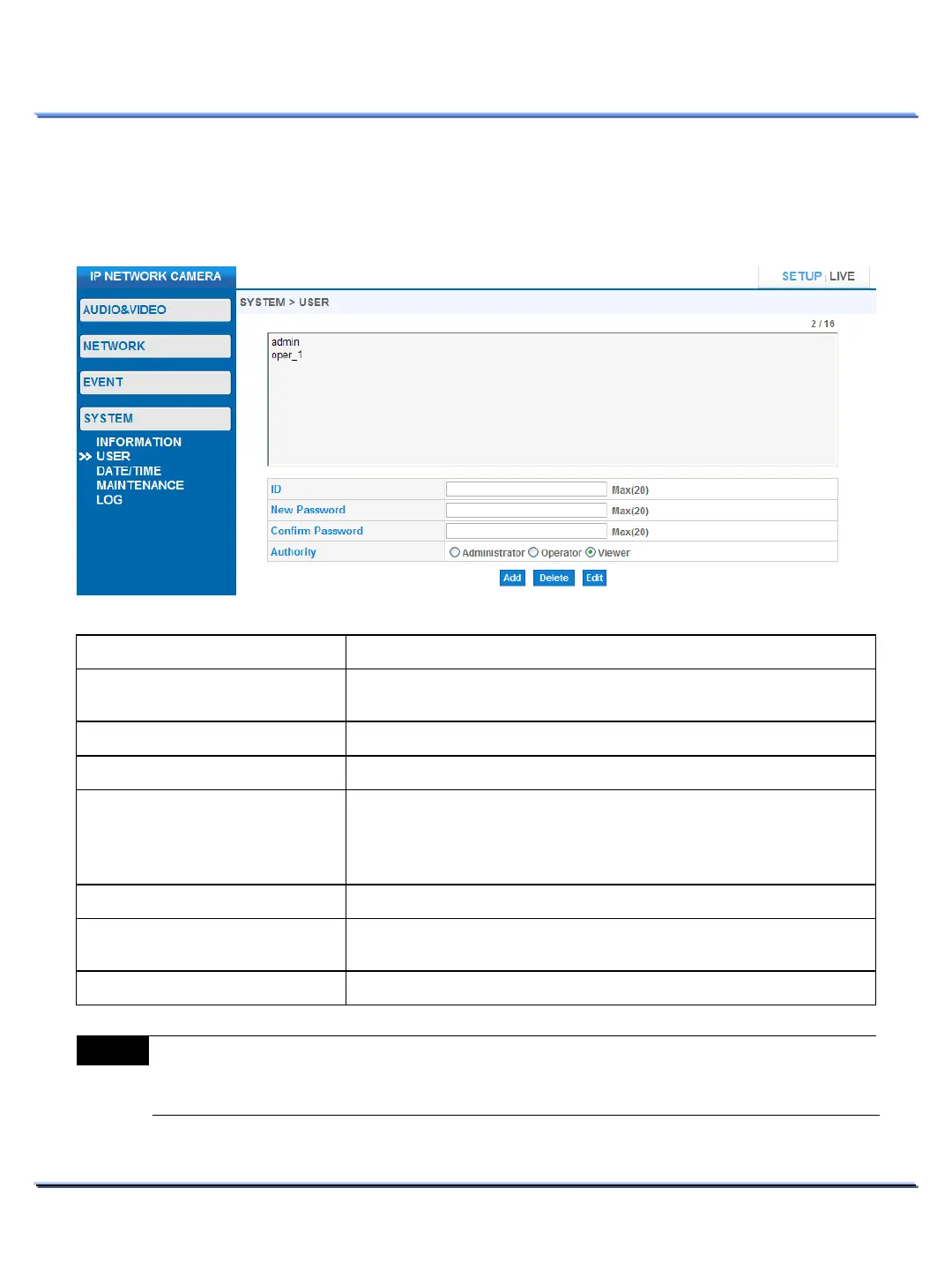
• USER
Use this page to configure users for the WEB Viewer.
Item Description
It displays the User ID for the selected user in the list.
You can also enter new user ID using this box.
Enter the new user’s password.
Confirm new user’s password.
Change selected user’s access level or assign authority to a new user.
Administrator : Full access
Operator : Full access EXCEPT for the [SYSTEM] section.
Viewer : Live View Area Only.
Registers the newly created user.
[admin] account cannot be deleted.
Change an existing user’s password.
Note
Only Administrators can edit USER information.



 To Next Page