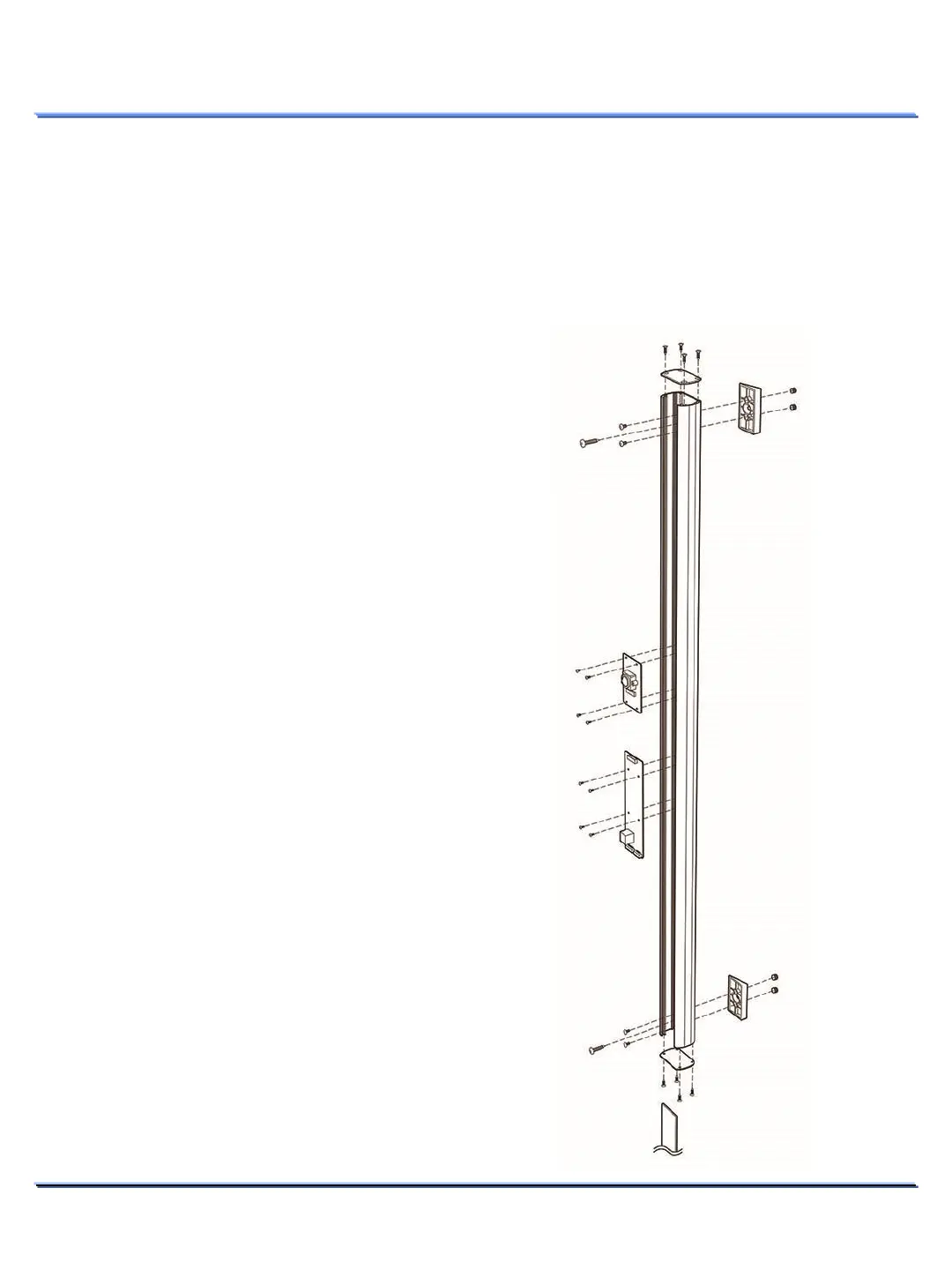
Disassembling
11
This document contains confidential and proprietary information of Weldex Corporation.
INSTALLATION
Disassembling
1. Using the screw driver, loosen 4 screws by
turning top plate counterclockwise and
remove the window acryl cover.
2. Using the screw driver, loosen 4 screws by
turning them counterclockwise for Main
board.
3. Using the screw driver, loosen 4 screws by
turning them counterclockwise for Camera
board.
4. Disassemble the IP main harness cables.
Precautions before installation
Ensure you read out the following instructions before installing the camera:
• Select an installation site (wall) that can endure at least 5 times of the camera weight.
• Stuck-in or peeled-off cables can cause damage to the product or a fire.
• For safety purposes, keep anyone else away from the installation site. And put aside personal
belongings from the site, just in case.



 To Next Page