Configuration
- NETWORK
34
This document contains confidential and proprietary information of Weldex Corporation.
WEB Viewer
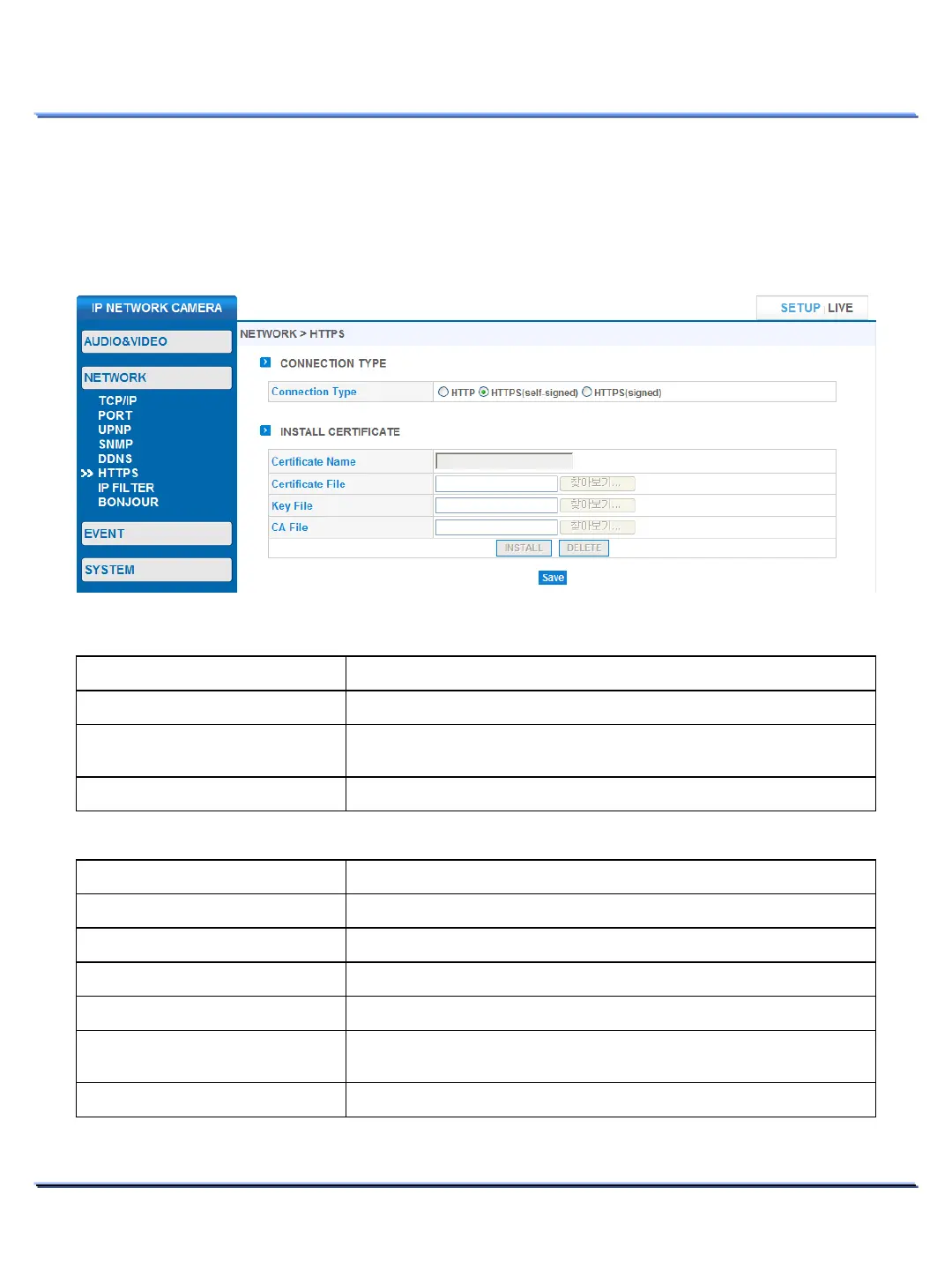
• HTTPS
Use this page to configure HTTPS for a secure and encrypted connection.
Use of a corrupted certificate will result in failed connections and a factory reset might be required.
Item Description
If HTTP is selected, the SSL is disabled.
-signed)
-signed SSL certificate (after you select this option, simply
click on the [Save] button to install the self
-signed SSL).
Uses signed SSL from a public Certificate Authority.
HTTPS > CONNECTION TYPE
Item Description
Enter the certificate name.
Select the certificate file to be installed.
File
Select the key file for the certificate.
Select the CA file for the certificate.
Once you have selected the required certificate files, click
[INSTALL]
to install the certificate.
Click on the [DELETE] button to remove the certificate.
HTTPS > INSTALL SIGNED CERTIFICATE



 To Next Page