Configuration
- NETWORK
31
This document contains confidential and proprietary information of Weldex Corporation.
WEB Viewer
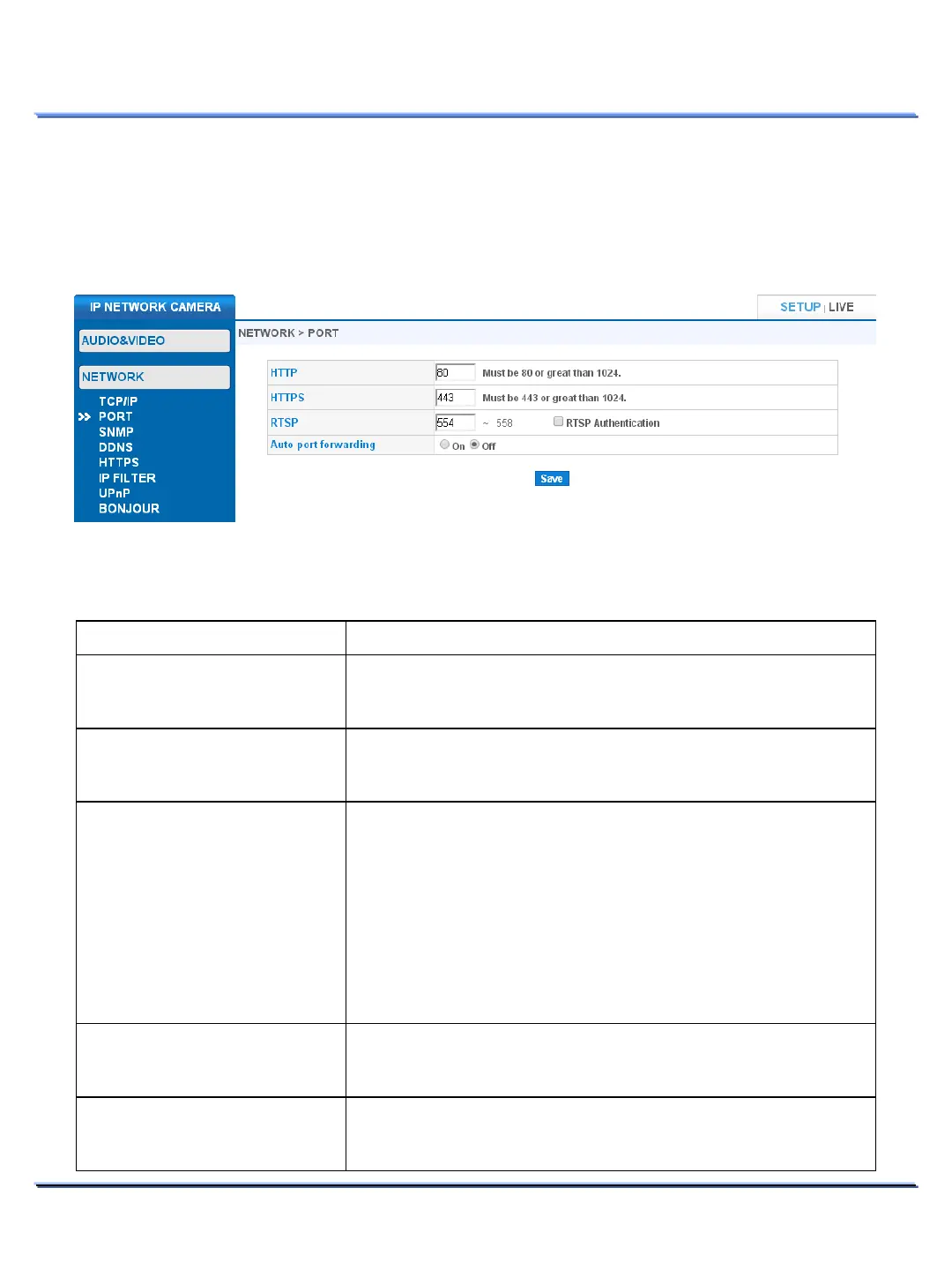
• PORT
Use this page to configure network ports.
It might take up to 20 seconds for the changes to take effect. Reconnection is automatic.
Item Description
Configure HTTP port. This port is used for the web browser.
Default value: ’80’. This value should be either ’80’ or greater than
‘1024’.
Configure HTTPS port. This port is used for the web browser.
Default value: 443. This value should be either ‘443’ or greater than
‘1024’.
RTSP port image transmission
.
554~558
: H.264 Streaming.
: MJPEG Streaming.
: Reserved.
Specify the starting port number (in the above
case:554), and the
next consecutive port numbers will be selected automatically.
ip_address:port/wdx/media/stream.h264
ip_address:port/wdx/media/stream.mjpeg
Authentication
Authentication.
If enabled, username and password is required when connecting
through RTSP protocol.
Auto port forwarding.
If enabled, the connected router can automatically setup port
forwarding (the router should support this function).



 To Next Page