Configuration
- AUDIO & VIDEO
27
This document contains confidential and proprietary information of Weldex Corporation.
WEB Viewer
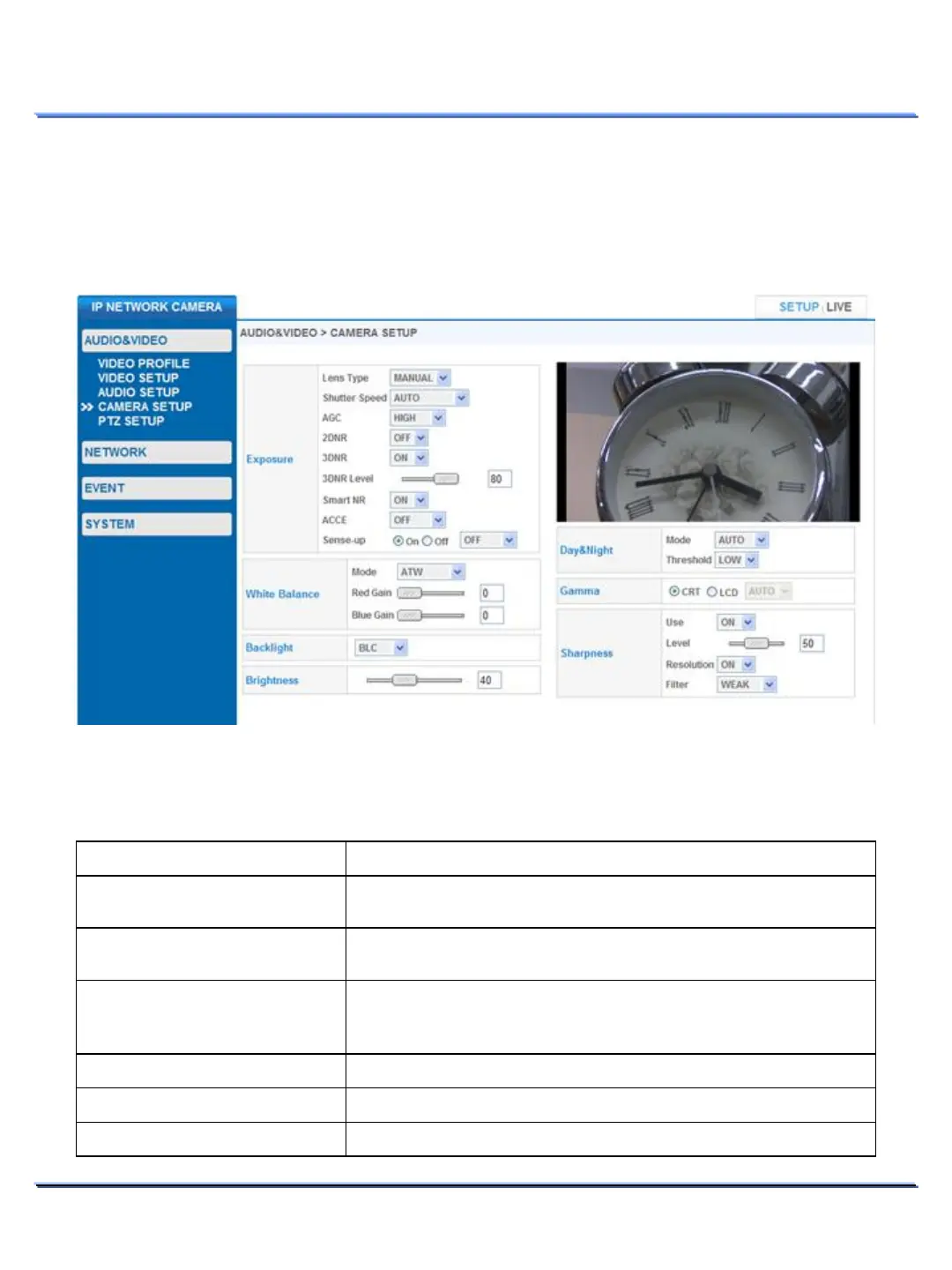
• CAMERA SETUP
Use this page to adjust camera image settings.
Double click on the video image area to switch to full screen mode and vice-versa.
Item Description
Select the appropriate lens type:
Select the desired electronic shutter speed:
Gain Control to adjust gain sensitivity during
low
-light conditions:
– 2 Digital Noise Reduction
2DNR applies NR to individual frames.
– 3 Digital Noise Reduction
Enable/Disable 3DNR. 3DNR compares multiple frames
to apply NR.
CAMERA SETUP > Exposure
• Adjust camera exposure settings using this page.



 To Next Page