WEB Viewer Functions
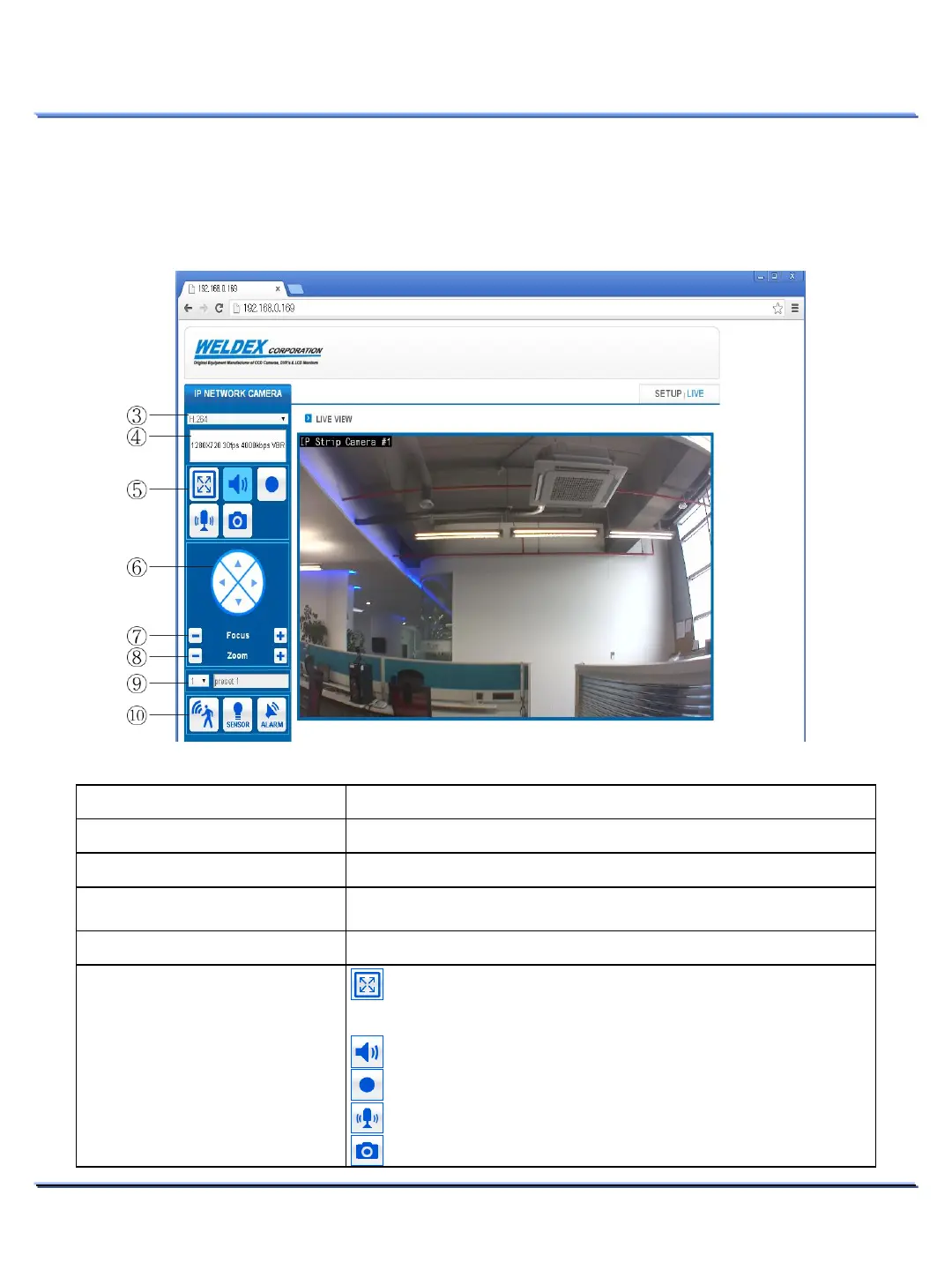
Live View Functions
Use the WEB Viewer the view live image, control various camera’s functions and to access the setup
menu.
22
This document contains confidential and proprietary information of Weldex Corporation.
WEB Viewer
Item Function
LIVE
to display the Live View window.
SETUP
the Setup window.
Profile Type
Use this dropdown menu to select
the desired streaming profile.
H.264, MJPEG, JPEG Web View.
Profile Info
Displays the selected profile information.
MISC Functions
Switches to Full screen (ESC keyboard button to exit).
You can also duble-click on the image area.
Switches the camera MIC’s audio to On or Mute.
Saves Live View Images to the camera’s internal SDHC Card.
Sends PC MIC audio to the camera (used in Two-Way Audio).
Captures the Live View image to the connected PC.
① ②



 To Next Page