Configuration
- NETWORK
30
This document contains confidential and proprietary information of Weldex Corporation.
WEB Viewer
NETWORK SETUP
• TCP/IP
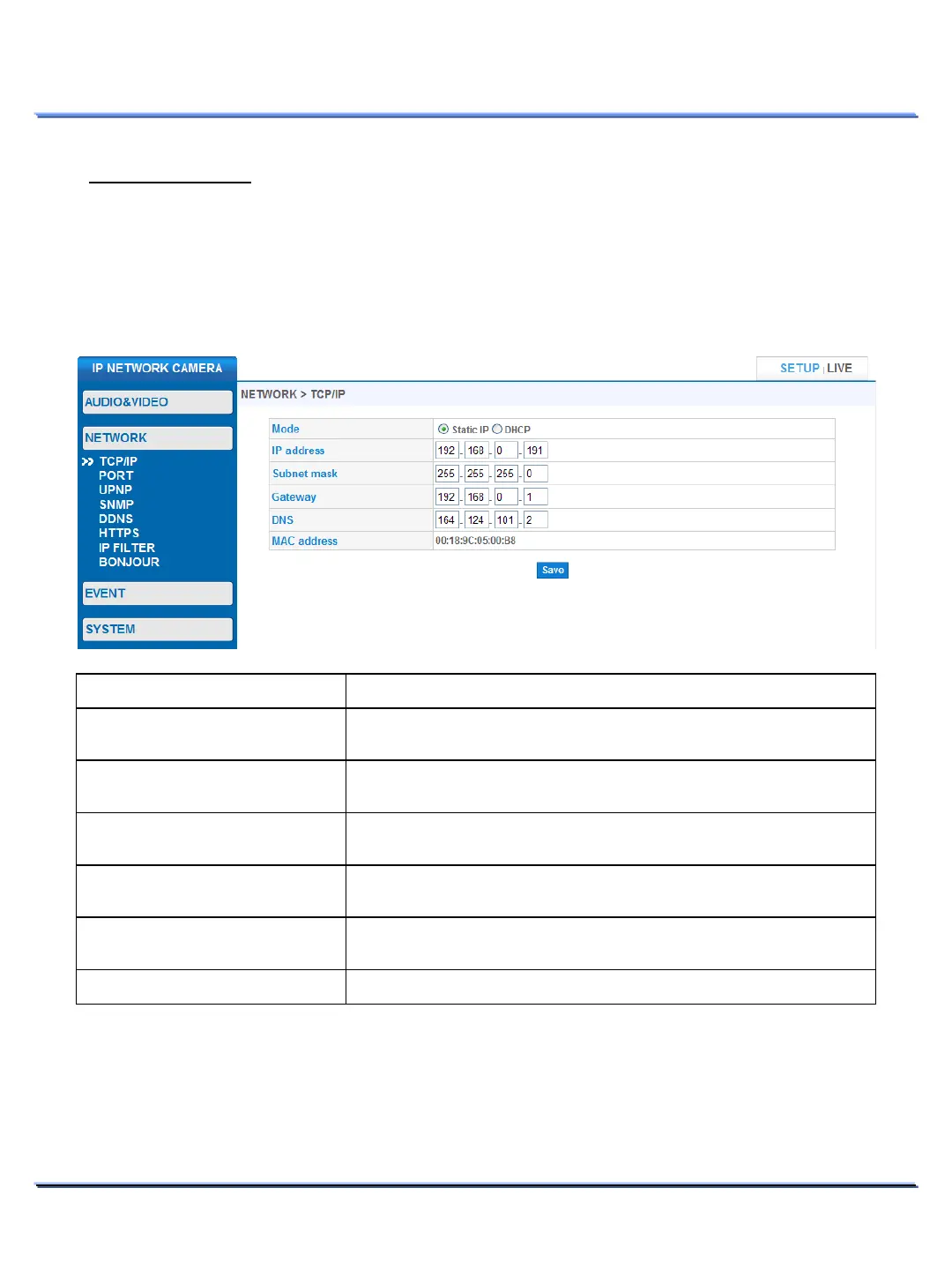
Use this page to configure basic network connection settings.
It might take up to 20 seconds for the changes to take effect. Reconnect using the new TCP/IP settings.
Item Description
Static IP : Manually assign a static IP address.
IP address assignment from a DHCP server.
IP address (DHCP mode).
IP address in Static IP mode (Static IP mode).
Displays the current Subnet mask
(DHCP mode).
Subnet mask in Static IP mode (Static IP mode).
Gateway (DHCP mode).
Gateway in Static IP mode (Static IP mode).
Displays the current DNS address
(DHCP mode).
Modify DNS in Static IP mode
(Static IP mode).
MAC address.



 To Next Page