Configuration
- SYSTEM
47
This document contains confidential and proprietary information of Weldex Corporation.
WEB Viewer
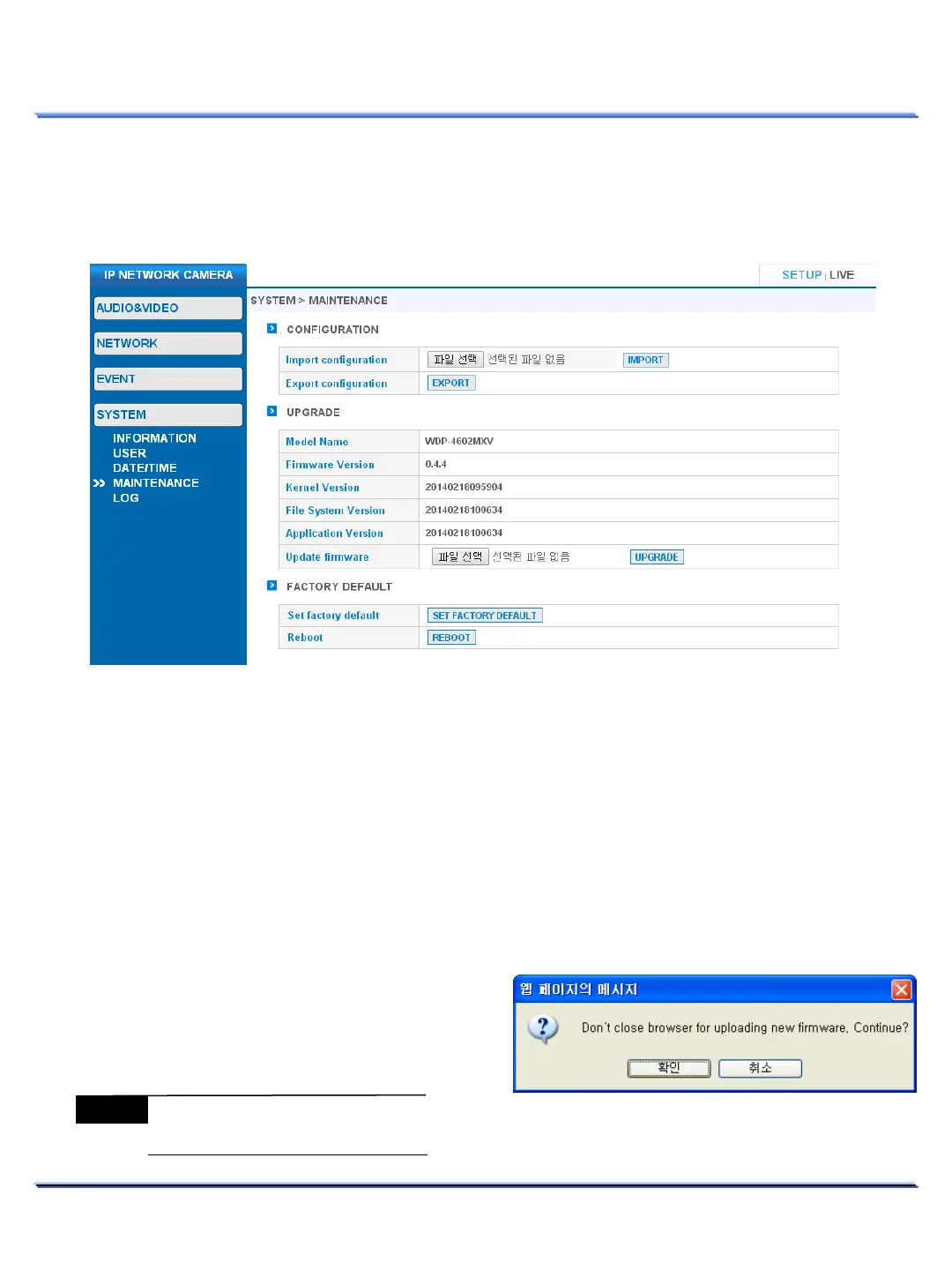
CONFIGURATION
• Import / Export configuration settings.
Click on the [Browse] button and select the configuration file from the connected PC. Click
[IMPORT] to apply the selected configuration file settings.
Export will download the configuration file to the connected PC.
• The device will reboot after a successful Import.
• MAINTENANCE
Use this page to perform firmware upgrades, import/export settings, restore factory defaults and
reboot the device.
UPGRADE
• Use this menu to upgrade the firmware.
• The device will reboot after a successful firmware upgrade.
1. Click on the [Browse] button and select the
firmware upgrade file.
2. Click on the [UPGRADE] button to start the
upgrade process.
3. If a pop-up message appears, click continue.
Note
Do not close the Web browser
during the upgrade process.



 To Next Page