IP Scan Tool
IP Scan Tool
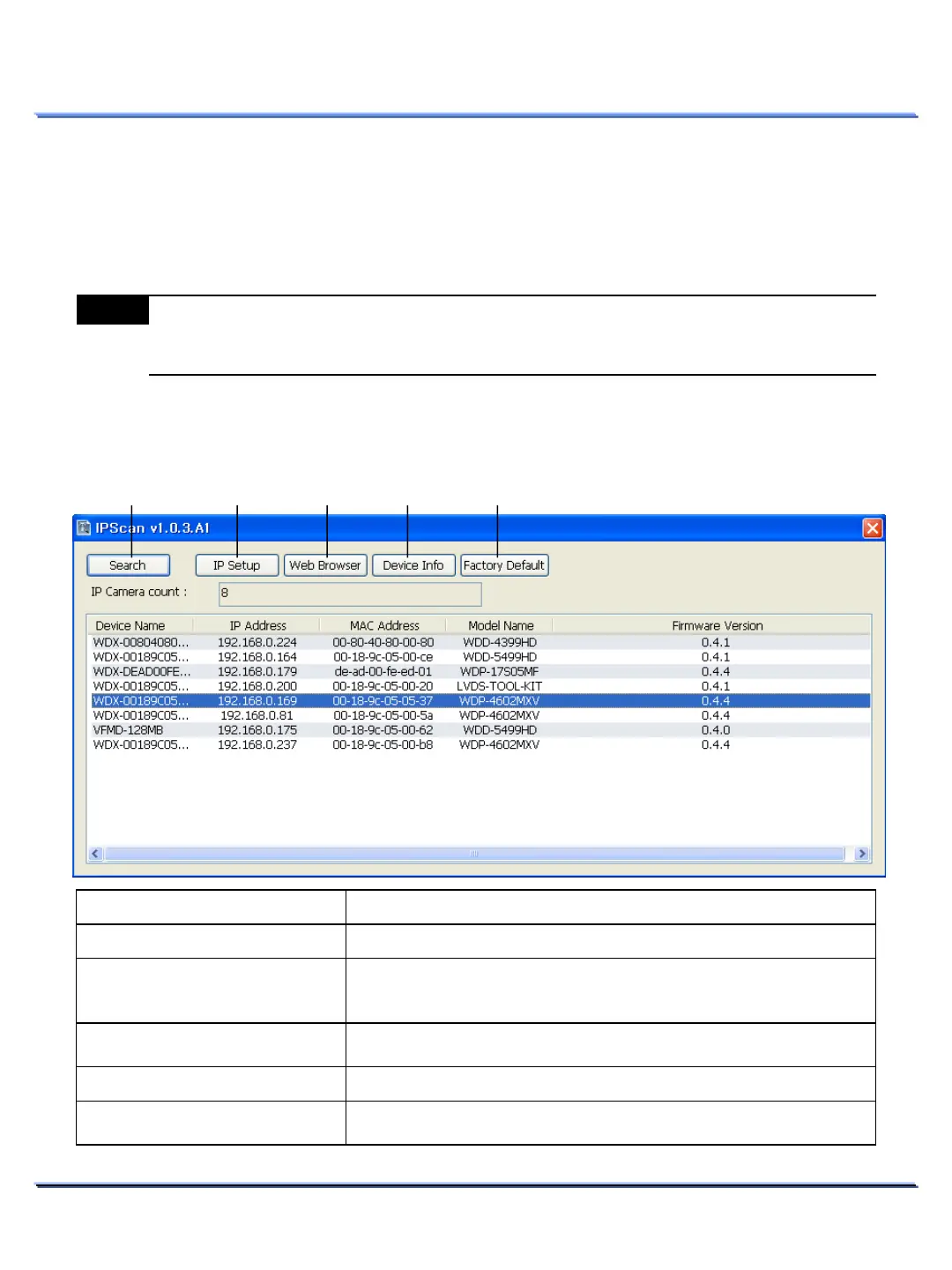
After physically connecting the network camera to the network, run the ‘IPScan.exe’ application on
the software CD. This program will scan for Weldex cameras on the network, regardless of the unit’s IP
address. Once you locate a unit, you may change the network settings
17
This document contains confidential and proprietary information of Weldex Corporation.
NETWORK INSTALLATION & SETUP
Note
Verify that the computer where you will run the ‘IPScan.exe’ file is on the same network as the
unit you wish to locate. Units on a different network will not appear when running the search
function.
IP Scan Tool Functions
Item Functions
Search
Searches for the connected Weldex
network camera.
IP Setup
View/Edit IP settings for the
selected
Network Camera (Device ID, IP
address, Subnet mask and Gateway).
Administrator’s password is required.
Web Browser
selected Network Camera using the default web-
Device Info
Displays device info for the
selected Network Camera.
Factory Default
Restores factory defaults for the
selected Network Camera
Administrator’s password is required.
① ② ③ ④ ⑤
⑥ ⑦ ⑧ ⑨ ⑩



 To Next Page