Configuration
- EVENT
40
This document contains confidential and proprietary information of Weldex Corporation.
WEB Viewer
• MOTION DETECTION
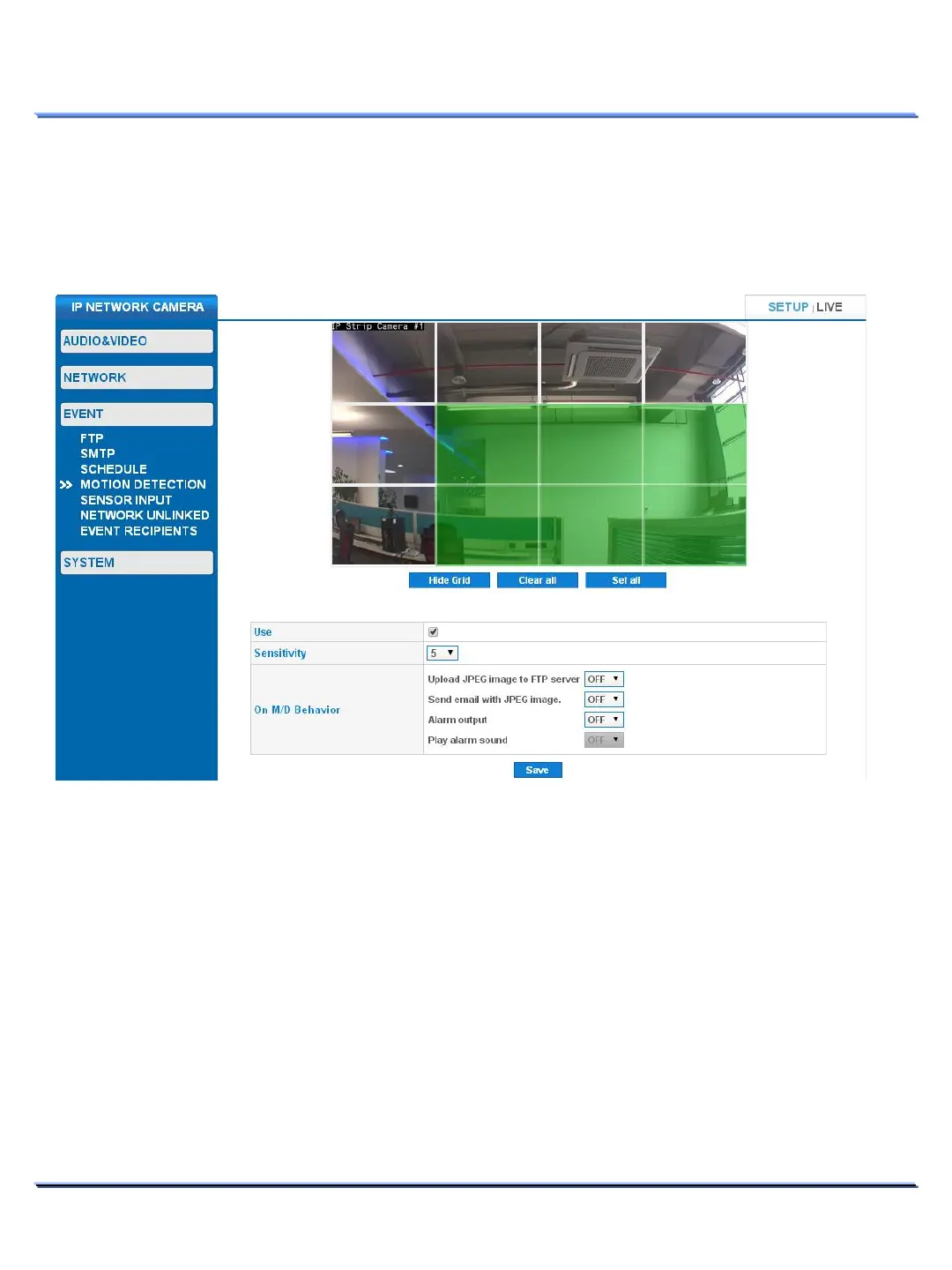
Motion detection can trigger alarm output, alarm sound output, FTP/SMTP image transmissions.
MOTION DETECTION > AREA SETTING
• Up to 12 motion detection areas can be individually selected.
• Using your computer mouse, click on a motion detection area to select/deselect.
• Click on [Hide Grid] to remove the grid (vice-versa).
• Click on [Clear all] to deselect all motion detection areas.
• Click on [Set all] to select all motion detection areas.



 To Next Page