User Guide
4. Management
4.9 Daisy Chaining
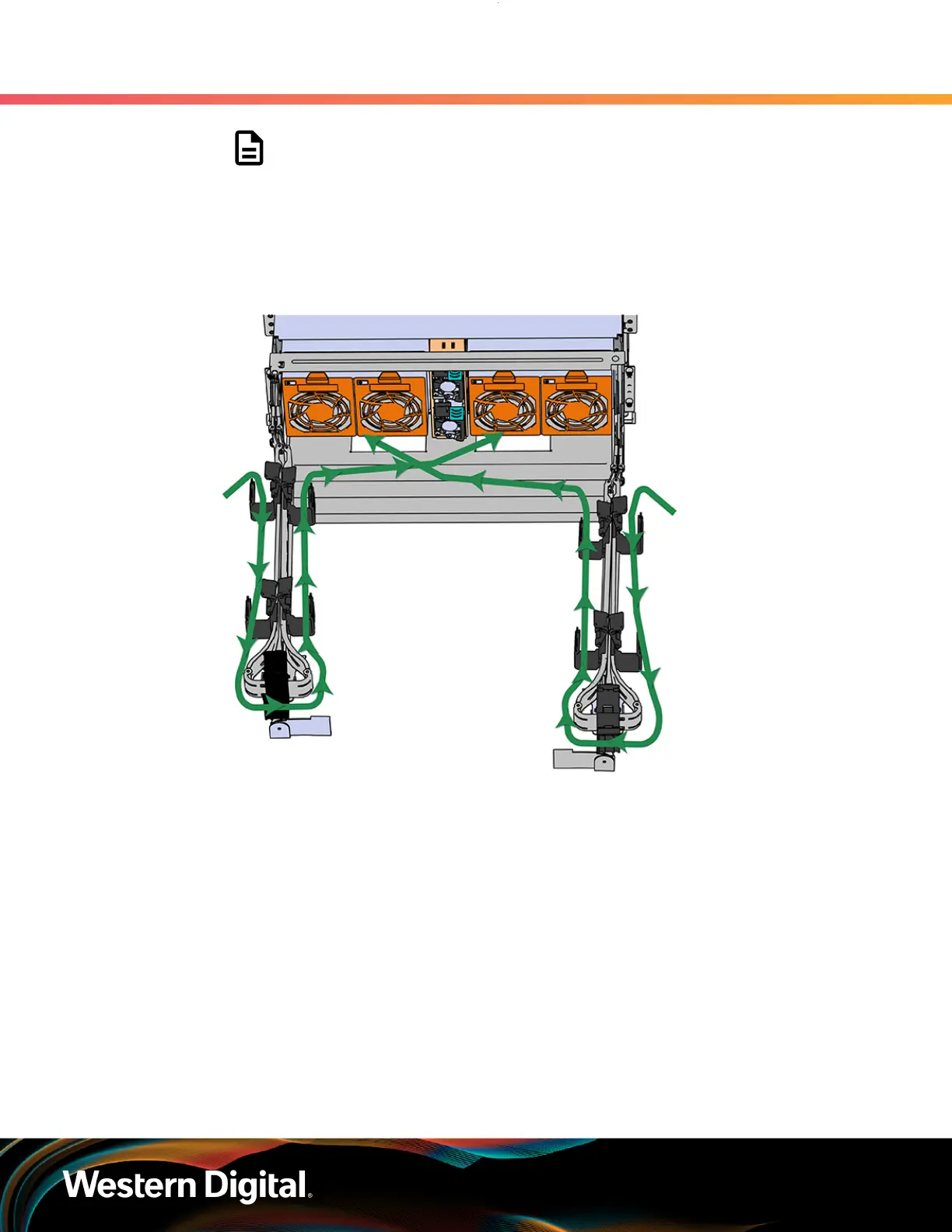
Note: Before cabling the lower CMA, note the following routing of the cables.
For best results, the cables that are supported by the upper CMA are inserted
into IOM B (right hand side looking at the rear) and the lower CMA cables
are routed to IOM A (left hand side looking at the rear) in a "criss-cross"
pattern. See the Special Considerations for Cable Routing (page 154) for
more information.
Figure 222: Connected Cable Routing
c.
Open all of the baskets
233






 To Next Page