User Guide
3. Support
3.3 PSU Replacement
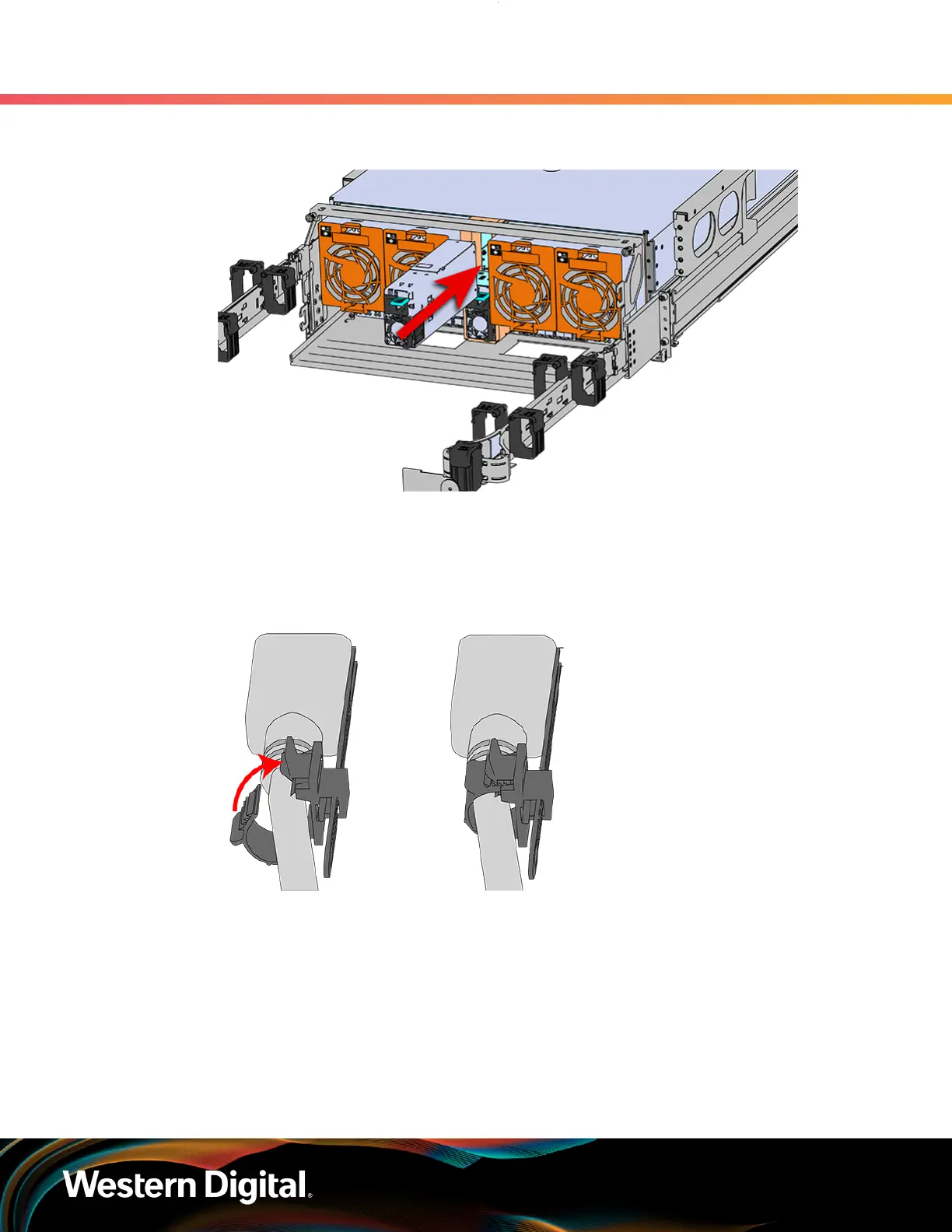
Figure 47: Installing the PSU
c. Plug the power cable into the receptacle at the back of the PSU.
d. Loop the retention clip around the PSU cable and pinch it until the clip catches and locks in
place.
Figure 48: Cable Retention Mechanism
e.
Slide the retention clip forward until it stops near the cable connector. Doing this will ensure
that the retention clip functions properly in the event the cable is pulled on for some reason.
65















 To Next Page