User Guide
3. Support
3.4 Rear Fan Replacement
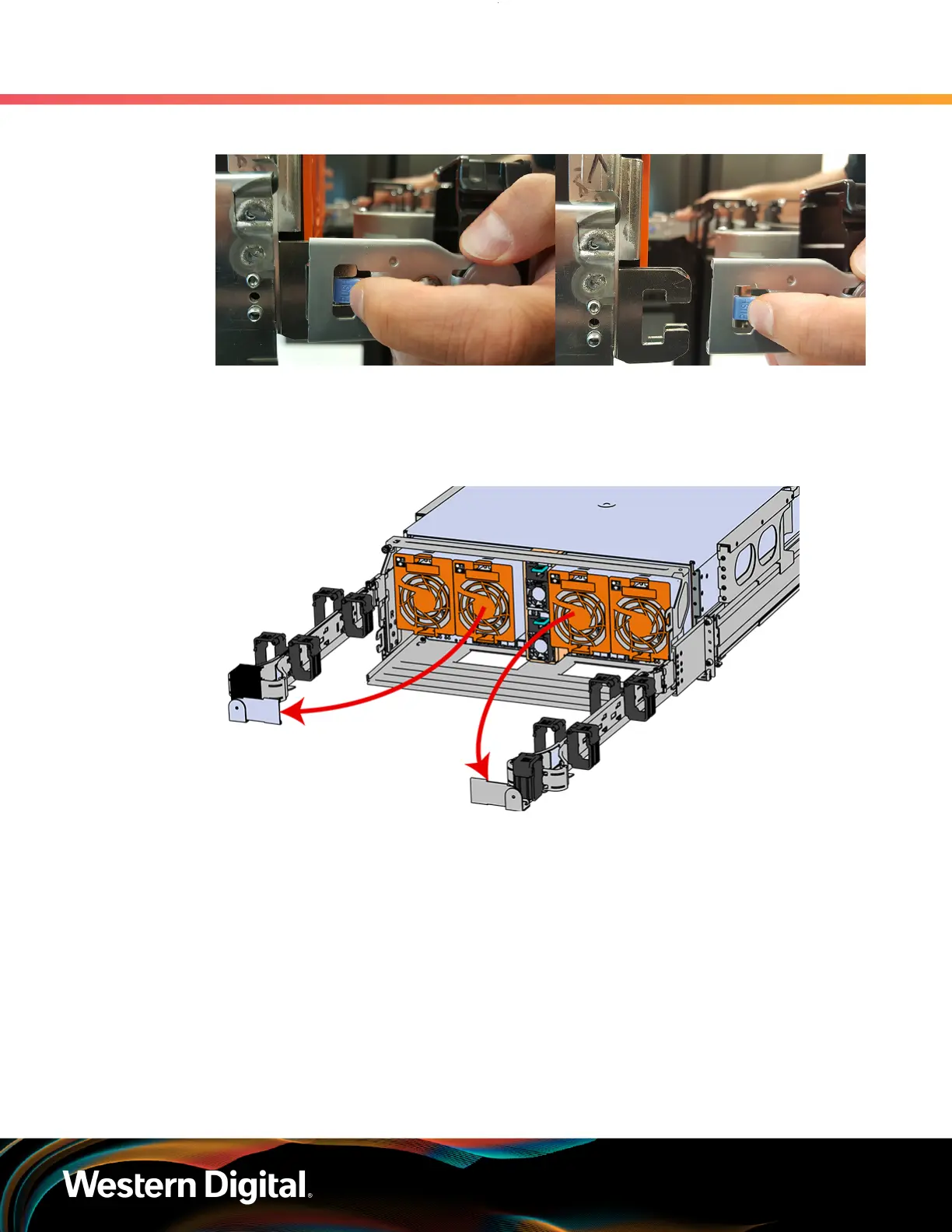
Figure 50: Unlatching a CMA Connector
b. Swing the CMA(s) away from the enclosure.
c.
The arm(s) should be extended away from the enclosure as shown in the following example.
Figure 51: CMA(s) in service position (Cables not shown)
Step 2 : To unlatch the rear fan from the fan housing, use one hand to press the clip at the top and
bottom of the fan and pull to free it from the chassis and remove it.
67















 To Next Page