User Guide
3. Support
3.6 3.5in HDD Assembly Replacement
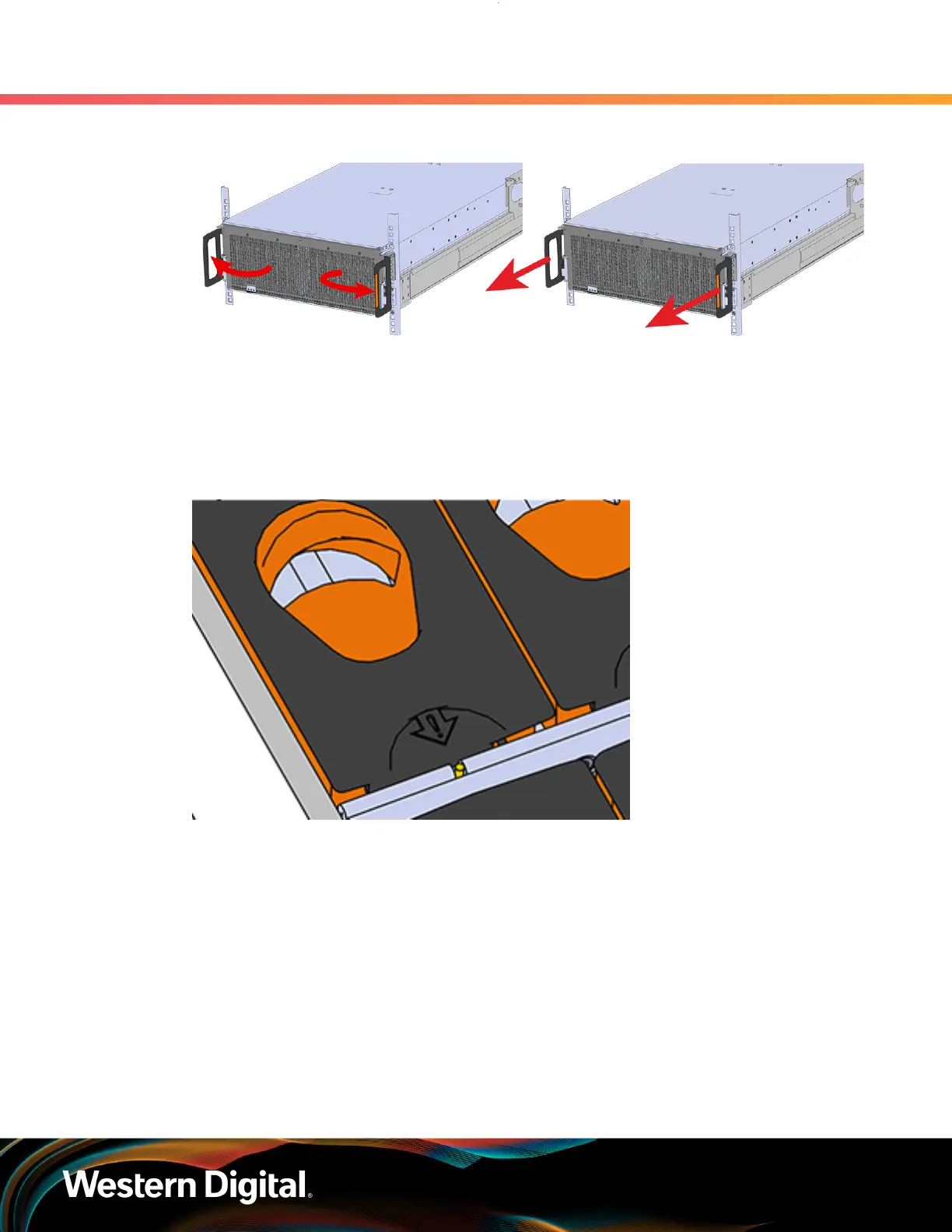
Figure 57: Chassis Handle Operation
Only extend the enclosure out of the rack as far as is needed to reach the drive being replaced.
Step 2 : Locate the faulty 3.5in HDD Assembly by finding the illuminated amber LED or by activating the
identification LED for the drive to be replaced.
Figure 58: HDD Assembly LED
Step 3 : Follow these steps to remove a 3.5in HDD Assembly.
a. Find the latch release mechanism on the 3.5in HDD Assembly being removed.
b.
Insert a finger and a thumb into the latch release and pinch to unlatch the 3.5in HDD
Assembly.
72















 To Next Page