EasyManua.ls Logo

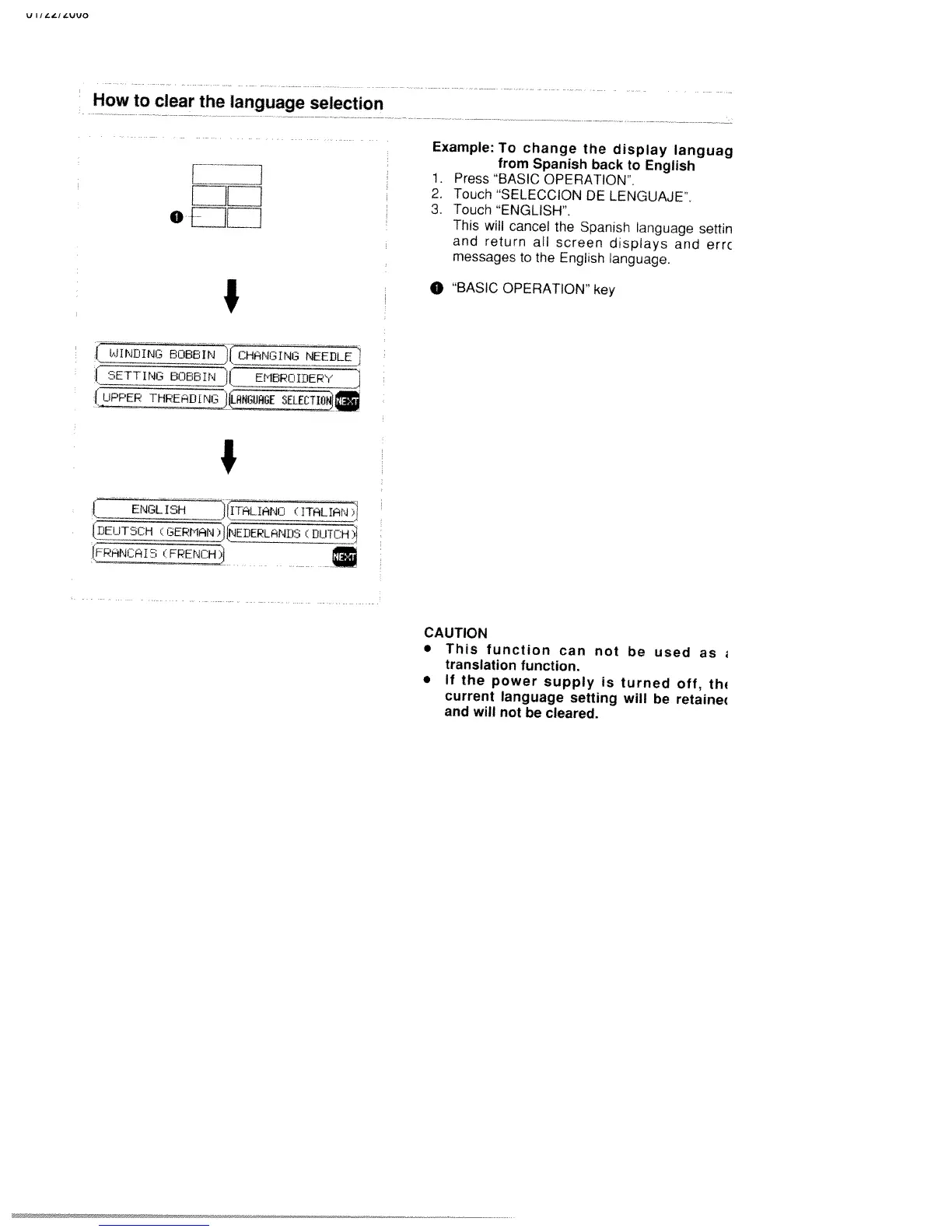
White W3300 - How to Clear the Language Selection

Default Icon
73 pages
Print Icon
To Next Page IconTo Next Page
To Previous Page IconTo Previous Page
Loading...
V
I/LL/LVUO
How
to
clear
the
language
selection
Example:
To
change
the
display
languag
_____
from
Spanish
back
to
English
r
__]
1.
Press
“BASIC
OPERATION
EIEI
2.
Touch
SELECCION
DE
LENGUAJE.
3.
Touch
“ENGLISH.
0
EE1L1
This
will
cancel
the
Spanish
language
settin
and
return
all
screen
displays
and
errc
messages
to
the
English
language.
0
BASIC
OPERATION”
key
I
JINtJIfW’
8OBBIN
11
CI-IhNGING
NEEDLE
IiINeci88Ir*AI
EMEIPOIIJEPYJ
I
UPPER
THPEIDINGJIIJIN6UHIE
SELETIO
I
IDE
cGEPIIIiN)ILNEDEPLAND3_ç
DiJ1CH
jCI5FREH
CAUTION
This
function
can
not
be
used
as
translation
function.
lithe
power
supply
is
turned
oft,
th
current
language
setting
will
be
retaine
and
will
not
be
cleared.

Table of Contents

Related product manuals