EasyManua.ls Logo

White W3300 - Selecting Frame Patterns

Default Icon
73 pages
Print Icon
To Next Page IconTo Next Page
To Previous Page IconTo Previous Page
Loading...
01/22/2008
Selecting
frame
patterns
f
I
ABCabcO9&?I[<”)
iI
O
=‘i
Jr
I
t-’
ir
0
HE:T1
r
‘“
‘•
J!
L
--
Jr
e
NE.T
DI
(I
I
I
f
I
I
Jr
5ET
I.’j
*
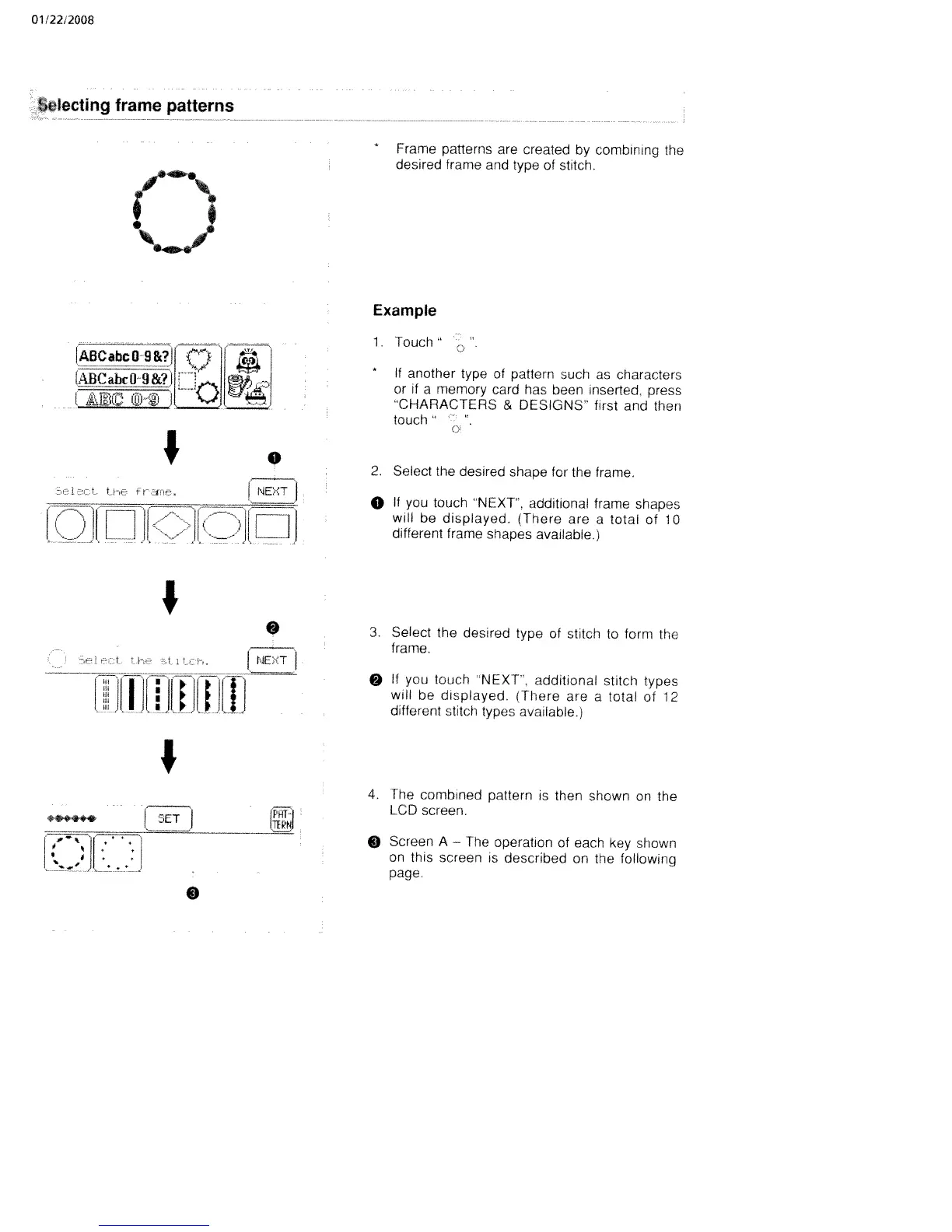
Frame
patterns
are
created
by
combirung
the
desired
frame
and
type
of
stitch.
Example
1.
Touch”
*
If
another
type
of
pattern
such
as
characters
or
it
a
memory
card
has
been
inserted,
press
‘CHARACTERS
&
DESIGNS”
first
and
then
touch”
2.
Select
the
desired
shape
for
the
frame.
o
it
you
touch
“NEXT’,
additional
frame
shapes
will
be
displayed.
(There
are
a
total
of
10
different
trame
shapes
available.)
3.
Select
the
desired
type
of
stitch
to
form
the
frame.
§
if
you
touch
NEXT,
additional
stitch
types
will
be
displayed.
lThere
are
a
total
of
12
different
stitch
types
available.)
4.
The
combined
pattern
is
then
shown
on
the
LCD
screen.
§
Screen
A
The
operation
of
each
key
shown
on
this
screen
is
described
on
the
following
page.
0

Table of Contents

Related product manuals