EasyManua.ls Logo

White W3300 - Changing the Character Size; Adjusting Character Size; Correcting Characters

Default Icon
73 pages
Print Icon
To Next Page IconTo Next Page
To Previous Page IconTo Previous Page
Loading...
nging
the
character
size
to
one
of
three
different
sizes
nL’ij
L’I1’_ij
FTI
1iIuDI
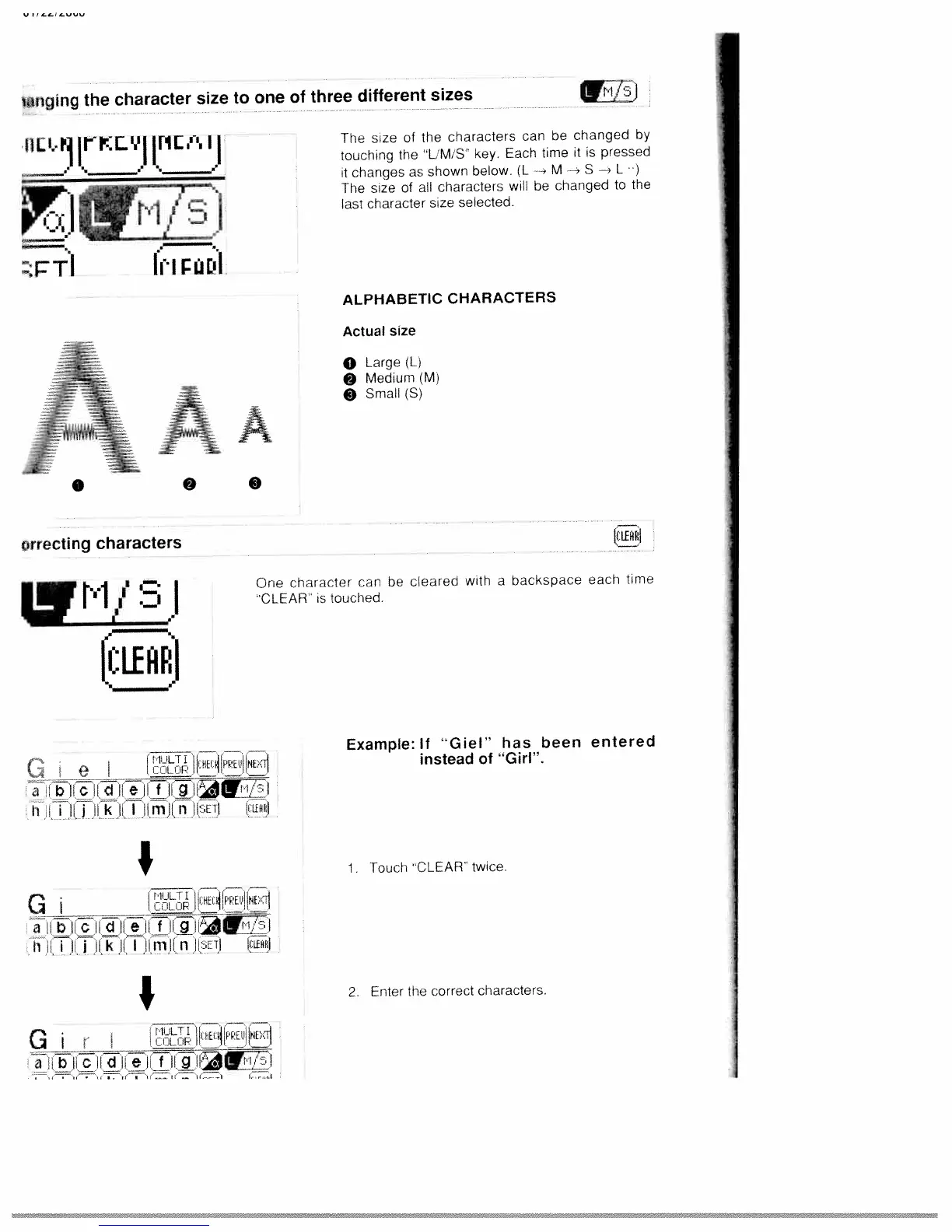
The
size
of
the
characters
can
be
changed
by
touching
the
“LM
S
key.
Each
time
it
is
pressed
tchangesasshownbelow.(L--MS--L)
The
size
of
all
characters
will
be
changed
to
the
last
character
size
selected.
ALPHABETIC
CHARACTERS
Actual
size
o
Large
(Li
Medium
(Ml
Small
(5)
One
character
can
be
cleared
with
a
backspace
each
time
CLEAR
is
touched.
(CLEFIn.I
e
jjUEiPPEj!NF’Tl
alibi
h
j
I
k
I
I
ii
rTlJi
ii
i1ET(
iLfH
Example:
If
“Giel”
has
been
entered
instead
of
“Girl”.
I__
G
__________
_____
a
h
I
lb
i
I
k
II
I
ii
iii
I
fl
UETl
IILEHI
1•
Touch
CLEAR
twice.
I
C
I
I
t
li
hE
aIiI
2
Enter
the
correct
characters.
0
orrecting
characters

Table of Contents

Related product manuals