EasyManua.ls Logo

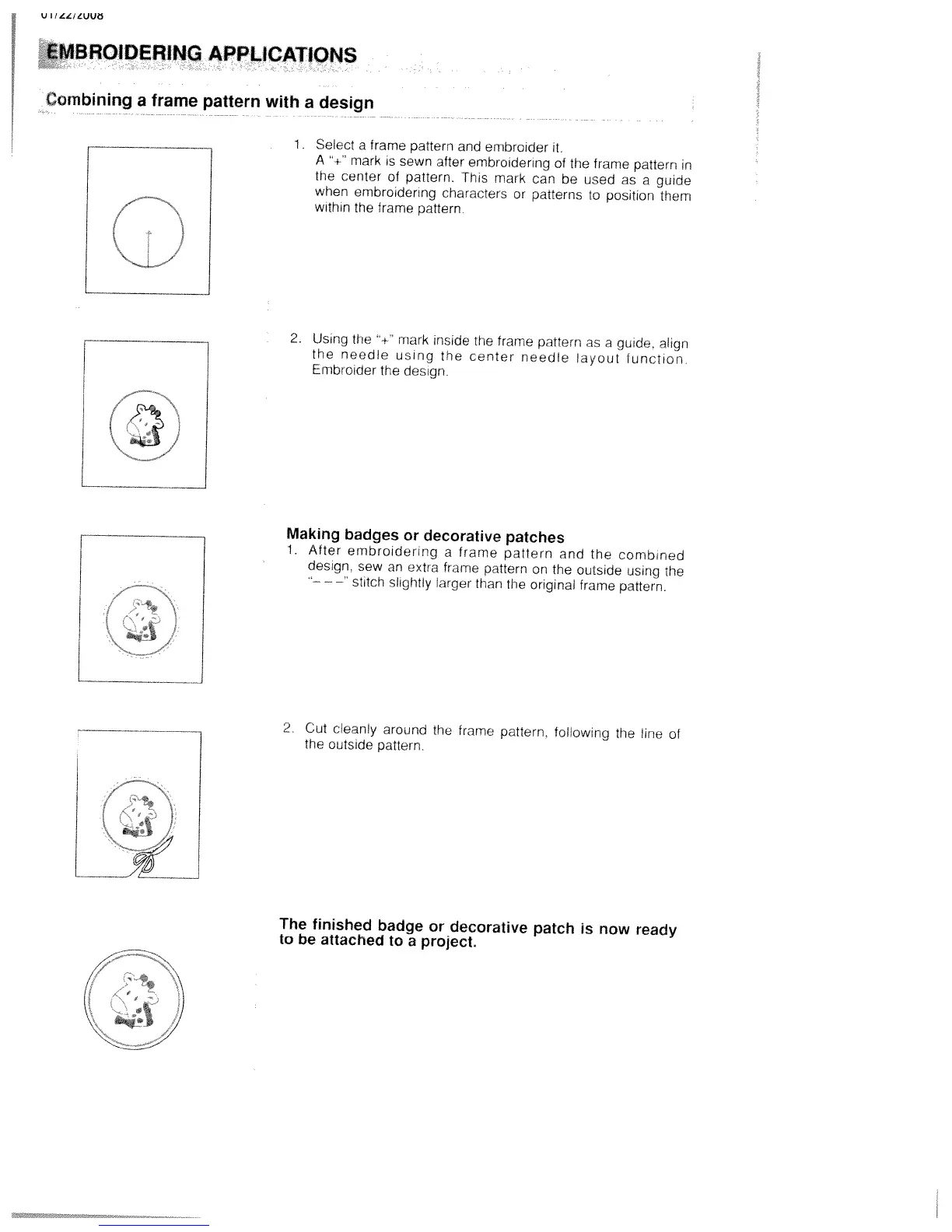
White W3300 - Embroidering Applications; Combining a Frame Pattern with a Design

Default Icon
73 pages
Print Icon
To Next Page IconTo Next Page
To Previous Page IconTo Previous Page
Loading...
U
/
UUt
MBROIDER1NG
APPLICATiONS
Combining
a
frame
pattern
with
a
design
Select
a
frame
pattern
and
embroider
it.
A
“-‘
mark
is
sewn
after
embroidering
of
the
frame
pattern
in
the
center
of
pattern.
This
mark
can
be
used
as
a
guide
when
embroidering
characters
or
patterns
hi
position
them
within
the
frame
pattern
/
•9
/
2.
Using
the
mark
inside
me
frame
pattern
as
a
guide,
align
the
needle
us!ng
the
center
needle
layout
hinclion
Embroider
the
design.
Making
badges
or
decorative
patches
1.
After
embroidering
a
frame
pattern
and
the
combined
desiqn,
sew
an
extra
frame
pattern
on
the
outside
using
the
stitch
slightly
larger
than
the
original
frame
pattern.
2
Cut
cleanly
around
the
frame
pattern.
foltowng
the
line
of
the
outside
pattern.
The
finished
badge
or
decorative
patch
is
now
ready
to
be
attached
to
a
project.

Table of Contents

Related product manuals