EasyManua.ls Logo

White W3300 - Instruction Message Displays; Audio Alarms

Default Icon
73 pages
Print Icon
To Next Page IconTo Next Page
To Previous Page IconTo Previous Page
Loading...
01/22/2008
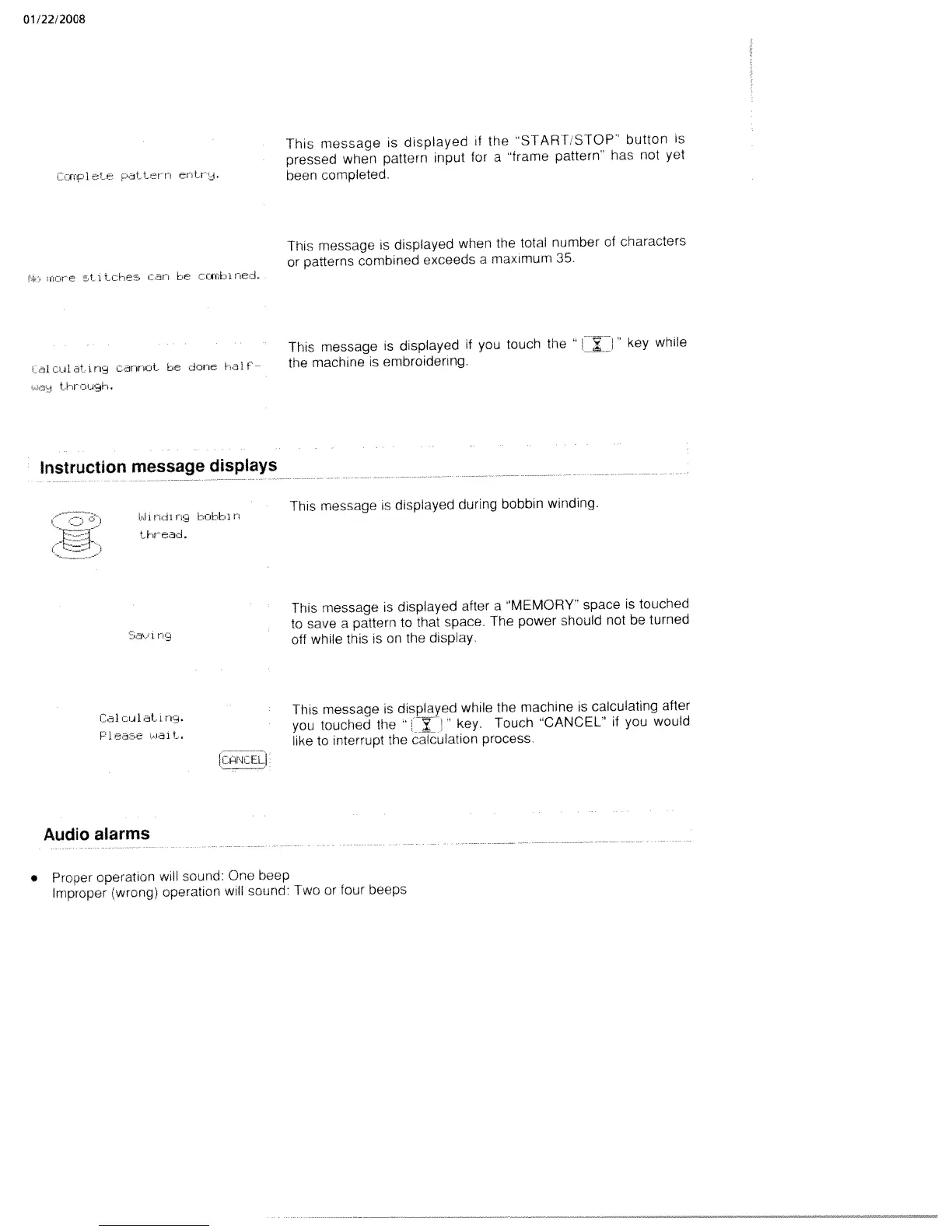
This
message
is
displayed
if
the
START
STOP
button
is
pressed
when
pattern
input
for
a
frame
pattern
has
not
yet
CrnpIte
Pattern
enLr.
been
completed.
This
message
is
dispiayed
when
the
total
number
of
characters
or
patterns
combined
exceeds
a
maximum
35.
inUre
Ct.
1
Li-iein
can
be
ccrbinej.
This
message
is
displayed
if
you
touch
the
“[J”
key
while
t
ULIlati
ri
cannot.
be
dnne
ai
1—
the
machine
is
embroidering.
Instruction
message
displays
Windin
bobbin
This
message
is
displayed
during
bobbin
winding.
thr
cad.
This
message
is
displayed
after
a
MEMORY
space
is
touched
to
save
a
pattern
to
that
space.
The
power
should
not
be
turned
off
while
this
is
on
the
display.
ia1
ldt
t1
This
message
is
displayed
while
the
machine
is
calculating
after
j
nait
you
touched
the
7
key
Touch
CANCEL
if
you
would
-.
like
to
interrupt
the
calculation
process.
Audio
alarms
Proper
operation
will
sound:
One
beep
Improper
(wrong)
operation
will
sound:
Two
or
four
beeps

Table of Contents

Related product manuals