EasyManua.ls Logo

White W3300 - Contents

Default Icon
73 pages
Print Icon
To Next Page IconTo Next Page
To Previous Page IconTo Previous Page
Loading...
U
I
LI
JUO
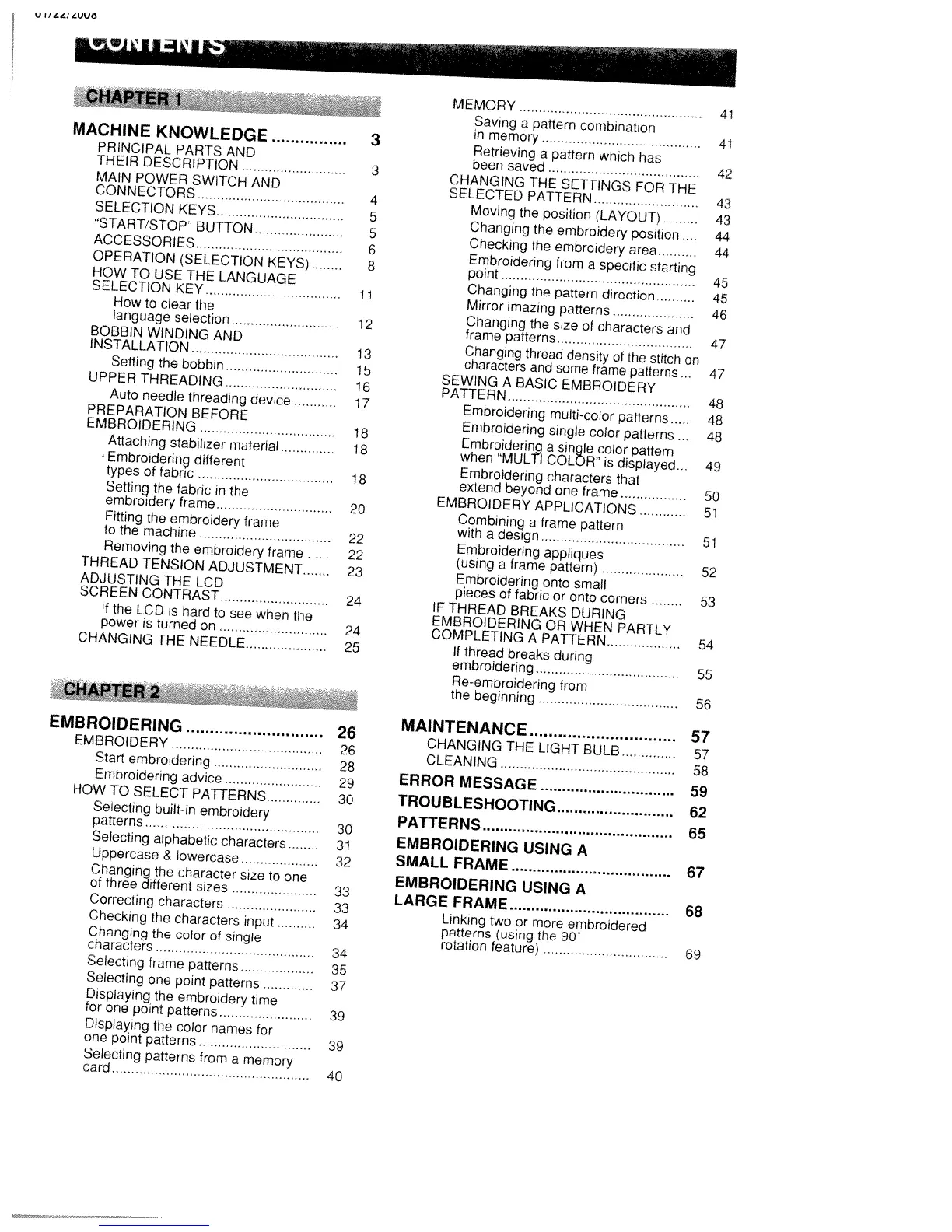
MACHINE
KNOWLEDGE
PRINCIPAL
PARTS
AND
THEIR
DESCRIPTION
MAIN
POWER
SWITCH
AND
CONNECTORS
SELECTION
KEYS
START/STOP”
BUTTON
ACCESSORIES
OPERATION
(SELECTION
KEYS)
HOW
TO
USE
THE
LANGUAGE
SELECTION
KEY
How
to
clear
the
language
selection
BOBBIN
WINDING
AND
INSTALLATION
Setting
the
bobbin
UPPER
THREADING
Auto
needle
threading
device
PREPARATION
BEFORE
EMBROIDERING
Attaching
stabilizer
material
-
Embroidering
different
types
of
fabric
Setting
the
fabric
in
the
embroidery frame
Fitting
the
embroidery
frame
to
the
machine
Removing
the
embroidery
frame
THREAD
TENSION
ADJUSTMENT
ADJUSTING
THE
LCD
SCREEN
CONTRAST
If
the
LCD
is
hard
to
see
when
the
power
is
turned
on
CHANGING
THE
NEEDLE
EMBROIDERING
EMBROIDERY
Start
embroidering
Embroidering
advice
HOW
TO
SELECT
PATTERNS
Selecting
built-in
embroidery
patterns
Selecting
alphabetic
characters
Uppercase
&
lowercase
Changing
the
character
size
to
one
of
three
different
sizes
Correcting
characters
Checking
the
characters
input
Changing
the
color
of
single
characters
Selecting
frame
patterns
Selecting
one
point
patterns
Displaying
the
embroidery
time
for
one
point
patterns
Displaying
the
color
names
for
one
point
patterns
Selecting
patterns
from
a
memory
card
MEMORY
Saving
a
pattern
combination
in
memory
Retrieving
a
pattern
which
has
been
saved
CHANGING
THE
SETTINGS
FOR
THE
SELECTED
PATTERN
Moving
the
position
(LAYOUT)
Changing
the
embroidery
position
Checking
the
embroidery
area
Embroidering
from
a
specific
starting
point
Changing
the
pattern
direction
Mirror
imazing
patterns
Changing
the
size
of
characters
and
frame
patterns
Changing
thread
density
of
the
stitch
on
characters
and
some
frame
patterns
SEWING
A
BASIC
EMBROIDERY
PATTERN
Embroidering
multi-color
patterns
Embroidering
single
color
patterns..
Embroidering
a
single
color
pattern
when
“MULTI
COLOR”
is
displayed...
Embroidering
characters
that
extend
beyond
one
frame
EMBROIDERY
APPLICATIONS
Combining
a
frame
pattern
with
a
design
Embroidering
appliques
(using
a
frame
pattern)
Embroidering
onto
small
pieces
of
fabric
or
onto
corners
IF
THREAD
BREAKS
DURING
EMBROIDER
ING
OR
WHEN
PARTLY
COMPLETING
A
PATTERN
If
thread
breaks
during
embroidering
Re-embroidering
from
the
beginning
MAINTENANCE
26
CHANGING
THE
LIGHT
BULB
26
CLEANING
ERROR
MESSAGE
30
TROUBLESHOOTING
30
PATTERNS
31
EMBROIDERING
USING
A
32
SMALL
FRAME
EMBROIDERING
USING
A
LARGE
FRAME
Linking
two
or
more
embroidered
34
patterns
(using
the
90
rotation
feature)
42
43
43
44
44
45
45
46
47
47
48
48
48
49
50
51
51
52
53
54
55
56
57
57
58
59
62
65
3
41
41
3
4
5
5
6
8
11
12
13
15
16
17
18
18
18
20
22
22
23
24
24
25
67
68
69
34
35
37
39
39
40

Table of Contents

Related product manuals