EasyManua.ls Logo

White W3300 - Embroidery; Place and Attach Fabric Frame; Select a Pattern; Start the Machine

Default Icon
73 pages
Print Icon
To Next Page IconTo Next Page
To Previous Page IconTo Previous Page
Loading...
01/22/2008
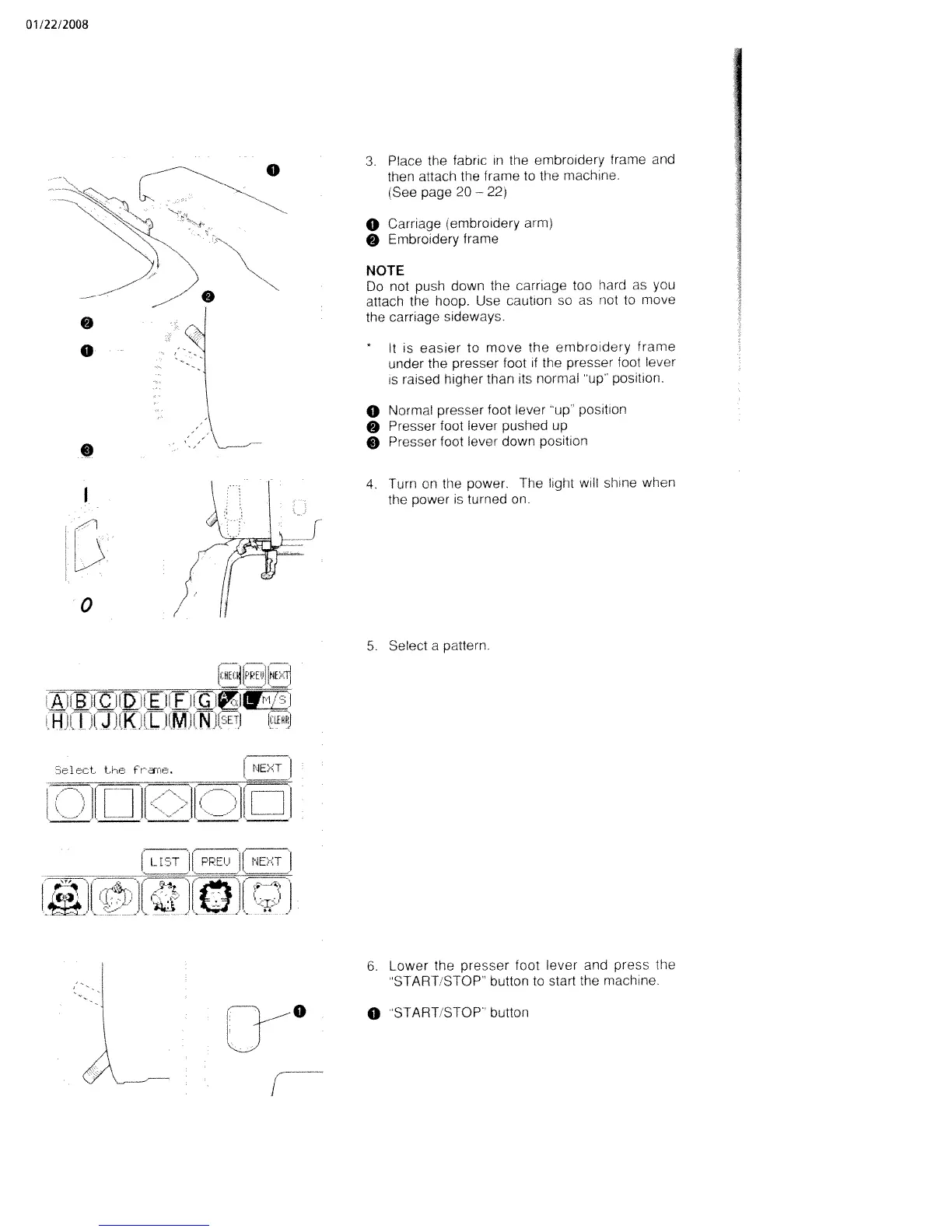
3.
Place
the
fabric
in
the
embroidery
frame
and
then
attach
the
frame
to
the
machine.
iSee
page
20
22)
0
Carriage
(embroidery
arm)
Embroidery
frame
NOTE
Do
not
push
down
the
carriage
too
hard
as
you
attach
the
hoop.
Use
caution
so
as
not
to
move
the
carriage
sideways.
*
It
is
easier
to
move
the
embroidery
frame
under
the
presser
foot
if
the
presser
foot
lever
is
raised
higher
than
its
normal
up
position.
o
Normal
presser
foot
lever
up
position
O
Presser
foot
lever
pushed
up
O
Presser
foot
lever
down
position
4.
Turn
on
the
power.
The
light
will
shine
when
the
power
is
turned
on.
1
I
I—Ill
I
iIJJ[KI!
L_
(Ml
N
(SETI
u.tP.j
Ct..
E.Fe
frne.
:Th
1[
______
______
LT
PPE’J
NET
-
u
irJI
I
1Jo
5.
Select
a
pattern.
6.
Lower
the
presser
foot
lever
and
press
the
START
STOP
button
to
start
the
machine.
0
START.STOP”
button
o
0

Table of Contents

Related product manuals