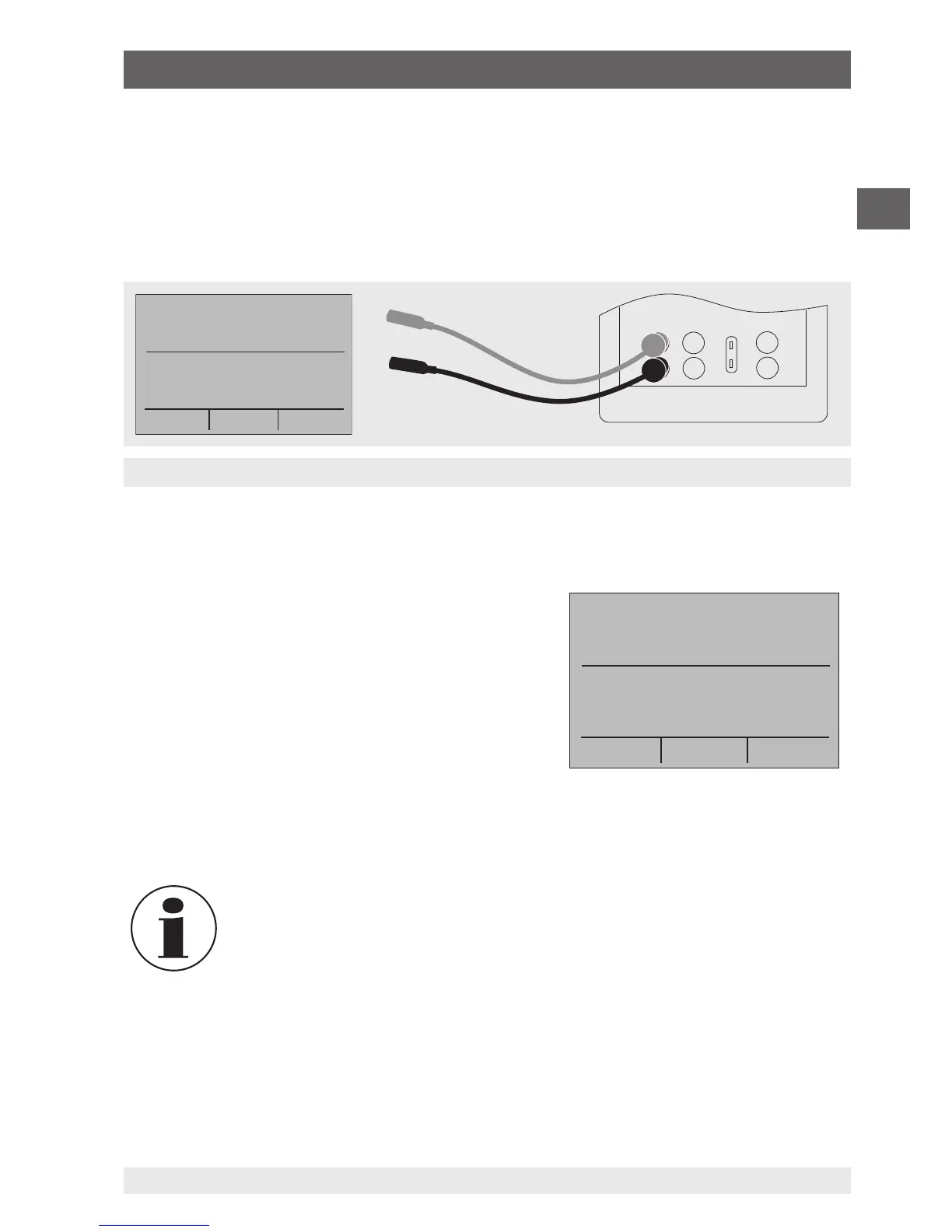
Measurement of the current in mA at the input and output
terminals
6.4.2 Measuring current (mA)
To measure current in mA, follow the steps below:
1. In the main menu, switch to the lower display “LOWER” and select “mA”.
2. The input/output setting must be set to “IN”.
3. Connect the test cables (see following figure).
6.4.3 Measuring temperature
6.4.3.1 Using thermocouples
The calibrator supports the following types of
thermocouples: B, C, E, J, K, L, N, R, S, T, U, BP and
XK. The typical characteristics of all of these types
are described in chapter 10 “Specifications”. The
calibrator also has a “CJC” (cold junction compen-
sation) function. In normal operation, the function
will be activated, and it will measure the effective
temperature of the thermocouple. If the option “CJC”
is deactivated, the calibrator measures the differ-
ence between the thermocouple at the connection point and the input terminal of the
thermocouple.
The CJC option should only be deactivated when the calibration is being
made with an external ice bath.
To measure temperature with the thermocouple, follow the steps below:
1. Connect the wires of the thermocouple to the input/output of the calibrator using the
thermocouple mini-connector (see following figure).
mA IN
0.000 mA
-25.00%
TC IN CJC OFF B
MENU
OL °C
LIGHT
6. Commissioning, operation


 To Next Page