8. Maintenance, cleaning and recalibration
Personnel: Skilled personnel
For contact details, please see chapter 1 “General information” or the back
page of the operating instructions.
8.1 Maintenance
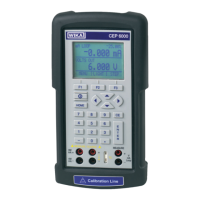
This model CEP6000 multi-function calibrator is maintenance-free.
Repairs must only be carried out by the manufacturer.
This does not apply to the battery replacement.
Only use original parts (see chapter 11 “Accessories”).
Replacing the batteries
To eliminate measuring errors, change the batteries as soon as the battery symbol is
displayed. If the battery capacity is too low, the CEP6000 will automatically switch off in
order to prevent electrolyte escaping.
To replace the batteries or rechargeable batteries, follow the steps below:
1. Remove test cable and mains cable (for rechargeable battery power) from the
CEP6000.
2. Remove the screw from the battery compartment cover on the back and remove the
cover.
3. Remove batteries or rechargeable batteries, respectively.
4. Insert new batteries or charged rechargeable batteries.
Only alkaline batteries or size AA NiMH batteries, as an option, should be
used.
5. Replace the battery cover and screw in and tighten the screw.
8.2 Cleaning
1. Prior to cleaning, switch off and disconnect the instrument from the mains.
2. Clean the instrument with a moist cloth (moist cloth with water or water with soap
solution). Do not use any solvents.
8. Maintenance, cleaning and recalibration


 To Next Page