UUT
MEASURE / SOURCE
3W
mA+
TC
V
mA
Loop
+
V
Hz
–
+
4W
mA–
MEASURE
–
Ω
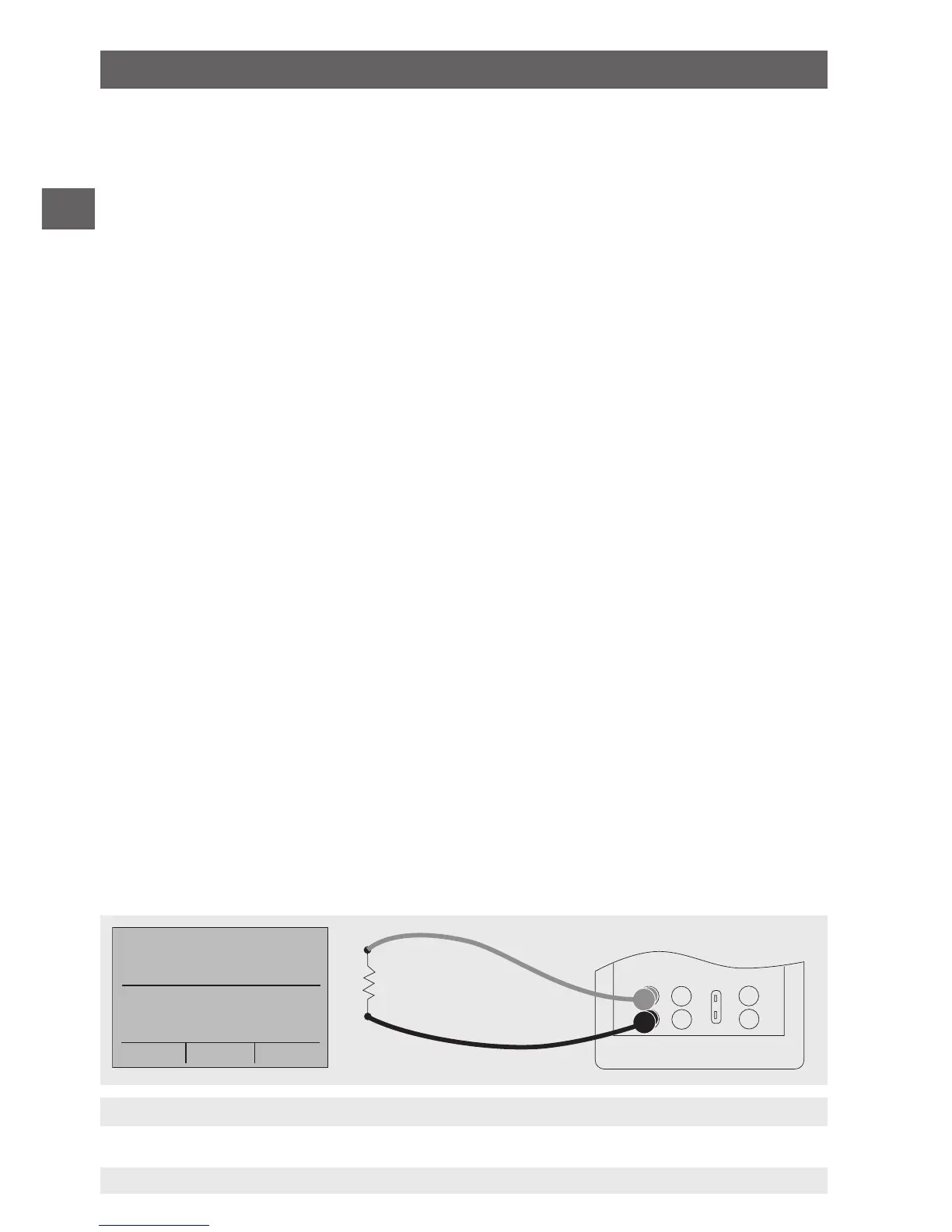
Connection for use as a mA source
6.5.1.1 Increasing the output current in steps
To use the 25 % function with an output signal in the milliampere range, follow the
steps below:
1. Select the option “mA” for the lower display from the main menu.
2. With the key for “25 %”, it is possible to move between 4 mA and 20 mA in intervals of
25 %.
6.5.2 Using the automatic output functions
The step function and automatic ramp function are available as automatic output
functions. The selected function can be switched on and off via the start menu (“STEP” or
“RAMP”). The automatic output parameters can be set in the menu via “Automatic output
function”.
The parameters include:
■
Which automatic output function is available (step function or ramp function).
■
The time for the automatic output function defines the time between the individual
steps or, in the ramp function, the time between the first and second limit value in the
ramp.
■
The limit values for the ramp mode and step function are set to 0 % and 100 %. For
further information, see chapter 6.5.1 “Setting the output parameters 0 % and 100 %”.
The step increase is made in 25 % steps from 0 % to 100 %.
6.5.3 Current output
To output a current, follow the steps below:
1. In the main menu, switch to the lower display “LOWER” and select “mA”.
2. The input/output setting must be set to “OUT”.
3. Connect the test cables to the terminals for current output (see following figure).
4. Enter the desired current value via the keypad.
6. Commissioning, operation


 To Next Page