37
4. For the Service Technician
Press for 5
seconds
Press for 5
seconds
Fig. 72
Boiler temperature
(Operating phases)
Info Menu
42
°C
Fig. 73
Operator level
Service level
Information level
MES Module
1
Choose Back
Fig. 74
Operator level
Service level
Information level
MES Module
1
Choose Back
Fig. 75
Service level only
for trained service personnel
5s
Service level
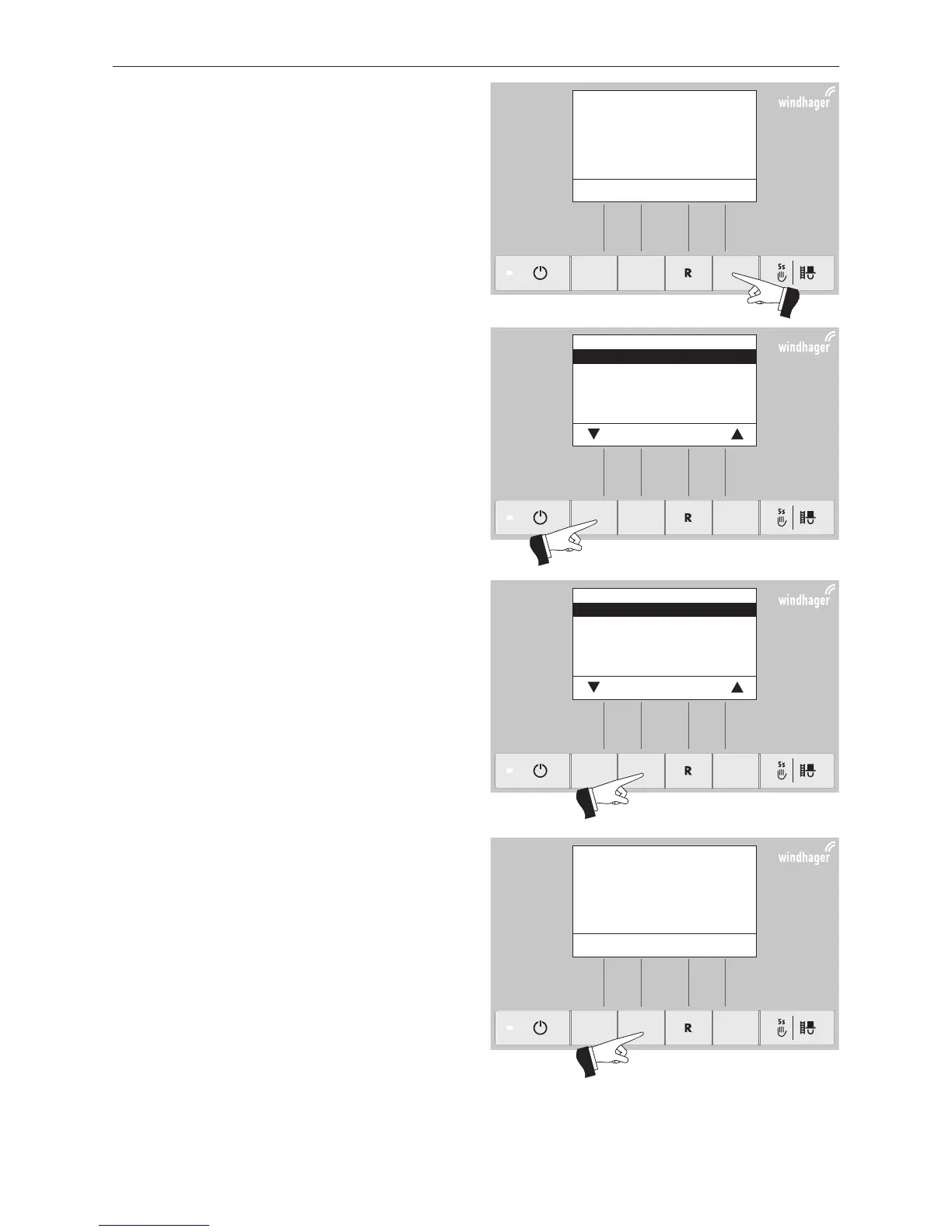
Pressing the Menu button (Fig. 72) shows the „Opera-
tor level“, „Service level“, „Information level“ and „MES
Module
1
“ in the display – Fig. 73.
Use the arrow buttons to select the “Service level” sub-
menu – Fig. 73.
Press and hold the Choose button for 5 seconds (Fig.74).
The display shows „Service level only for trained service
personnel“ – Fig. 75.
1 only displayed when an MESplus control is present and this has been adjusted by a trained service technician in the basic settings.



 To Next Page