27
2. For the Installer
2.3.20 Installing the control panel
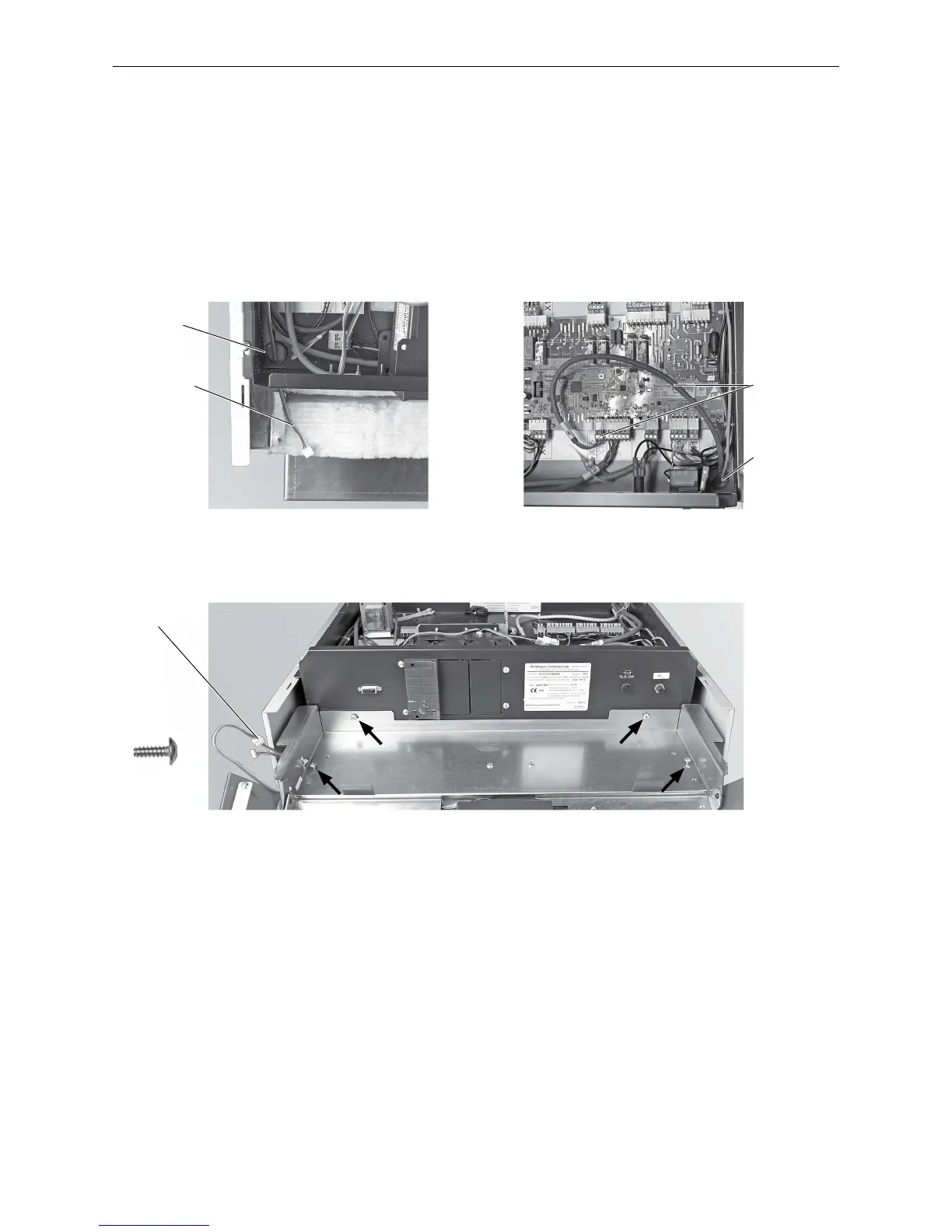
– Before the control panel is installed, the InfoWIN cable must be routed from the control panelat the front left
– Fig. 54.
– Route the cable from the door switch (on the control panel) at the front right into the control panel and connect
Plug X15 – Fig. 55.
– Loosely screw the control panel to the side panels (2 x) and control panel (2 x) with self-tapping screws –
Fig.56.
– Connect the InfoWIN cable and route into the side panel – Fig. 56.
Fig. 54 Threading the InfoWIN cable through
Fig. 55 Inserting the cable from the door
switch and connecting to Plug X15.
Door switch
cable and Plug
X15
Fig. 56 Attach the control panel with 4 self-tapping screws, route InfoWIN cable.
4 x
InfoWIN cable
InfoWIN
plug
Control panel
feed-through
Control panel
feed-through



 To Next Page