EasyManua.ls Logo

Winmate M101B - Description of Parts

Winmate M101B
92 pages
Print Icon
To Next Page IconTo Next Page
To Previous Page IconTo Previous Page
Loading...
10
Chapter 2: Getting Started
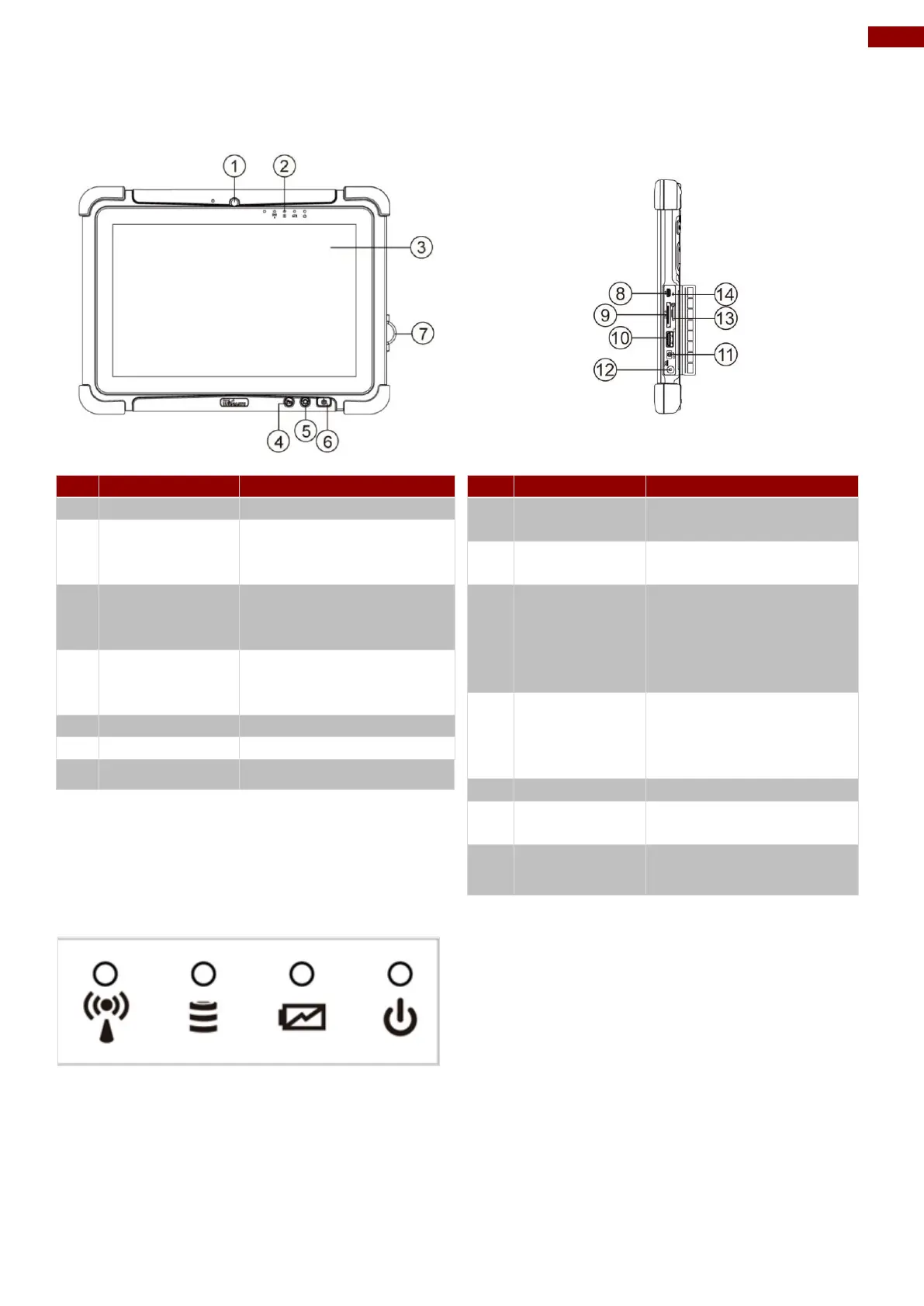
2.2 Description of Parts
Front:
Right:
No
Item
Description
1
Front Camera
2 Megapixel Webcam
2
LED
Indicators:
Show the current status
of the Tablet Computer
3
Touch Screen
Display and act as one
of the inputs for the
Tablet Computer
4
Fn1 Button
Programmable function
key configured by
Hottab Utility
5
Menu Button
Hottab Quick Access
6
Power Button
Power on/off tablet
7
I/O Cover
Protects I/O ports
No
Item
Description
8
Micro HDMI
HDMI output to
external display
9
LAN/RS232
Adapter port for
LAN/RS232 connector
10
USB 3.0
High speed USB port
connects to USB
devices, such as USB
flash drive, mouse,
keyboard, printer, etc.
11
Mic In/Line
Out
Headset or headphone
can be connected (Mic
is only supported with
3.5mm 4-pin headset)
12
Power Jack
DC-IN power input jack
13
MicroSD
Card Reader
Memory card reader
port for MicroSD Card
14
Reset Button
Hardware reset button
Front LED Indicators Details:

Table of Contents

Other manuals for Winmate M101B

Related product manuals