Chapter 4: Operating the Device
To switch between the different touchscreen modes via the programmable function buttons, make
sure the touchscreen mode switching is set to the programmable function buttons first.
1. Open HotTab utility by pressing (Menu) Button located on the front panel, OR
launching HotTab Utility application.
2. Tap on the Setting button.
3. Tap on F1 icon.
4. Tap on the Long Press icon.
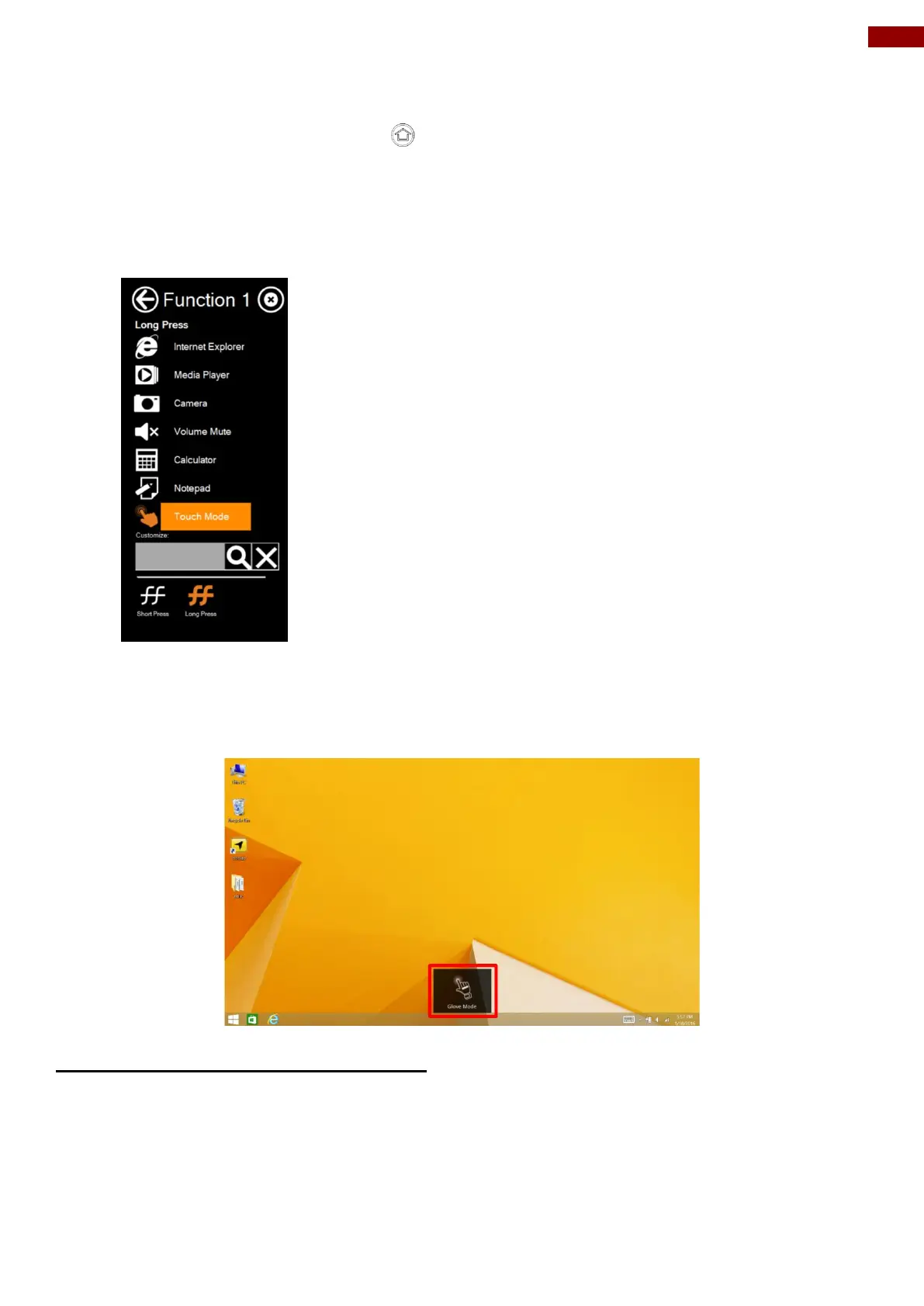
5. Change the Long Press function to “Touch Mode” as shown below:
Once the touchscreen mode switching is set to the programmable function button, Long Press on
“F1” function button to cycle through the different touchscreen modes. When touchscreen mode is
switched, an icon will temporarily overlay on the lower center of the screen to indicate current
touchscreen mode:
4.4.11 Using Expansion Module
The Ext. Module function allows users to choose either UHF RFID Reader or Smart Card Reader.



 To Next Page