Rugged Windows Tablet M101B/ M101BL User Guide
IMPORTANT
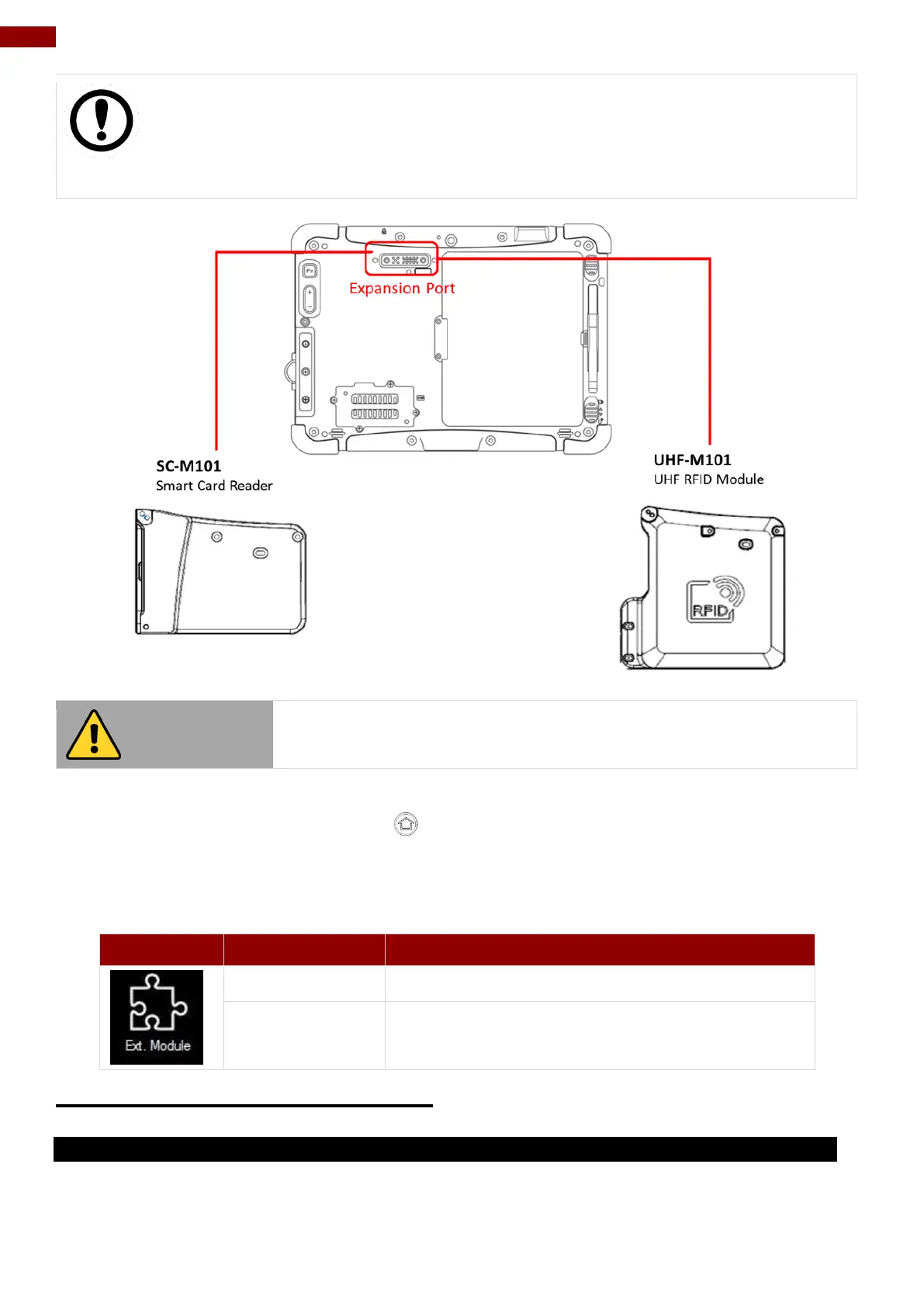
The Expansion Port is optional for M101B Tablet PC and is not re-workable by the
end user. To work with Add-on module, please make sure the tablet PC is built-in
expansion port before use, or contact our sales contact window for more details.
Do not open when the expansion port is not used.
To enable the add-on module from expansion port, perform the following procedure:
1. Open the Hottab utility by press the (Menu) Button located on the front panel, OR
launching the Hottab Utility application.
2. Tap on the Device ON/OFF button.
3. Check the status color of the Ext. Module icon:
Expansion Module is enabled.
4.4.12 UHF RFID Reader Module
4.4.12.1 How to Install
1. Remove expansion port cover from the rear side of Tablet PC.
2. Remove the top two screws of the I/O cover.



 To Next Page