Rugged Windows Tablet M101B/ M101BL User Guide
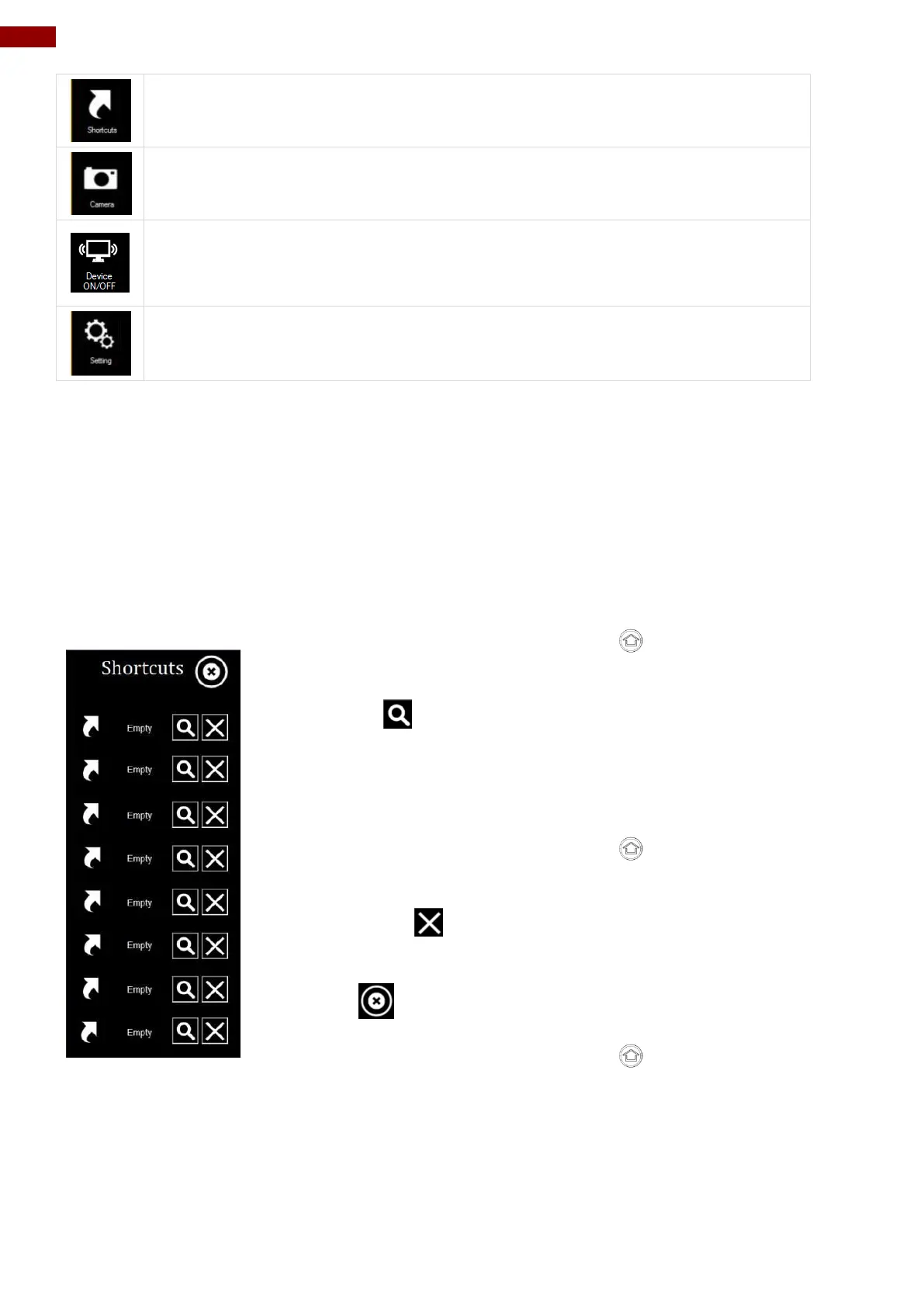
Shortcuts button allows users to configure short cut to quickly access
programs with a few tabs.
Camera button allows users take a picture or record a video. User can also
adjust setting related to camera in this menu option.
Device button enables/disables tablet computer’s hardware functions. The
configurable functions are Wi-Fi, WWAN(3G/4G/LTE), GPS, Bluetooth,
Camera, LED indicators, Barcode Reader, RFID Reader, Expansion Port, and
GPS Antenna routing options.
Setting button provides users information such as PC Information, Battery
status, and also device settings such as power management setting, and
function key mappings.
4.2 Shortcuts
Set up On-screen Software Shortcuts
Hottab Shortcuts Menu provides an user-friendly interface to configure on-screen software short
cuts and allow users to quickly access programs with a few tabs. The Shortcuts menu offers 8
empty slots to store user’s desired quick access. Shortcuts can be mapped to any of the
executable files (.exe) installed on the tablet.
To store a new shortcut:
1. Open the Hottab utility by press the (Menu) Button located
on the front panel, OR launching the Hottab Utility application.
2. Tap on the Shortcuts button.
3. Tap on button of any empty slot.
4. An on screen file browser will appear.
5. Browse to find the desired application to have shortcut.
6. Click “Open” to save the shortcut.
To remove an saved shortcut:
7. Open the Hottab utility by press the (Menu) Button located
on the front panel, OR launching the Hottab Utility application.
8. Tap on the Shortcuts button.
9. Tap on the button of any saved slot to remove
10. Shortcut will be removed, and once again show “Empty” to
indicate slot is empty.
Tap on the button will hide the Hottab Utility Menu.
Using the Hottab shortcuts:
1. Open the Hottab utility by press the (Menu) Button located
on the front panel, OR launching the Hottab Utility application.
2. Tap on the Shortcuts button.
3. Tap on the saved shortcut items to access the saved programs.



 To Next Page