Rugged Windows Tablet M101B/ M101BL User Guide
3.1.4 Choosing your computer's network
If you have a home network, connect with an Ethernet cable or activate the Wireless feature
before continuing.
Use the following steps to setup your computer network:
1. Choose a wireless network from the list.
2. If you do not see your network, click Connect to a hidden wireless network, enter the
network name, and select the security type and encryption type. Or, click Skip to continue
without a wireless connection and set it up later.
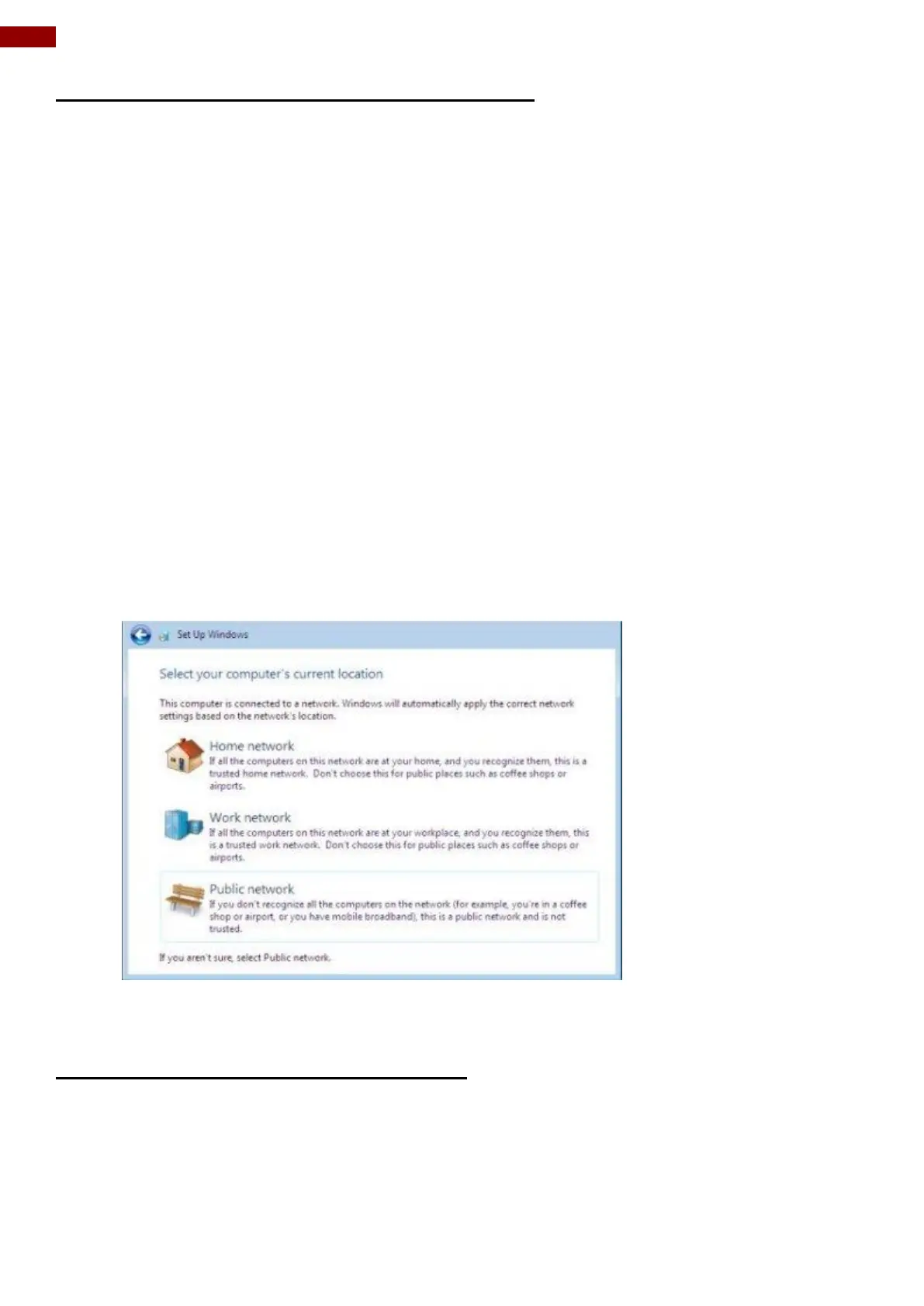
3. From the next screen, select one of the following locations for your computer:
Home network: Select this location if all the computers on this network are at your home
and you recognize them. This is a trusted home network.
Work network: Select this location if all the computers on this network are at your
workplace and you recognize them. This is a trusted work network.
Public network: Select this location if you do not recognize all the computers on the
network. (For example, you are in a coffee shop or airport, or you have mobile broadband.)
This is a public network and is not trusted.
4. Click the location where you will most often use the computer.
3.1.5 Completing Windows 7 Setup
After completing Windows 7 setup, a Preparing your desktop screen displays. Please allow
several minutes for Windows to save your settings.



 To Next Page