Chapter 5: Frequently Used Settings
5.3 Using Recovery Wizard to Restore Computer
M101B tablet computer has a dedicate recovery partition stored on the hard drive of the tablet to
enable quick one-key recovery process. This partition occupies about 11GB of the storage space,
and comes built-in to each M101B tablet computer.
Before starting the recovery process, be sure to backup all
user data, as all data will be lost after the recovery process.
Follow the procedure below to enable quick one-key recovery procedure:
1. Plug-in the AC adapter to M101B tablet computer. Make sure the M101B tablet computer
stays plugged in to power source during the recovery process.
2. Power on the tablet computer, and when the boot screen shows up, press the Fn1 button
(Recovery Key) on the front bezel OR press F6 when using an external USB keyboard to
initiate the Recovery Wizard.
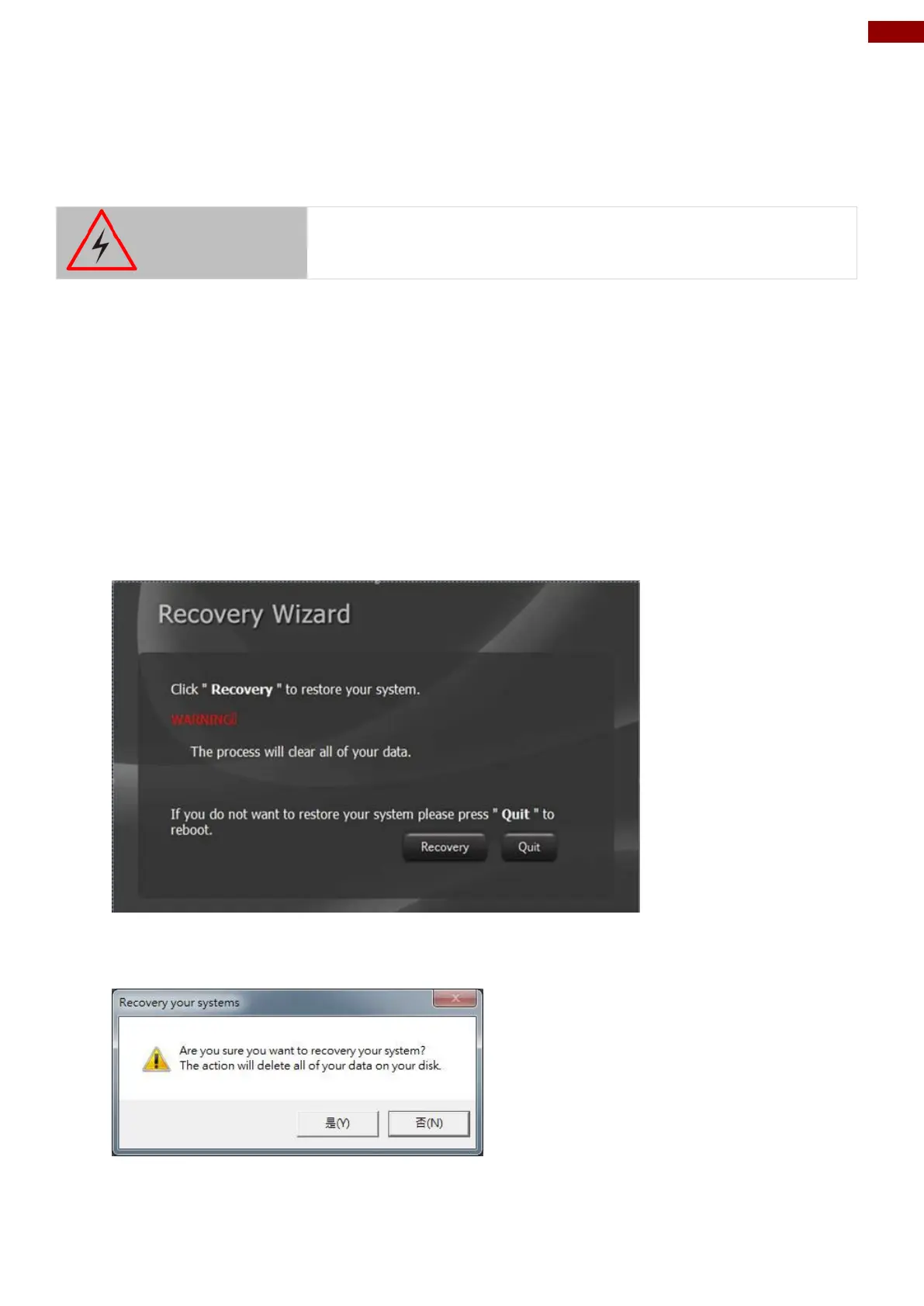
3. The following screen shows the Recovery Wizard. Click on “Recovery” button to continue.
4. A warning message about data loss will show up. Make sure data is backed up before
recovery, and click on “Yes” to continue.



 To Next Page