Chapter 4: Operating the Device
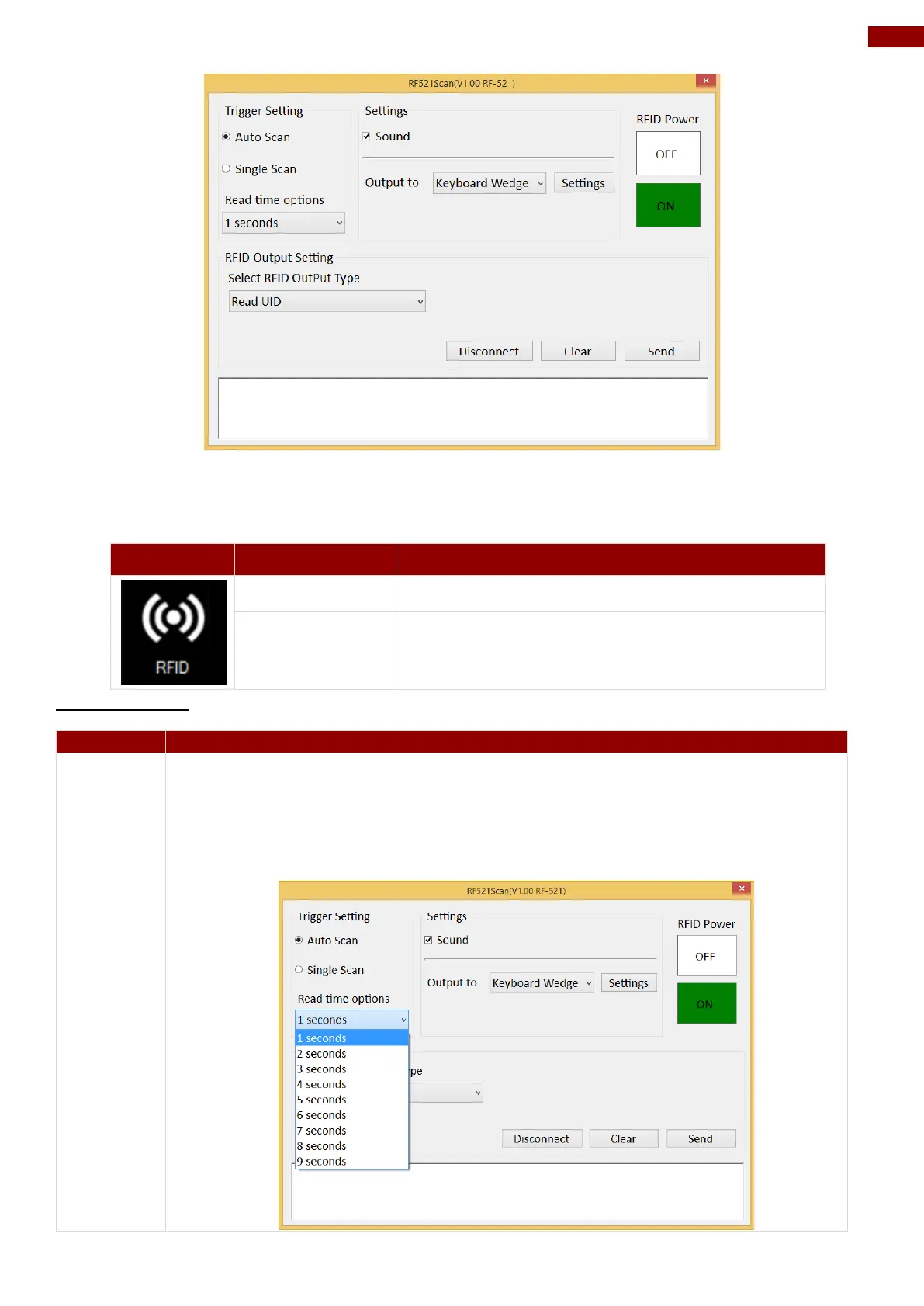
1. Tap on the ON button.
2. Check the status color of the ON icon is green, and the status color of the RFID icon on
the Hottab menu is orange at the same time.
HF RFID Reader is enabled.
HF RFID Reader is disabled.
Trigger Setting
The default setting for RFID trigger is Auto Scan. Under this setting, the RFID
Reader will always be ready to scan tags.
1. When the RFID tag is detected from RFID antenna, the data will be read
automatically.
2. User can define the RFID scanning frequency from the drop-down menu
shown as below. The frequency can be from 1 second to 9 seconds.



 To Next Page