Chapter 5: Frequently Used Settings
5.4 How to change OS
M101B is shipped with pre-installed OS based on your order. You will require to follow procedures
included in this OS Installation Guide if you want to install OS by yourself.
For M101B series, change the BIOS setting (UEFI/LEGACY mode) to install OS.
5.4.1 Changing BIOS Settings (UEFI/LEGACY mode) to Install OS
This section describes how to change UEFI/LEGACY mode in BIOS settings to install OS that is
different from Winmate’s shipment.
5.4.1.1 Default Windows 8.1 / 10 change to Windows 7
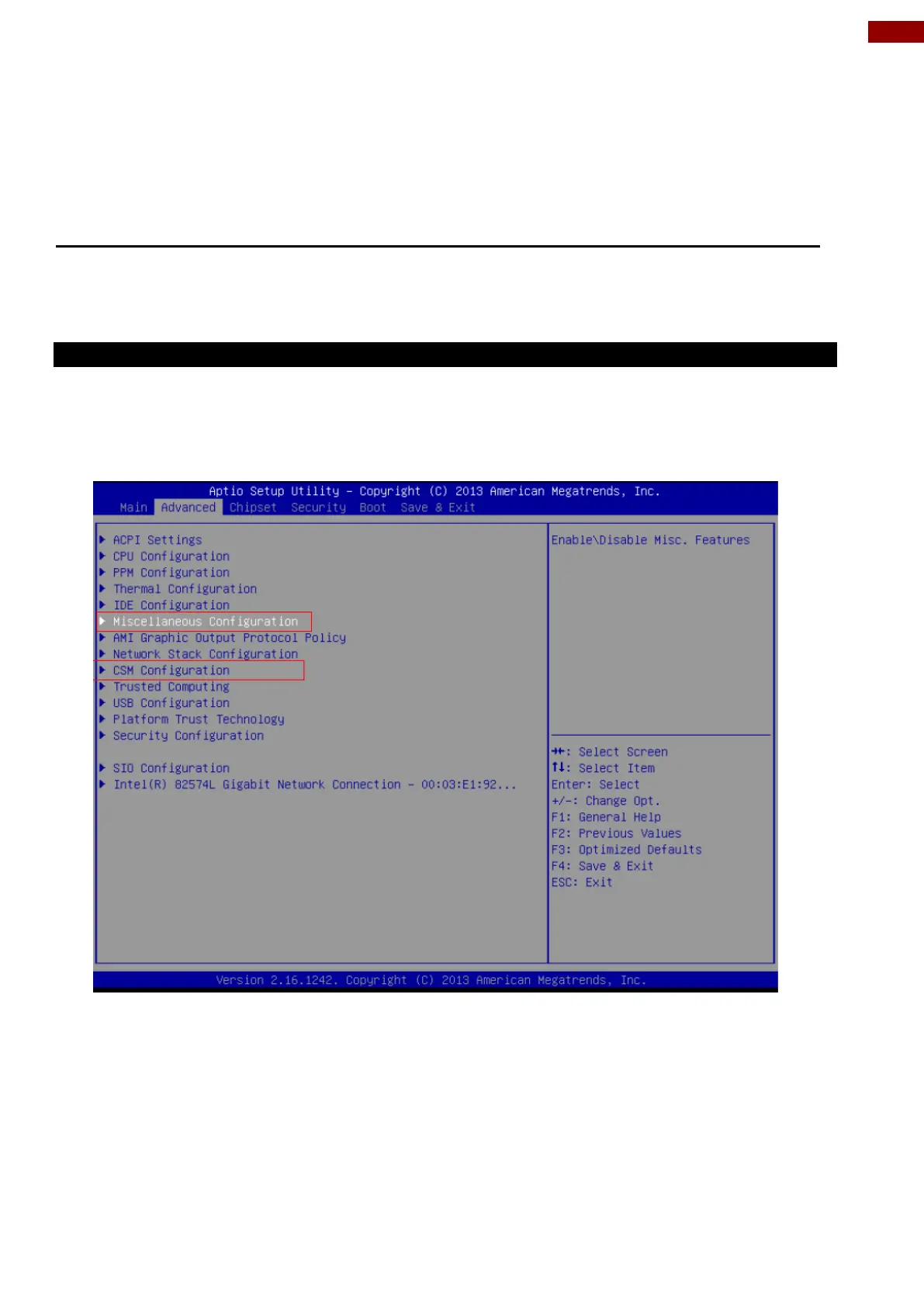
The instruction below describes how to change Windows 8.1 / 10 to Windows 7.
1. Enter BIOS Setup utility.
2. Go to “Miscellaneous Configuration” at BIOS setup menu.
3. Change OS setting to Windows 7



 To Next Page