13
User Manual WMF 1400
Operation
2.4 Milk or milk foam (optional)
2.4.1 Dispense milk or milk foam
Pressing a beverage button showing milk or milk foam
starts dispensing.
Dispensing lasts for as long as the button is pressed.
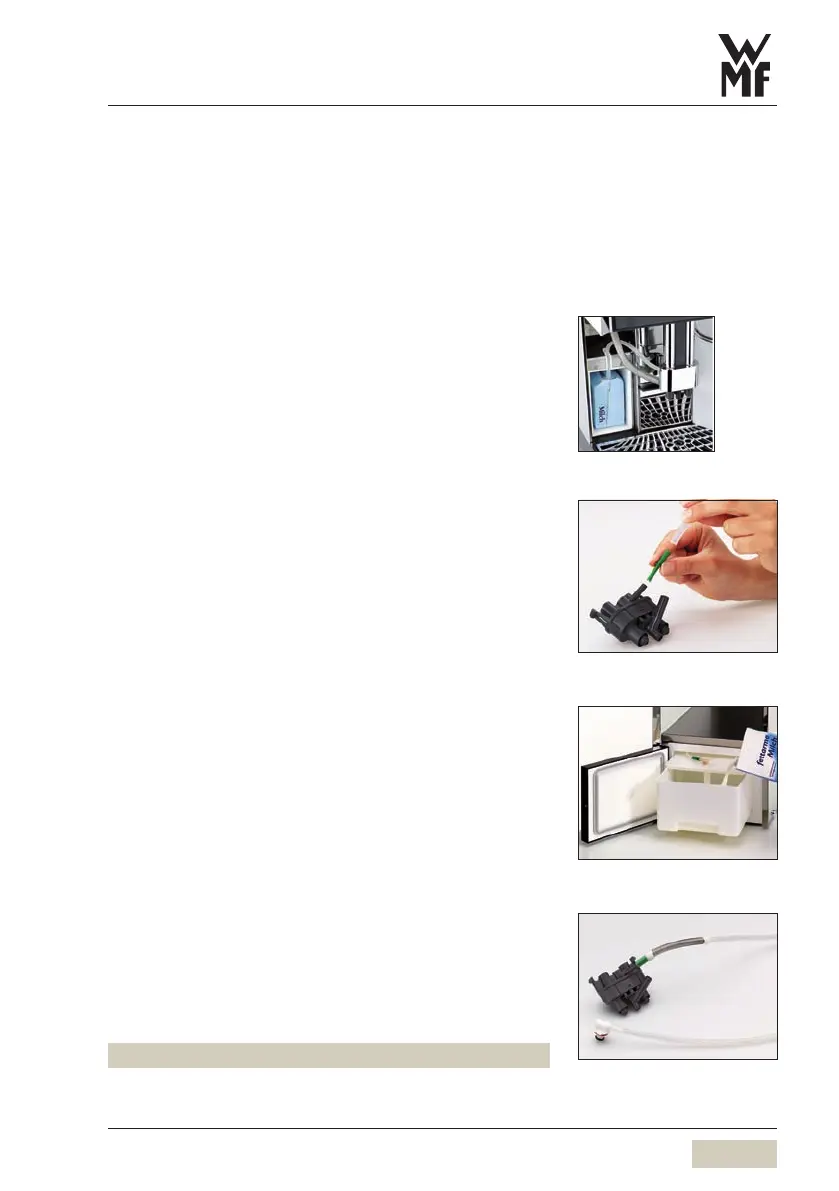
2.4.2 Connect up the milk
Use a suitable milk nozzle.
Green milk nozzle• = with a refrigerator, milk
temperature + 39 - 46°F (4-8°C)
White milk nozzle• = milk temperature
+ 46 - 61°F (8-16°C)
Standard
Insert the milk nozzle into the milk connector on the
combi spout
Pull the milk cover forward and out
Open the milk package so that milk does not pour out
when it is lying on its narrow side
Insert the milk hose, with the milk nozzle, into the milk
package
Slide the milk package carefully into the milk
compartment
The hose must not be under tension when adjusting the
height of the combi spout.
Replace milk cover
With WMF Cooler, WMF Cup&Cool (optional)
Insert the milk nozzle into the milk connector on the
combi spout
Pull out the milk container
Push the lid of the milk container back
Pour milk into the milk container
Place the lid back on the container
Insert the adapter on the milk hose into the connection
in the milk cover
Push the milk container back in carefully
The milk hose is inserted into the adapter.
Standard version
Cooler version
Cooler milk container
Cooler adapter



 To Next Page