43
User Manual WMF 1400
Care
Drip tray, housing and front panel cleaning:
Clean the cold machine using a damp cloth. Finally wipe
dry using a fine woolen cloth or chamois leather.
Cleaning metal surfaces:
For cleaning metal housing parts (matte surface), we
recommend WMF Purargan® forte cleaner.
Do not clean with scouring powders or the like.
There is a risk of causing scratches or scores.
Do not use any sharp cleaning materials or implements.
5.2 Weekly cleaning
5.2.1 Cleaning the brewing unit
Switch off the coffee machine with the ON/OFF button
Disconnect mains plug
Push combi spout fully upwards
Remove the coffee grounds container
Brewing unit is now fully accessible.
Hold firmly, as the brewing unit can slip downwards.
Never use force. Danger of breakage.
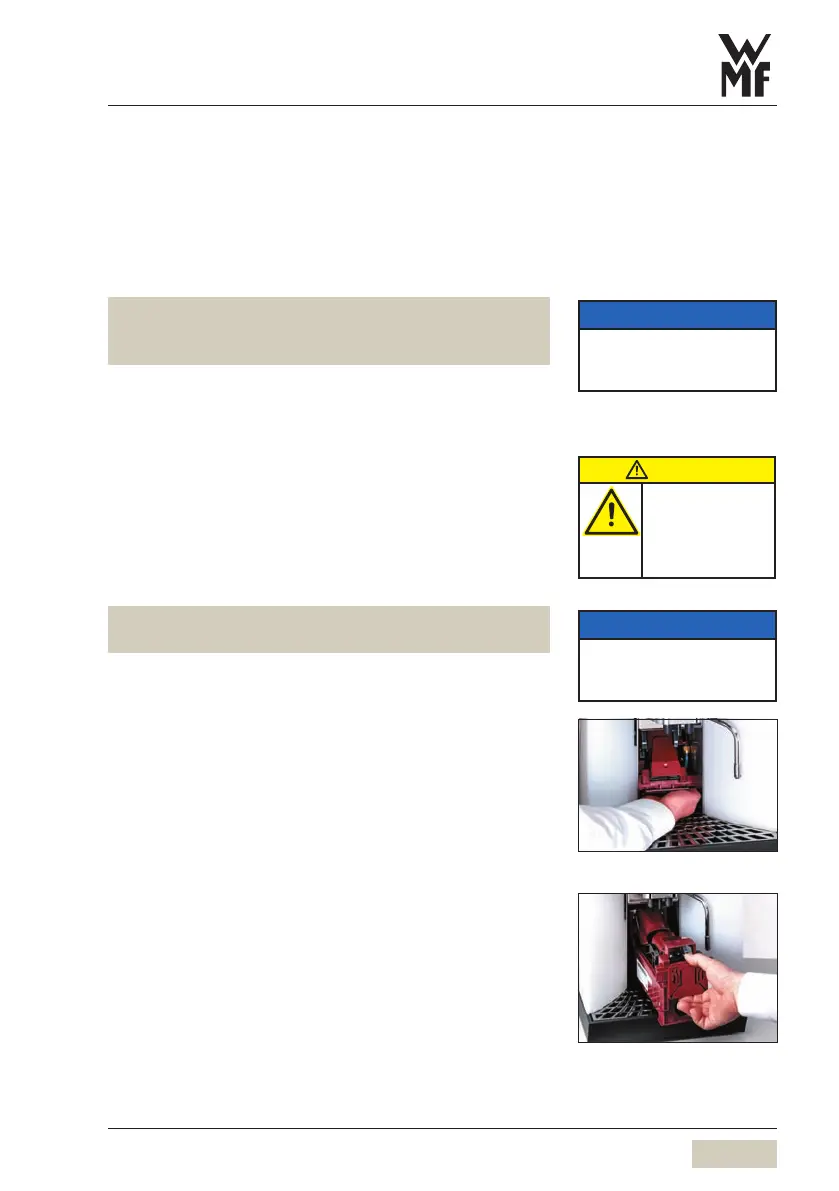
With one hand reach into the chute under the brewing
unit (Illustration 1) and release the retaining catch
Remove brewing unit and hold firmly
Slowly guide the brewing unit downwards, tilt and pull
forward. (Illustration 2)
Use the multitool from the accessories.
Turn the thread on the brewing unit head counter-
clockwise until the wiper is in the forward position
(Illustration 3)
Push the spring outwards over the edge and unlock
(Illustration 4)
Order numbers for the WMF care
program
see
Appendix: Accessories and spare
parts
Switch off the machine before
cleaning the front panel to avoid
a beverage being accidentally
dispensed.
NOTICE
Follow the instructions
beside.
See chapter 9.4: Warranty.
CAUTION
Bruising or
crushing hazard.
Work carefully.
Follow the
instructions beside.
NOTICE
Follow the instructions
beside.
See chapter 9.4: Warranty.
Illustration 1
Illustration 2



 To Next Page