18
User Manual WMF 1400
Software
Chapter 3 Software
3.1 Overview
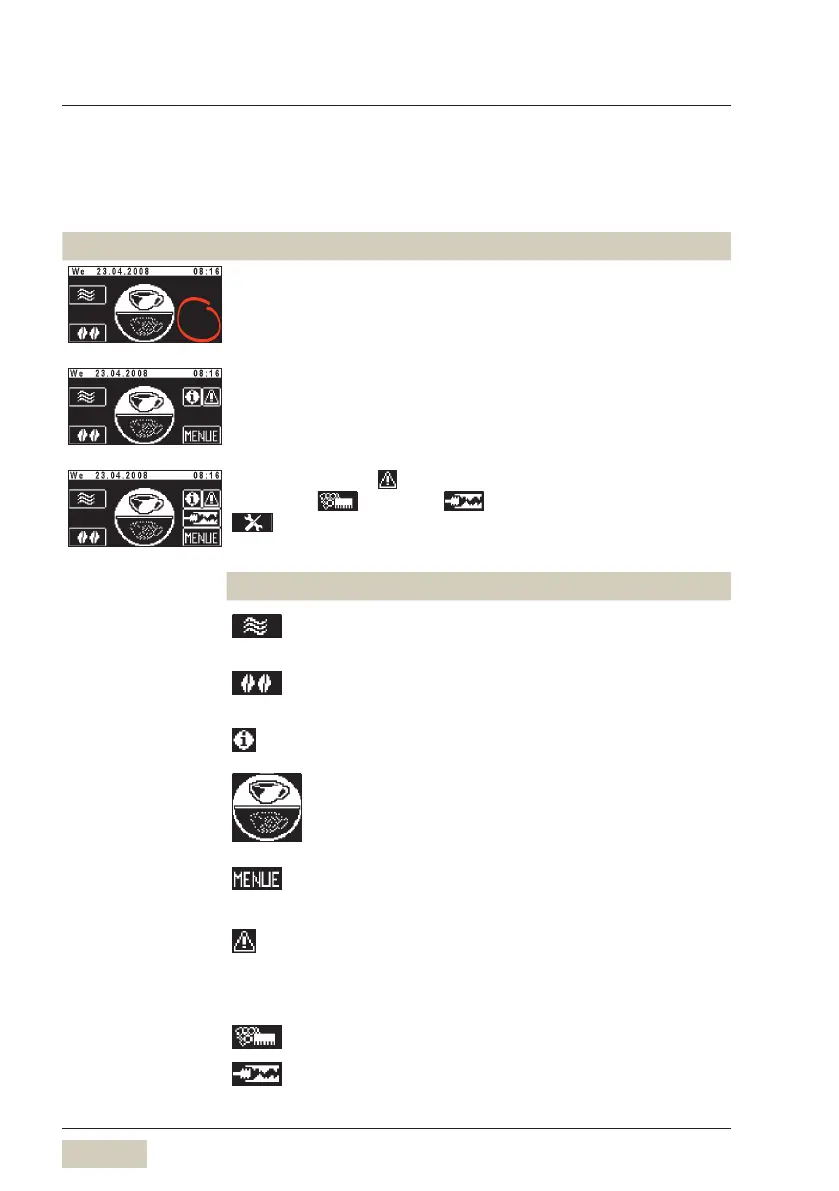
Ready to operate
Ready to operate display WMF 1400 coffee machine.
Touch clear pad on ready to operate display. Additional pads are
activated.
If there are errors, pad is displayed.
If Cleaning , Descaling , Filter Change or Maintenance
are required, this is displayed.
Pads on the ready to operate display
Chapter 3.2
Warm rinsing
Chapter 3.2.1
Barista (coffee strength)
Chapter 3.2.2.
Information
Chapter 3.2.3
Switch (optional)
Chapter 3.2.4
Main menu (Menu)
Chapter 3.2.5
Error message
Touching the pad calls up the error message.
Care message
Touching the pad leads directly to the menu.
Cleaning necessary.
Decalcification necessary.



 To Next Page