31
User Manual WMF 1400
Software
Selecting the beverage button when setting:
Press desired beverage button
Selecting the beverage button on the 2nd Level:
Press shift button x2
Press desired beverage button
Adjust values
Adjust values with the and pads
Save setting
Save with
Cup volumes
Cup volumes are matched to the cups used.
Individual beverage ingredients are matched to the new
cup volumes with no effect on composition and quality.
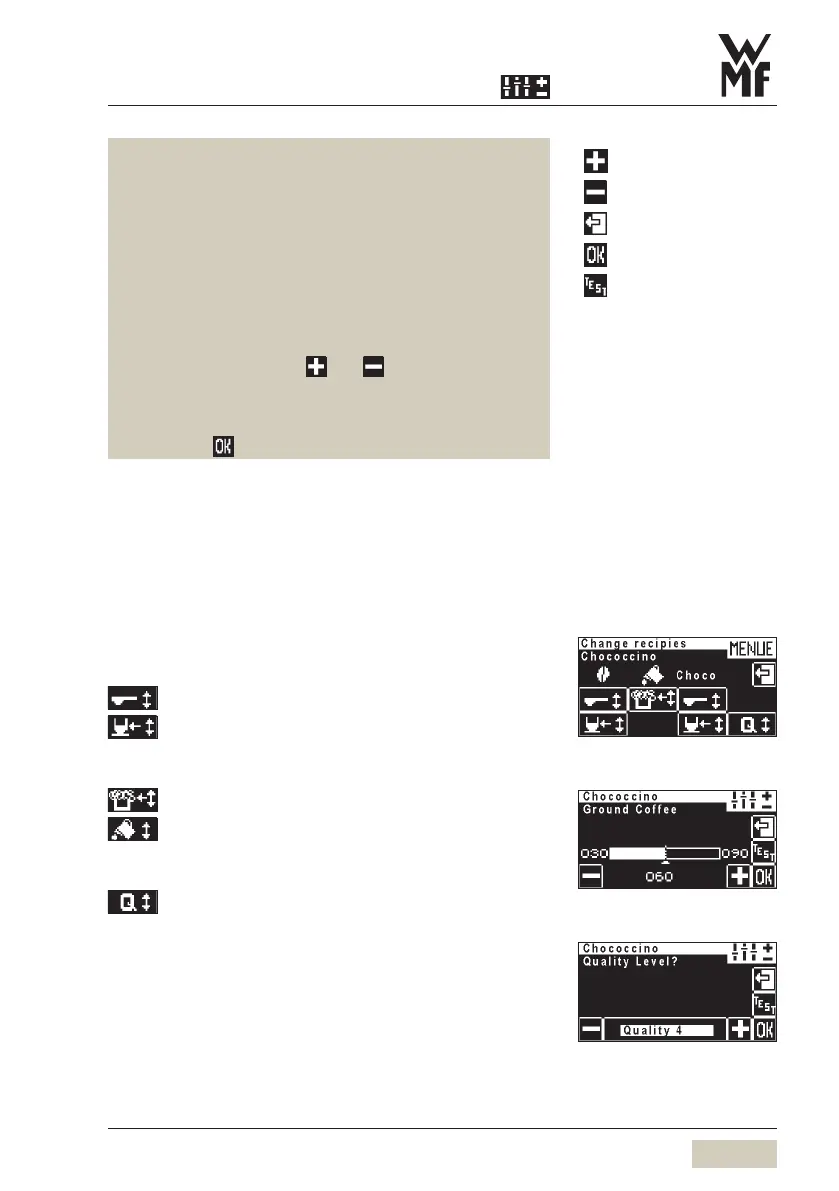
Change recipes
All beverages:
Ground coffee quantity / Choc powder quantity
Water volume
Milk beverages:
Milk foam volume
Milk volume
Coffee beverages:
Quality
= more
= less
= exit without changing
= save the values
= start test
Change recipes
Example: Ground coffee quantity
Qualitity Level



 To Next Page