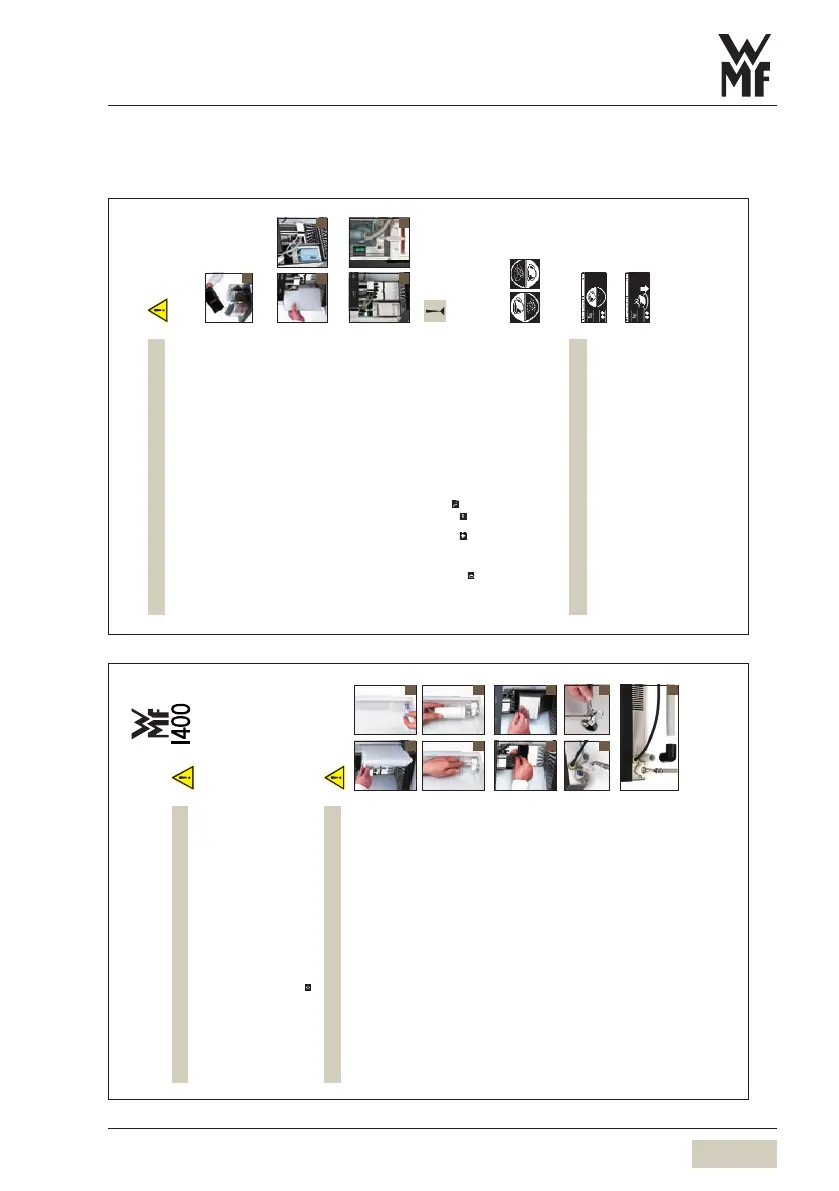
Appendix: Brief instructions
Appendix A: Brief instruction overview
Recipe set ting adjusted to new cup volumes!
For initial commissioning:
Discard beverages that are dispensed
during fill quantity adjustment.
Readiness State display
with one button level
Readiness State display
with two button levels
Level 1 active Level 2 active
The WMF 1400 takes you using step by step dialogues through the
installation routine. Perform each step only when instructed on the display!
Set Water Hardness
Request water hardness reading from water supplier or determine using
WMF Carbonate Hardness Test Kit (complete with Instructions) in the accesssories
Labelled “Deutsche Karbonathärte” = ° dKH
Fill Product Reservoir
Fill Product Reservoir when requested by display [6].
Connect Milk (optional)
green Milk nozzle =t cold milk
white Milk nozzle =t milk at room temperature
Open milk lid fully to the front [7a]
Open fresh milk pack so that it is lying on the thin side and no milk runs out
Push preassembled milk hose into the milk pack. Shorten hose as required
Carefully insert the milk pack into the milk compartment [7b]
When adjusting height of combi spout, hose must not be stretched.
Replace milk lid
Integrated milk cooler (optional)
Insert pre-cooled milk in the milk pack into the milk compartment [8a]
Switch on the milk cooler [8b]
Additional refrigerator (optional)
Assemble in accordance with the „additional refrigerator“ instructions.
Set Cup Volumes
Decide beverage receptacles for beverage dispensing and keep receptacles ready.
This point can be skipped if beverage receptacles are not available.
Touch beverage button for the desired beverage
Activate test dispensing by touching
Adjust cup volumes with and pads
Save with
Second Button Level (optional)
If your WMF 1400 has a second button level you can also set the cup volumes for the beverages of
the second button level. If the second level is available the toggle pad will be displayed.
Activate the respective inactive button level by touching the toggle pad.
The selected settings may now be adjusted at any time in the Setting Menu.
Setup Complete
The dialogue is now ended. Your WMF 1400 is now ready for operation.
Please find out how to set, operate, clean and program your coffee machine in your User Manual.
Please dispense three cups of hot water prior to starting regular service. Press the steam button for
about 10 seconds. Then run a cleaning cycle.
Beverage Despensing
Pressing the beverage buttons triggers dispensing of the beverage set.
Illuminated ring round buttont = ready
Flashing ring round buttont = dispensing
Place receptacle underneath
Press desired beverage button
Chosen beverage and progress of dispensing are shown in the display.
We wish you every success with your WMF 1400!
Do not confuse beans and powder containers!
Twin topping: Choc lef t, topping right
Do not jam milk hose and if fitted choc hose!
6
7a 7b
8a 8b
33 2329 5000 1.10 05.2008
Installation Instructions
For initial startup on delivery ex works.
Please refer to WMF 1400 User Manual. Pay special attention to the hazard notices and
Safety chapter.
Unpacking
Unpack the WMF 1400 and place it on a firm horizontal surface.
Mains Connection
Connect mains cable to a fused three-pin power point.
Mains Required:
(Kindly note the required Mains Power and Voltage as shown on the type label of the machine)
Standard: 220 V - 230 V/50 Hz, (2000-2200 W) fuse 10 A minimum!
Japan: 200 V/50/60 Hz, (2000 W) fuse 15 A minimum!
USA: 120 V/50 Hz, (1700 W) fuse 15 A minimum!
Switch On
Press and hold ON/OFF button for 2 sec min.
WMF 1400 switches on and startup program commences.
The WMF 1400 takes you using step by step dialogues through the installation routine.
Perform each step only when instructed on the display!
Water Tank
Remove water tank [1] , remove lid
Take out accessory components contained
Water tank option only!
Rinse out water tank and fill with clean cold mains water
Place lid on water tank and replace until it meets the stop
Water filter (optional)
Remove the integrated water spout strainer from the water tank [2a]
Insert the cartridge adapter into the water spout supports from above (with lock open) and lock
into place [2b]
Unpack the water filter cartridge and insert into the cartridge adapter [2c]
Coffee Grounds Container
Push combi spout fully upwards
Push up adjustable screen [3a] over coffee grounds container
Remove coffee grounds container [3b] and remove accessories
Replace coffee grounds container until it meets the stop
Close adjustable screen
Constant Water Supply (optional)
Carefully insert seals attached to connecting tube
Using hose connect union on rear of machine [4a] to existing water tap [4b] or anti-scale filter
as appropriate
If using WMF AquaQuell 1.5 Filter System follow its User Manual.
Turn on water
Check unions for leaks and tighten if necessary!
Drain Outlet (optional)
Push drain tube with angle onto water drain connector on rear of machine [5]
Connect drain tube to mains drain via an S-trap
Tube must not sag. Shorten tube if necessary!
Packaging material in box contains accessories! Do
not throw away!
For accessories and identifiaction of machine
components see User Manual!
Make sure that the coffee machine is in perfect
condition. In the event of doubt do not start up
and inform WMF Service.
Keep original packaging in the event of any
subsequent return!
For installation terms and conditions see
User Manual!
Do not loosen any screws and do not remove any
housing par ts - there is danger to life inside the
machine due to mains voltage!
Siphon = S-bend (odour trap) (as on dishwahers)
1 2a
2b 2c
3a 3b
4a 4b
5



 To Next Page