Modules
Setting Up SATA RAID, Optane™ or AHCI Mode 6 - 23
6
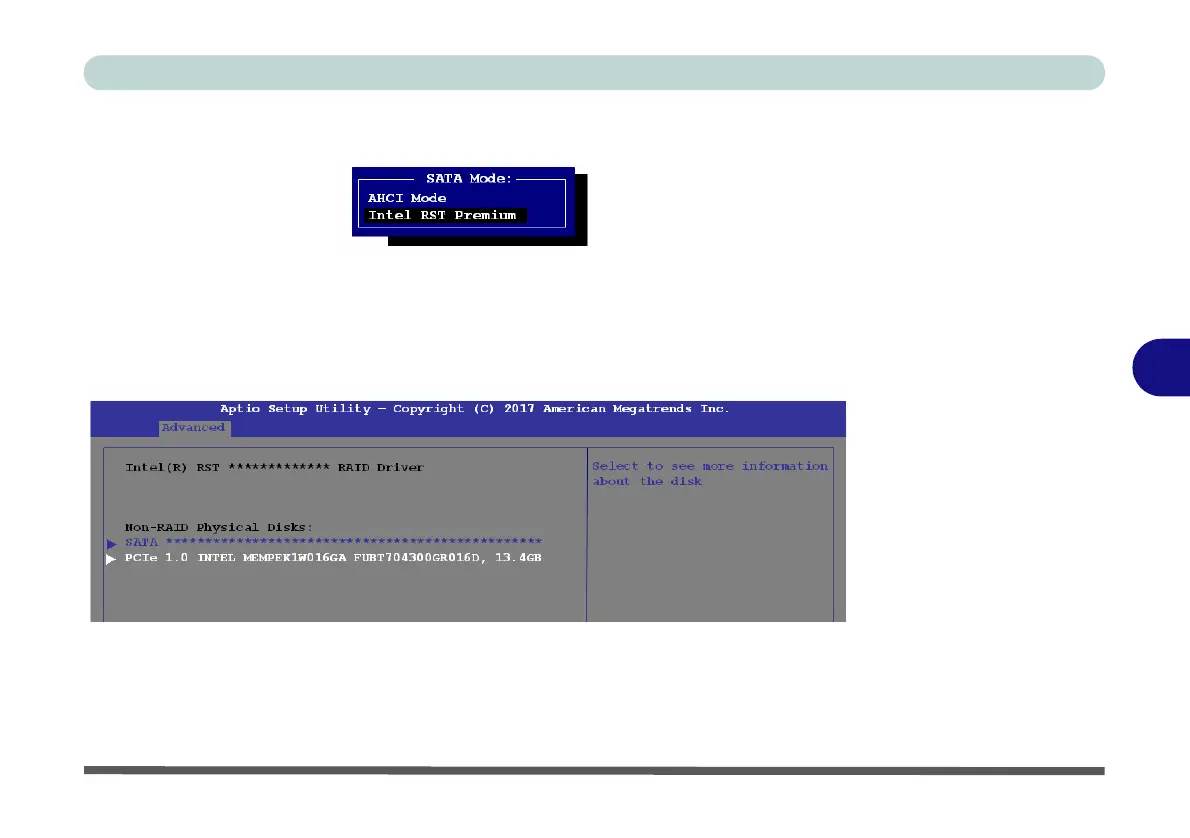
7. Select SATA Mode (see page 5 - 12), press <Enter> and select “Intel RST
Premium”.
8. Press <F4> and <Yes> to “Save Changes and Reset”.
9. As the computer restarts press <F2> to enter the BIOS again.
10. Go to Intel(R) Rapid Storage Technology (Advanced menu) and press <Enter>
(note this item only appears after you have restarted and accessed the BIOS again
after having set SATA Mode to Intel RST Premium).
11. If you are reinstalling a system that has previously been setup in Intel RST
Premium mode, make sure you have cleared the Intel Optane Memory (see
“Clearing Intel® Optane™” on page 6 - 26).
Figure 6 - 12
SATA Mode
Selection (BIOS)
Figure 6 - 13
Intel(R) Rapid
Storage Technology
(Advanced Menu)



 To Next Page