Control Center & Flexikey®
B - 30 Keyboard Settings - Launch App
B
Keyboard Settings - Launch App
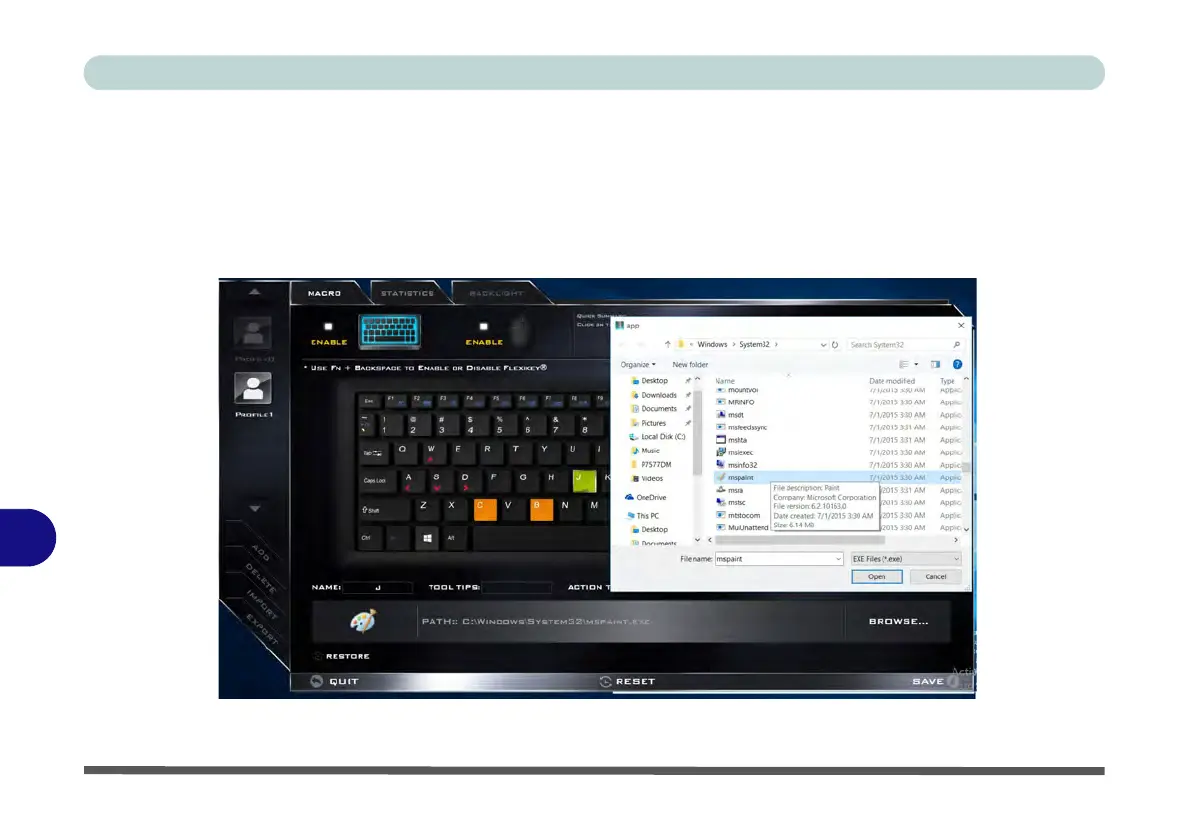
You can configure keys to launch any application or program as follows:
1.
Enable
and select the keyboard under your chosen profile,
click to select a key to launch the application,
and
then click to select
Launch App
in
Action Type
.
2. Click Browse... at the bottom right of the application window.
Figure B - 24 - Keyboard - Launch App (Browse to Executable File)



 To Next Page