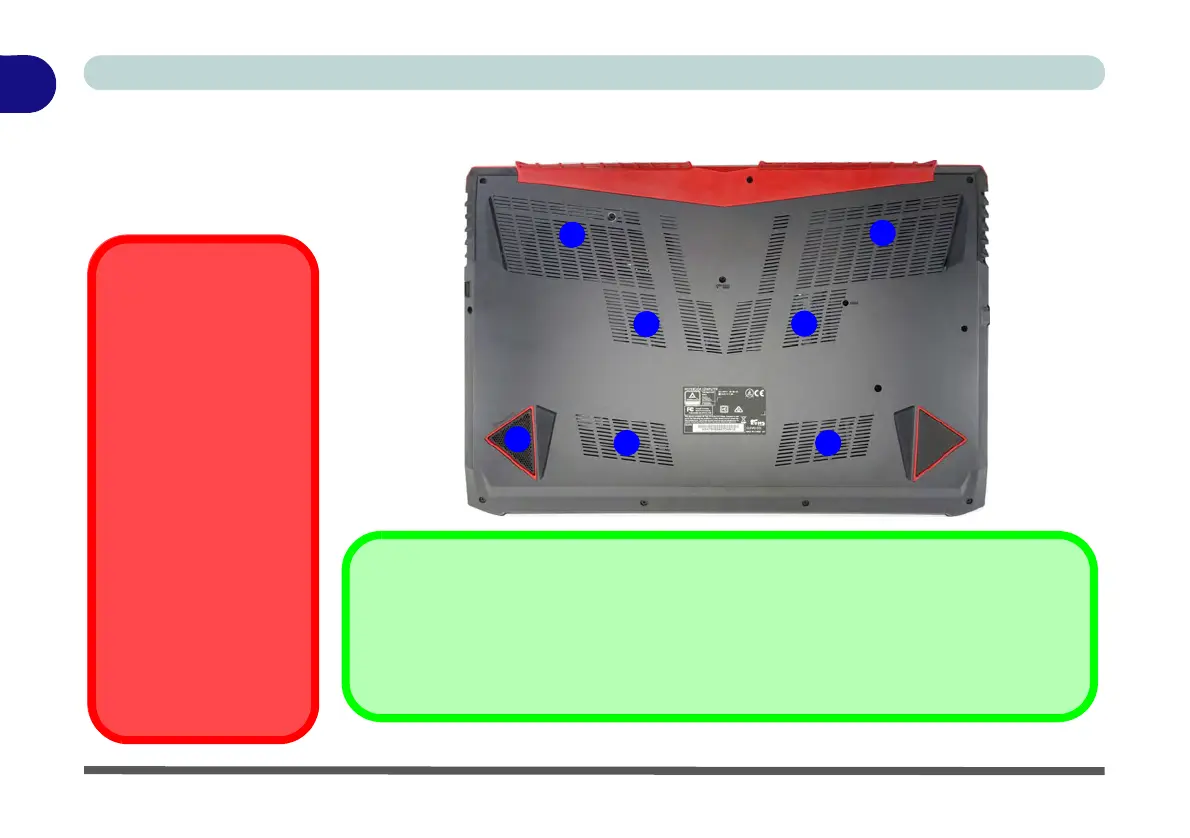
Figure 1 - 14
Bottom View
1. Fan Outlet/Intake
2. Subwoofer Speaker
Overheating
To prevent your computer
from overheating make sure
nothing blocks the vent(s)/
fan intake(s) while the com-
puter is in use.
Bottom Cover Removal
Warning
Do not remove any cover(s)
and /or screw(s) for the pur-
poses of device upgrade as
this may violate the terms of
your warranty.
If you need to replace/re-
move the hard disk/RAM/
optical device etc., for any
reason, please contact your
distributor/supplier for fur-
ther information.
1
Battery Information
Always completely discharge, then fully charge, a new battery before using it. Completely
discharge and charge the battery at least once every 30 days or after about 20 partial dis-
charges. See “Battery Information” on page 3 - 18 for full instructions.
1
1
1
1
2
1



 To Next Page