Modules
Intel® Rapid Storage Technology 6 - 61
6
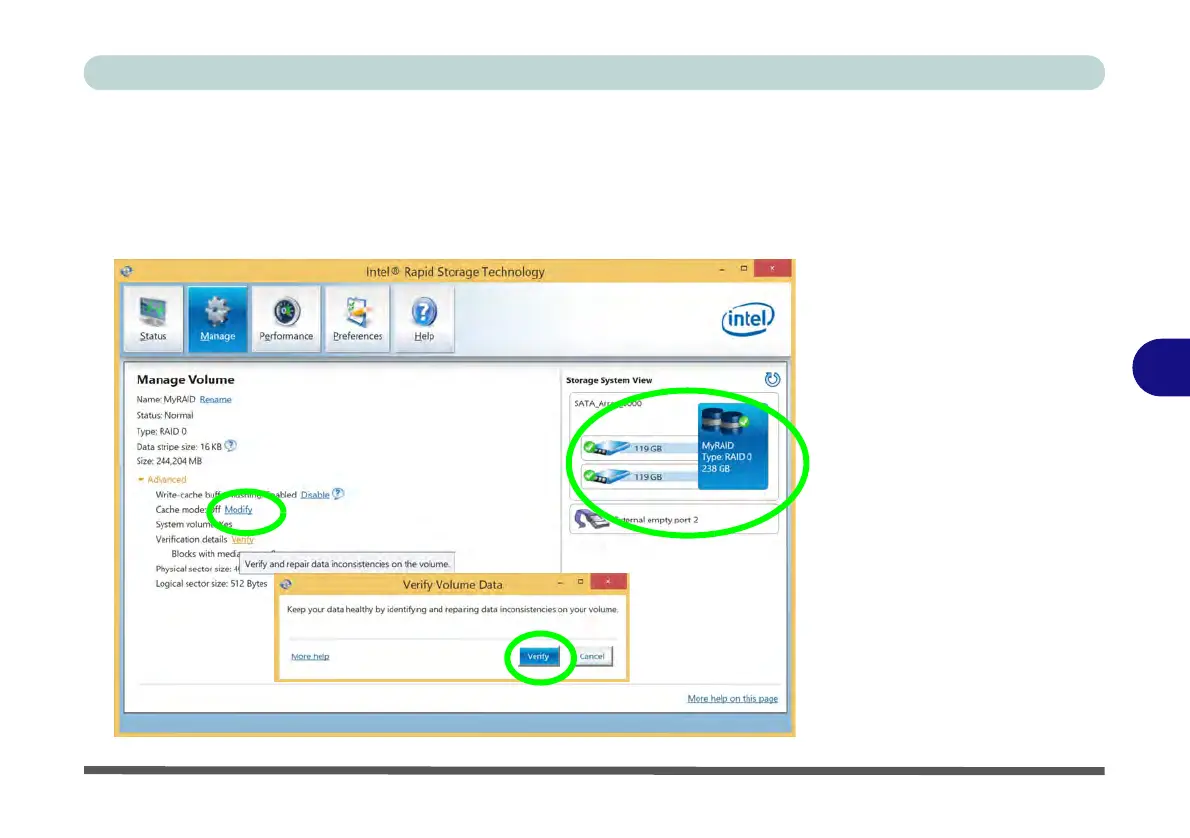
Verifying and Repairing RAID Volume Data
1. Run the Intel® Rapid Storage Technology application.
2. Click to select the RAID in the pane on the right side of the window.
3. Click Manage and click Advanced.
4. Click Verify and click Verify (button) to begin the process (in some cases you may
be required to initialize a volume before verification).
Figure 6 - 39
Intel® Rapid
Storage
Technology
Verify



 To Next Page